
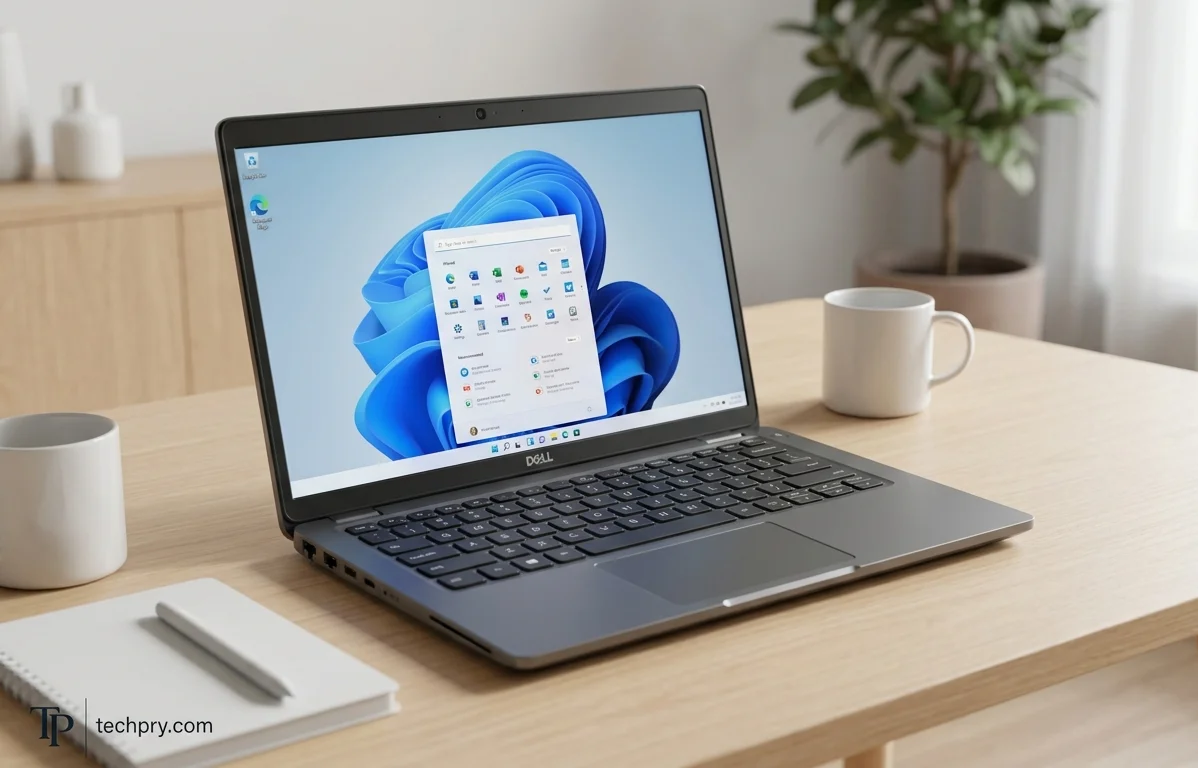
Dell Latitude 5450: Fast in a Small Body, but Check the Configuration
Reviewers praise the Latitude 5450's speed, keyboard and light build, but its standout performance and battery results come from upgraded units rather than the base configuration.
Contents
- Is the Latitude 5450 fast enough for everyday office work?
- Which processor does the Latitude 5450 use, and what other CPU options exist?
- Does the 14-inch Latitude 5450 outrun the larger 15-inch model?
- How capable is the integrated graphics chip?
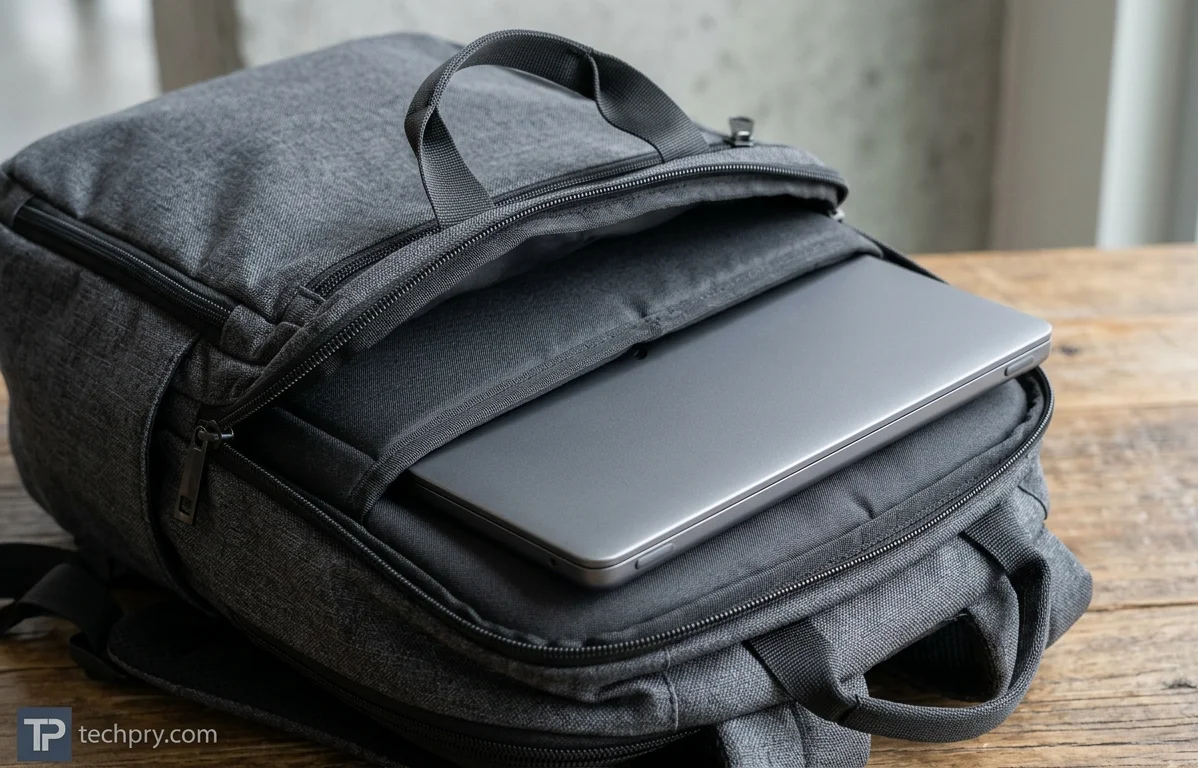
- How light and compact is the Latitude 5450 to carry around?
- How loud is the Latitude 5450's fan, and does it get hot?
- How is the Latitude 5450 cooled?
- How long does the Latitude 5450 battery last?
- What battery sizes and charging options does the Latitude 5450 offer?
- Is the Latitude 5450 keyboard comfortable to type on?
- How good is the Latitude 5450 touchpad?
- How solid is the Latitude 5450's build, and what is it made of?
- What does the Latitude 5450 look like: color, finish and styling?
- Is the Latitude 5450's 1080p IPS display good enough for office work?
- What are the Latitude 5450 display's size, resolution and panel type?
- How much storage can the Latitude 5450 hold, and how limited is the expansion?
- How much RAM does the Latitude 5450 have, and can it be upgraded?
- Which ports and wireless standards does the Latitude 5450 include?
- Does the Latitude 5450 offer cellular, smart-card or memory-card options?
- What webcam, fingerprint reader and security features does the Latitude 5450 offer?
- How does the Latitude 5450's lid and hinge behave?
- What do the Latitude 5450's speakers and microphones offer?
- Is the Latitude 5450 still sold, and what does it cost?
- Which operating systems does the Latitude 5450 come with?
- Who is the Latitude 5450 designed for, and what did reviewers think overall?
Two of the four reviews put the 14-inch Latitude 5450 ahead of its 15-inch sibling on sustained speed, even though cooling comes down to a single fan. The catch is that much of the praise, for speed and for battery life, comes from units that differ from the configuration on the spec sheet: a Core Ultra 5 125U, 8GB of RAM, a 256GB SSD and a 42 Wh battery. What the reviews broadly agree on is a light, solidly built office laptop with a good keyboard; where they split is fan noise and display quality.
Is the Latitude 5450 fast enough for everyday office work?
For office work, yes: three of the four reviews rate its performance as good for the class. The reviewer at merecivilian.com, who works on a Core Ultra 5 unit, says it has not slowed down and never left them wanting more performance. Notebookcheck calls it a snappy small office device that surprises with its speed, though that verdict comes from a Core Ultra 7 155U rather than the Core Ultra 5 125U on the spec sheet. laptopnew.vn credits the first-generation chip, which it describes as Intel's first with integrated AI, for strong results in office and AI-assisted tasks.
These are impressions, not benchmark scores, and each came from a different build. That cuts both ways. The Ultra 5 family named in the spec got a plain endorsement from the person who relies on it for work, but that unit also had 16 GB of RAM, more than the spec's 8GB, so the praise does not automatically carry over to a lean build.
Which processor does the Latitude 5450 use, and what other CPU options exist?
The listed configuration uses the , a 12-core chip with 2 performance and 10 efficiency cores and 14 threads. It runs from a 1.3 GHz base clock up to a 4.3 GHz turbo, carries 12 MB of L3 cache and is built on a 7 nm process.
It is not the only chip in circulation. Notebookcheck's unit used a Core Ultra 7 155U instead. Laptop Media says the CPU and GPU options match the 15-inch model's: 15W or 28W processors, 15W 13th-generation Intel processors, and an optional . Treat that list as the range of what the platform can be, since the spec and laptopnew.vn both describe integrated graphics only; confirm the discrete option is actually offered before ordering around it.
Does the 14-inch Latitude 5450 outrun the larger 15-inch model?
Two of the four reviews say it does. Notebookcheck found that the Core Ultra 7 155U in the 5450 sustains higher clocks under medium and long loads than the bigger with the same chip, despite a modest-looking single-fan cooling system. Laptop Media reaches the same verdict from the design side: it says the 5550 is tuned for comfort, while the 5450 is meant for professionals who are often on the go but want maximum power when the adapter is plugged in.
Both qualifiers matter. Notebookcheck's result belongs to the Ultra 7 chip, and Laptop Media ties the advantage to a plugged-in laptop, so the lead is clearest at a desk and may be smaller on battery.
How capable is the integrated graphics chip?
Capable enough for presentations, video and basic design work, with a few esports titles possible at medium settings. The graphics are integrated rather than a discrete card: an iGPU with 4 cores and 512 shading units, a 1850 MHz boost clock, about 1.9 TFLOPS and a 14 W TGP, sharing system memory. laptopnew.vn is the one review to judge it, and its verdict covers presentations, 4K video playback, basic 2D design and Valorant, CS:GO and Dota 2 at medium settings.
Because the chip borrows system memory, the RAM configuration matters for graphics tasks too, which makes the spec's single 8 GB module the less comfortable pairing.
How light and compact is the Latitude 5450 to carry around?
Easy to carry: it weighs 1.4 kg (3.09 lbs) and measures 321.35 x 212 x 19.06-21.04 mm, with a footprint of 681 cm2. Three of the four reviews praise it as compact and light. Laptop Media calls it pretty light at a starting weight of just 1.40 kg, laptopnew.vn says the 321 x 212 x 19 mm, 1.4 kg body fits a backpack or bag without tiring the shoulder, and Notebookcheck lists the compact size among the things that impressed it.
The weight saving does not seem to cost sturdiness: reviewers who handled the build rate it as solid, as the build section below shows.
How loud is the Latitude 5450's fan, and does it get hot?
Reviewers do not agree on the fan, which gets called everything from distracting to silent, and the heat verdict is mixed. The merecivilian.com reviewer found the always-on fan distracting with the laptop sitting close, which is why the laptop had previously been parked far away on a 5 m USB-C cable. Notebookcheck says the fan is more audible, as expected, but not noisy, and elsewhere lists a silent system among the positives.
On heat, Notebookcheck's negatives list says the laptop overheats while in use, yet the same review finds the keyboard warmer than the Latitude 5550's but not scorching hot. Only that one review raises overheating, and its own description is milder than the label.
Read together, Notebookcheck's two noise remarks are most consistent with a fan that is quiet under light work and audible when pushed, which also fits a single-fan design holding higher clocks under sustained loads. The noise complaint, meanwhile, is tied to a quiet desk with the laptop close, so that is where to expect it to bother you.
How is the Latitude 5450 cooled?
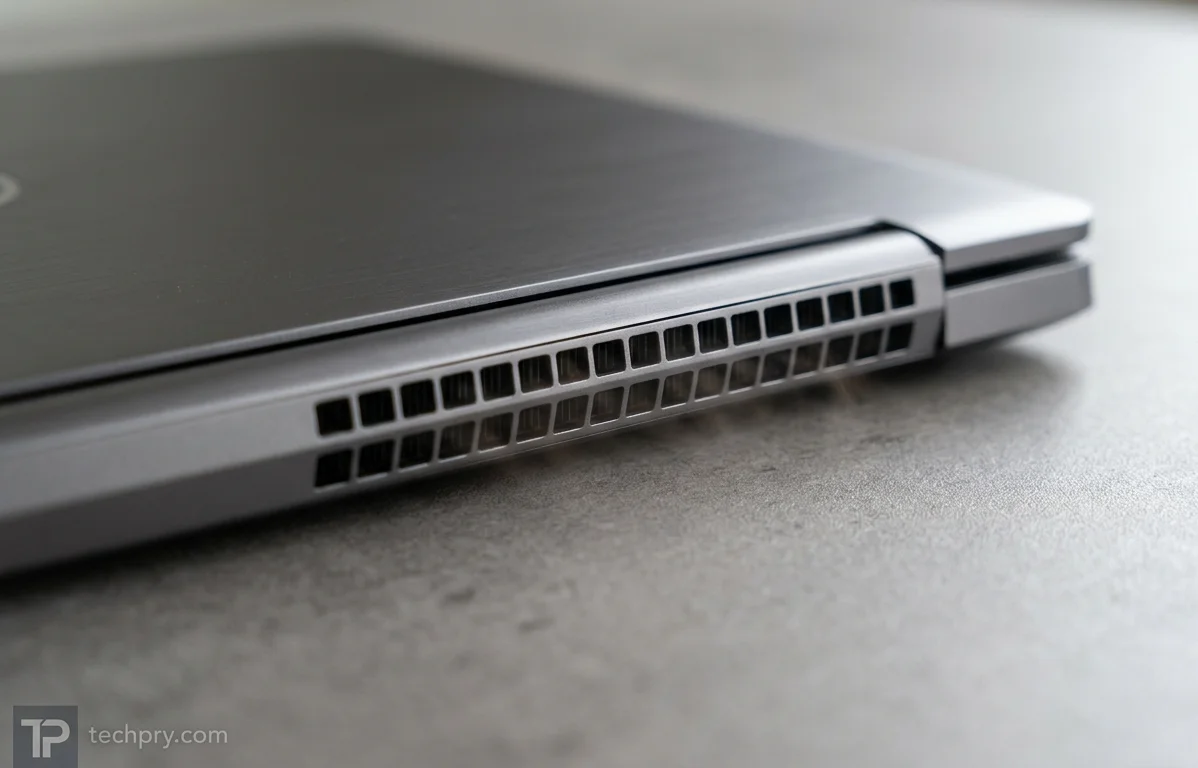
Cooling is active, built around one fan working with a . There is no and no liquid metal compound, so this is a modest thermal design. The bottom plate carries a small ventilation grill above the fan, along with three rubber feet and two speaker cutouts, and hot air leaves through a two-row vent at the rear. laptopnew.vn calls the arrangement optimized for office and professional work, noting that the rear vents avoid blowing hot air straight at the user during long sessions.
On paper this is the weakest part of the spec sheet, and the reviews are the reason to look past it: Notebookcheck's sustained-clock result came from this hardware. Laptop Media adds that cooling improves when the lid lifts the chassis, a behavior covered in the hinge section below.
How long does the Latitude 5450 battery last?
Long enough for a working day if you buy the larger battery. Two of the four reviews call battery life long. Notebookcheck reports around 9 hours of video on its 54Wh unit, similar to the bigger Latitude 5550, and laptopnew.vn cites the maker's claim of up to 13 hours for its 54Wh version, enough for a full working day.
Both figures come from 54Wh packs, while the listed configuration carries a 42 Wh battery; 54Wh and 42Wh 3-cell packs are both on offer. None of the runtime figures therefore describes the smaller pack, which should be expected to run shorter on similar hardware. The two numbers also measure different things, a reviewer's video playback and a manufacturer's claim, so 9 hours is the safer planning figure.
What battery sizes and charging options does the Latitude 5450 offer?
The listed configuration has a 42 Wh, 11.4 V Li-Ion battery that cannot be replaced, and Laptop Media lists 54Wh 3-cell packs alongside the 42Wh one. The laptop supports fast charging and can charge over through its USB-C ports, with 60, 65 or 100 W chargers on offer; laptopnew.vn mentions fast charging with a 65W adapter over USB-C. A full charge takes 1:30 hr, the charging port is on the left side and the cable is 1 meter long.
Laptop Media says the box contains some manuals and the laptop itself, with the charger depending on the configuration ordered. Since the battery cannot be swapped later, capacity is a decision you make at order time, not one you can fix afterward.
Is the Latitude 5450 keyboard comfortable to type on?
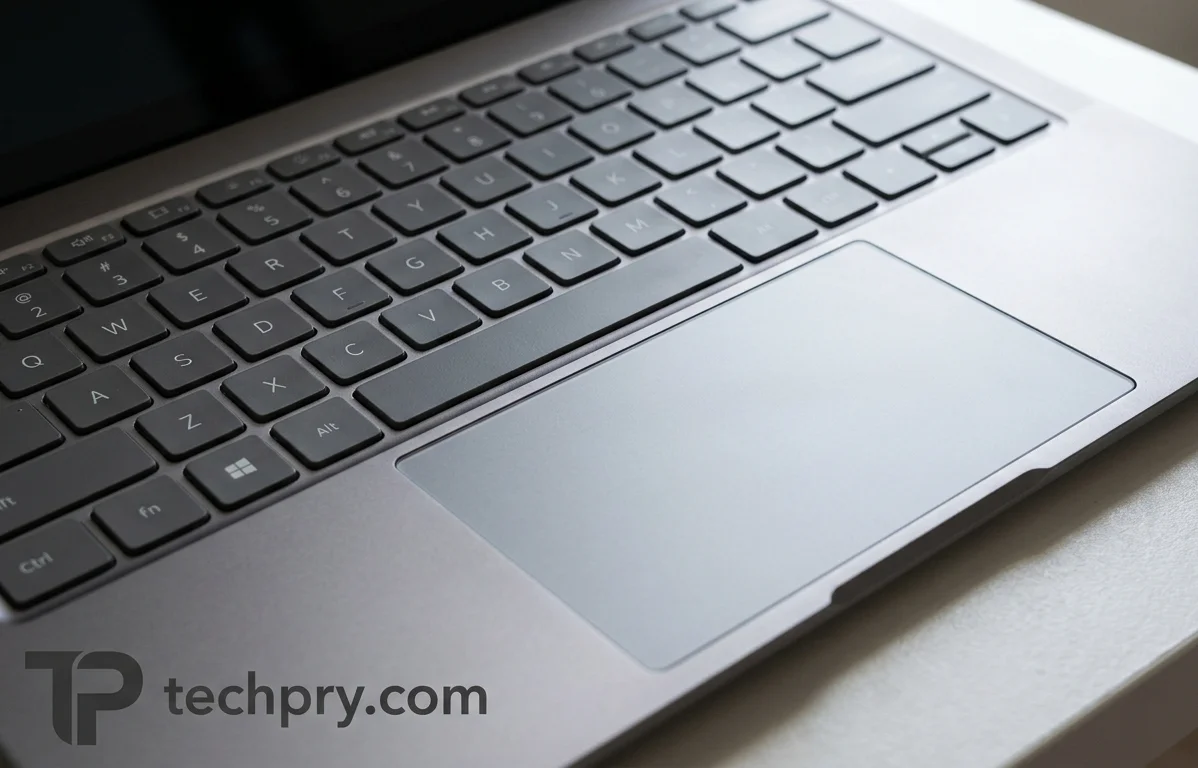
Yes, by the verdict of two of the four reviews. Notebookcheck calls it comfortable and Laptop Media calls it very good, with big grippy keycaps, long travel and clicky feedback. The one flaw Laptop Media names is the tiny Up and Down arrow keys, which it thinks may be the board's only drawback. The keyboard is an design with no numpad, and the backlight is optional.
Anyone who types a lot of figures will miss the numpad, and the optional backlight is worth ticking for evening work.
How good is the Latitude 5450 touchpad?
Good enough, though not class-leading. Laptop Media finds the 115 x 67 mm pad decently sized for a 14-inch laptop, with a smooth surface and a quiet click, but says it is not among the most accurate it has tested. The surface is glass and the pad supports .
This is one review's view, and accuracy is the weak point: it hardly matters if you work with a mouse at a desk, but it is the part you touch most when working on the road.
How solid is the Latitude 5450's build, and what is it made of?
Solid, according to two of the four reviews. Notebookcheck cites solid workmanship, and Laptop Media found the unit and its base firm when it tried to twist them. laptopnew.vn says the shell of combined with a metal frame cuts weight while resisting the knocks of everyday travel.
The descriptions of the materials differ. The spec lists an aluminum top with plastic middle and bottom, Laptop Media describes a mixture of plastic and carbon fiber, and laptopnew.vn describes recycled plastic over a metal frame. What the three share is a mostly plastic body, which fits the 1.4 kg weight; where they disagree is what covers the lid, so check the exact finish on the unit you are offered.
What does the Latitude 5450 look like: color, finish and styling?
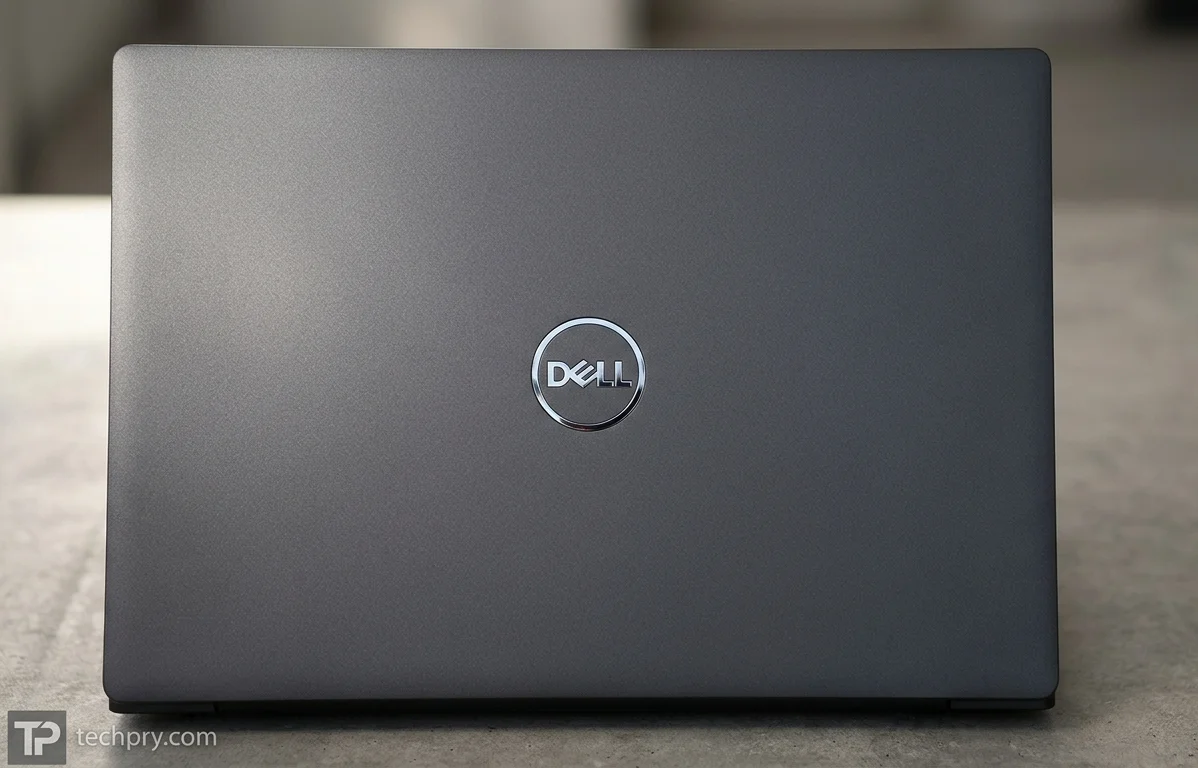
Conservative and business-like. laptopnew.vn calls the design modern, neutral and professional, with a premium and sturdy look from the dark gray tone, square-cut lines and fine matte surface. The edges are slightly chamfered, and a chrome-plated Dell logo sits in the center of the lid's back.
That is one review's opinion, but it matches the on-the-go professional the laptop is aimed at: nothing in the finish is flashy.
Is the Latitude 5450's 1080p IPS display good enough for office work?
Adequate for office work, but not a reason to buy the laptop, and the verdicts split. Notebookcheck lists the display among its negatives as poor, pointing to narrow color coverage and low maximum brightness, yet the same review says the panel avoids , has wide viewing angles and meets all the needs of normal office work for anyone who is not too picky. Only that one review rates the screen poor; two of the four, Notebookcheck and Laptop Media, call the viewing angles good.
The spec's display tests list 100% of the , a 35 ms response time and 250 nits of maximum brightness, while Laptop Media measured 238 nits. Those numbers do not contradict the criticism: sRGB is a modest standard, so a panel can cover all of it and still look narrow beside wide-gamut screens. Brightness is the more practical limit, since a matte coating cuts glare but cannot add light.
There are also three 1080p IPS variants on offer, so a unit's panel may not match the one reviewed. For documents, email and video calls this screen does the job; for color-critical work or sunlit rooms, look elsewhere or check the panel before buying.
What are the Latitude 5450 display's size, resolution and panel type?
It is a 14-inch, 1920 x 1080, 16:9 panel running at 60 Hz with a density of 157 ppi. The coating is matte; there is no touchscreen, no HDR and no , though an ambient light sensor is fitted.
Notebookcheck and Laptop Media identify the panel as an LG Display RNTRJ-140WFH (LGD0753), and Laptop Media notes a pixel pitch of 0.16 x 0.16 mm and says the screen counts as Retina from at least 56 cm away. The spec adds a screen-to-body ratio of about 79.3% and 5.7 mm side bezels.
It is a no-frills office panel with nothing in the spec to suggest otherwise, which matches how Notebookcheck rates it.
How much storage can the Latitude 5450 hold, and how limited is the expansion?
Up to 4000GB of SSD is on the option list, but there is only one storage slot, so what you order is largely what you keep. Two of the four reviews call the storage setup limited: Notebookcheck notes two SODIMM slots yet only one 2230 drive slot, and Laptop Media calls the configuration a bit limited. The listed configuration is a single 256GB M.2 SSD on PCI-E Gen 4.0 x4.
Speed is not the weak spot: laptopnew.vn calls the Gen 4 drive extremely fast, with Windows booting in seconds, apps opening almost instantly and large transfers finishing without a long wait. The merecivilian.com reviewer's unit had a 1 TB SSD rather than the 256GB the spec lists.
The drive can be upgraded, but with one slot an upgrade means replacing the 256GB drive instead of adding a second one, which makes storage the tighter constraint compared with memory's two slots.
How much RAM does the Latitude 5450 have, and can it be upgraded?
The listed configuration has 8GB of running at 5600 MHz, installed as a single 1x8 GB module, and the board offers 2 slots with support for up to 64 GB. The RAM is upgradable, and laptopnew.vn adds that it can be upgraded easily through the slots.
The reviewed units do not match this. The merecivilian.com reviewer's laptop had 16 GB of RAM instead of the spec's 8GB, and laptopnew.vn describes the memory as running in dual-channel mode, which the spec's single module does not list.
With one of the two slots empty, the straightforward upgrade is a second module, which is the arrangement laptopnew.vn describes. Because the integrated graphics share system memory, that upgrade is worth more here than on a laptop with a discrete GPU.
Which ports and wireless standards does the Latitude 5450 include?
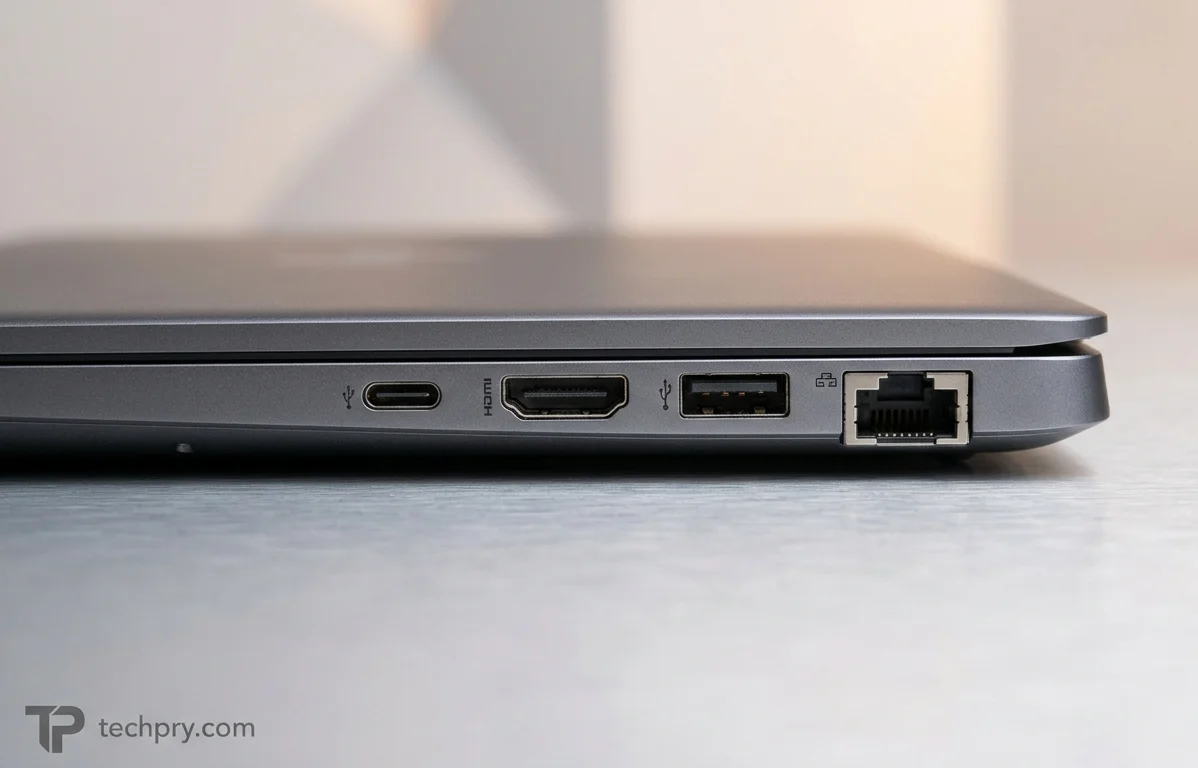
Plentiful for a 14-inch business laptop: Laptop Media calls the port selection great. The two USB-C ports are listed as USB 4.0 with , and Laptop Media adds that they run at 40 Gbps with DisplayPort 2.1 and Power Delivery. Wireless is covered by and Bluetooth 5.3.
| Port | What is listed |
|---|---|
| USB-A | 2 x USB 3.2, one with PowerShare per Laptop Media |
| USB-C | 2 x USB 4.0 |
| HDMI | 1 x HDMI 2.1 |
| Audio | 3.5 mm jack |
| Ethernet | RJ45 |
| Not present | VGA, a dedicated DisplayPort and a proprietary charging port |
The merecivilian.com reviewer thinks the USB-C ports are USB 4 rather than Thunderbolt but is not certain, while the spec, Notebookcheck and Laptop Media all list Thunderbolt 4. The weight of evidence favors Thunderbolt. The missing dedicated DisplayPort matters little, because DisplayPort 2.1 runs through the USB-C ports.
Does the Latitude 5450 offer cellular, smart-card or memory-card options?
Two optional extras exist, a slot and a , but there is no SD card reader. Notebookcheck and Laptop Media both say no microSD slot is offered, although Laptop Media's own spec list shows a microSD reader, so that source contradicts itself. The spec and two review texts point the same way, so plan on a USB-based card reader if you import photos or files from cards.
What webcam, fingerprint reader and security features does the Latitude 5450 offer?
The webcam is 1080p with a privacy shutter. It sits above the display, which is why the top bezel is notably taller than the others. Notebookcheck is the one review to call the webcam nice and the fingerprint sensor fast.
Both biometrics are options, not standard: the fingerprint reader is built into the power button, and the IR camera, which keeps the same resolution, adds , a notification when someone is peeking at the screen, and Look Away Dim, which dims the display when you are not looking at it. The laptop also has a chip and a Wedge Lock slot.
Because the fast fingerprint sensor and the IR features are options, the praise applies only to units configured with them; for someone who works in public spaces, the IR camera's privacy features are the more distinctive add.
How does the Latitude 5450's lid and hinge behave?
The display opens to 180 degrees, but the laptop is not a convertible. Laptop Media says the lid cannot be opened with one hand. The lid also acts as a lever: opened well past 90 degrees, its lower side with two rubber feet lifts the back of the body. Laptop Media says that position can be uncomfortable for some users because it is not optimal for work, though cooling improves while the chassis is raised.
That is a trade-off rather than a defect: the lift is a cooling aid that helps most when the laptop is working hard with the lid wide open, and it only becomes a nuisance if the screen position bothers you. Given that fan noise and heat are the contested points elsewhere, it is a small built-in help.
What do the Latitude 5450's speakers and microphones offer?
Audio is a standard stereo setup. The Realtek Waves chip with 13.0 drives 2.0 stereo speakers, and there is no support. The spec lists 2x2W speaker power, while Laptop Media lists 2x 2.5W. Two digital array microphones handle calls.
None of the reviewers cited here rates the sound, so it is unproven either way; speakers in this power class are normally aimed at calls and system sounds rather than music, which makes the 1080p webcam and the two array microphones the more relevant specs for meetings.
Is the Latitude 5450 still sold, and what does it cost?
The merecivilian.com reviewer says it is no longer sold, and that it can usually be bought for AUD500 to AUD700, which they consider a fair price. laptopnew.vn dates its launch to early 2024. Laptop Media warns that configuring it with every optional extra makes the end price hefty.
Those two price signals describe different purchases, and the link between them is the options list. Several features reviewers praised are options: the fast fingerprint sensor and the long battery life on the 54Wh pack, along with the IR camera, backlit keyboard, SIM slot and SmartCard reader. A machine found at the low end of the quoted range may therefore be a plainer build than the one the reviews describe, so compare what is fitted rather than only the price.
Which operating systems does the Latitude 5450 come with?
Laptop Media lists Windows 11 Home, Windows 11 Pro, Windows 10 Pro, No OS, and Linux as options. The merecivilian.com reviewer's unit arrived with Windows 10 pre-installed and now runs Windows 11 Enterprise after an upgrade.
A unit that shipped on Windows 10 and now runs Windows 11 shows the hardware spans both generations of Windows, and the No OS and Linux options leave room for buyers who bring their own setup.
Who is the Latitude 5450 designed for, and what did reviewers think overall?
It targets office workers and business professionals who are often on the go. laptopnew.vn calls the configuration it describes ideal for office work and study. The merecivilian.com reviewer, who has relied on it for work since September 2025, says they have a lot of respect and admiration for it.
Put the evidence side by side and the weighting is clear. Speed and portability are the strongest points, each praised by three of the four reviews; the keyboard, build, battery life, viewing angles and the storage limits each come up in two. The contested points are fan noise, heat and display quality, and each opinion on them comes from a single review, so they are worth checking in person rather than treating as settled.
It suits a buyer who carries a laptop daily and values a good keyboard, a firm build, plentiful ports and quick everyday performance; choosing the 54Wh battery and a more generous RAM and CPU tier than the listed base brings it closer to the units the reviewers praised. It is a poorer fit for:
- creative or gaming buyers, since the graphics are integrated and the display draws criticism for color coverage and brightness
- anyone who needs a large internal drive, given the single 2230 slot
- people who sit close to a laptop in a quiet room, where the fan was found distracting
Comments 0
Please log in or sign up to comment.