
MSI Stealth 16 AI+ (2026): Boardroom Looks, Upgradeable Parts and a 125 W Cap on the Top GPU
A slim, office-friendly gaming laptop with real upgrade room, whose appeal depends heavily on whether you buy the top GPU or the RTX 5060 configuration.
Contents
- How does the 2026 Stealth 16 AI+ look and feel after the redesign?
- How portable is it at 1.99 kg and under 20 mm thick?
- What display does it have: 16 inches, 2560 x 1600 and 240 Hz?
- How good is the panel in colors, contrast, brightness and response time?
- Do the matte coating and slim bezels make a difference?
- Does the display support HDR, touch or sync technology?
- When was it released and which CPU and GPU configurations are offered?
- Which processor does it use: the Intel Core Ultra 9 386H?
- What GPU does the listed configuration use: an RTX 5060 Laptop with 8 GB and a 115 W TGP?
- How well does it play games, and what does the 125 W GPU limit mean?
- How is it cooled and how loud does it get?
- How much memory and storage does it have, and can both be upgraded?
- How long does the 90 Wh battery last in real use?
- How does charging work: a 240 W adapter, 100 W over USB-C and a non-replaceable battery?
- Which ports does it have and where are they located?
- Which Wi-Fi and Bluetooth versions does it support?
- What are the keyboard and touchpad like?
- What are the speakers, microphones, webcam and biometric options?
- Does it have an NPU, and what does ‘AI+’ in the name mean?
- Who is the Stealth 16 AI+ best suited for?
- What are the main drawbacks: GPU power limit, battery life and price?
- Is it worth it? The overall verdict and 9/10 score
MSI has built a gaming laptop that looks more like office equipment than a gaming rig, and the more useful news is what survived the slimming: two RAM slots, two M.2 storage slots and an Ethernet port, all in a 1.99 kg body. The catch is in the graphics. The strongest praise for its gaming ability concerns the top-GPU variant, which is held to 125 W to protect the thin profile, while the configuration with full published specifications carries a GeForce RTX 5060 with a 115 W budget. Which of those two machines you are buying matters more than any single rating.
How does the 2026 Stealth 16 AI+ look and feel after the redesign?
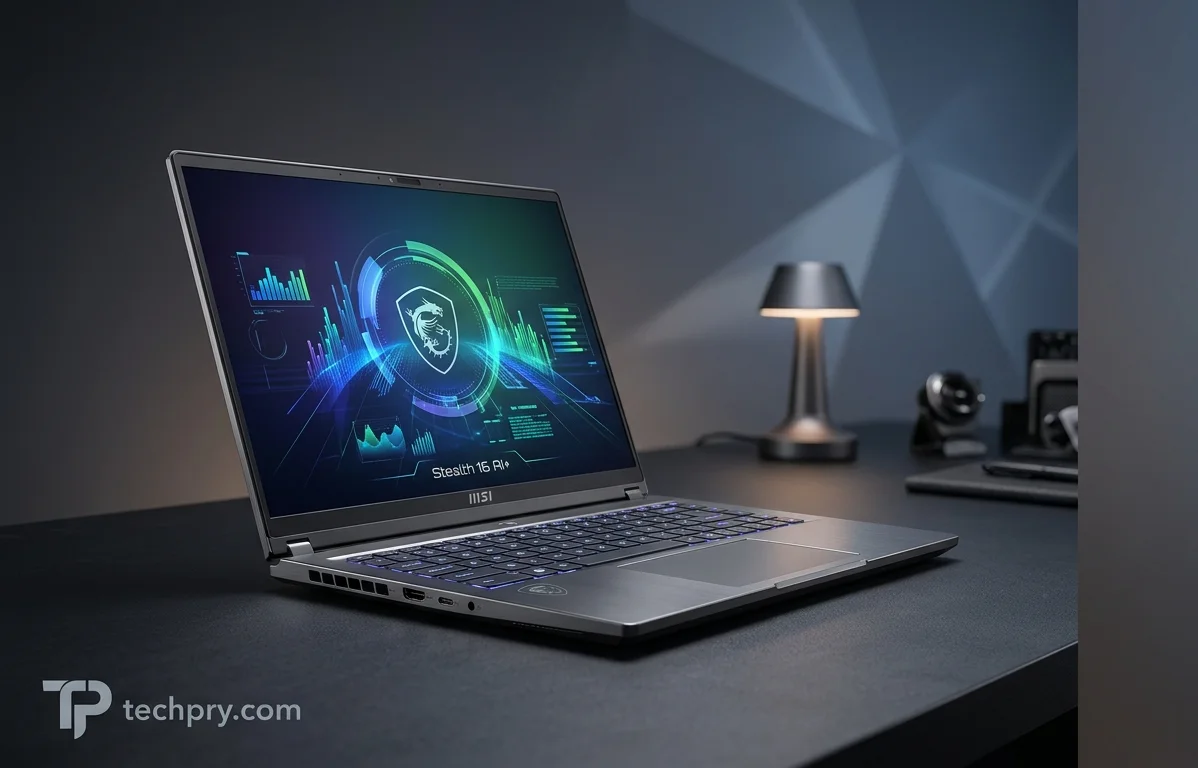
It is an all-aluminum clamshell listed in black, not a convertible, and it looks the part of a work laptop rather than a gaming one. The Exceldisc review says the 2026 model arrives with a completely redesigned , unlike the iterative updates of previous years, and treats it as a wholesale rethink of the Stealth series rather than a spec bump.
The look is where the redesign shows. According to the review, earlier Stealth models were thin but still read as gaming hardware, while this one resembles “a business jet”: sleek, dark and reserved. Build quality gets the same praise. The reviewer calls the aluminum body dense and premium, and says it resists fingerprints and flex.
One small mismatch: the specifications list the color as black, while Exceldisc describes a matte dark gray finish, so black is the listed color to go by. The more important point for a buyer is what the redesign is aimed at. It tackles a social cost of owning a gaming laptop rather than a performance one, which lines up with the use the review recommends later: gaming after hours, and a respectable laptop in meetings.
How portable is it at 1.99 kg and under 20 mm thick?
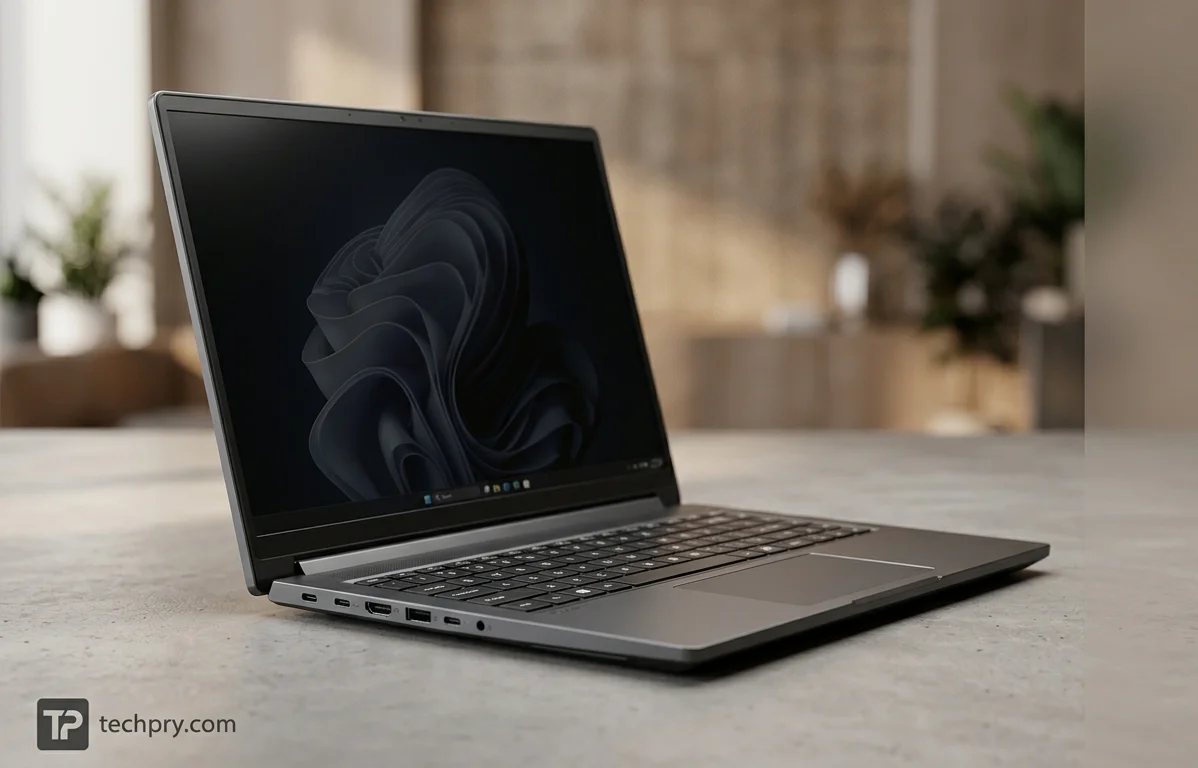
Very, for a 16-inch laptop: it weighs 1.99 kg and measures 354 x 246 x 16.65–19.99 mm, covering an 871 cm² footprint. Exceldisc goes further, calling it extremely portable and noting that it is lighter than many 14-inch productivity laptops despite the larger screen. The screen opens to 140°, which leaves some flexibility on a lap or a crowded table.
The weight figure covers the laptop alone. The 240 W charger adds 740 grams, so a bag carries roughly 2.7 kg with both, which means the comparison with 14-inch laptops holds for the bare machine but not for the machine plus its adapter.
What display does it have: 16 inches, 2560 x 1600 and 240 Hz?
A 16-inch panel at 2560 x 1600 in a 16:10 shape, refreshing at 240 Hz, which works out to 189 ppi. The 16:10 shape gives more vertical room than a wider-format screen for documents and editing timelines, and the 240 Hz rate is the headline figure for smooth motion in games.
How good is the panel in colors, contrast, brightness and response time?
Strong on paper, and strongest for color work: the specification's test results put contrast at 1,000,000:1, coverage at 100% of sRGB, 97.8% of and 100% of , and peak brightness at 600 nits.
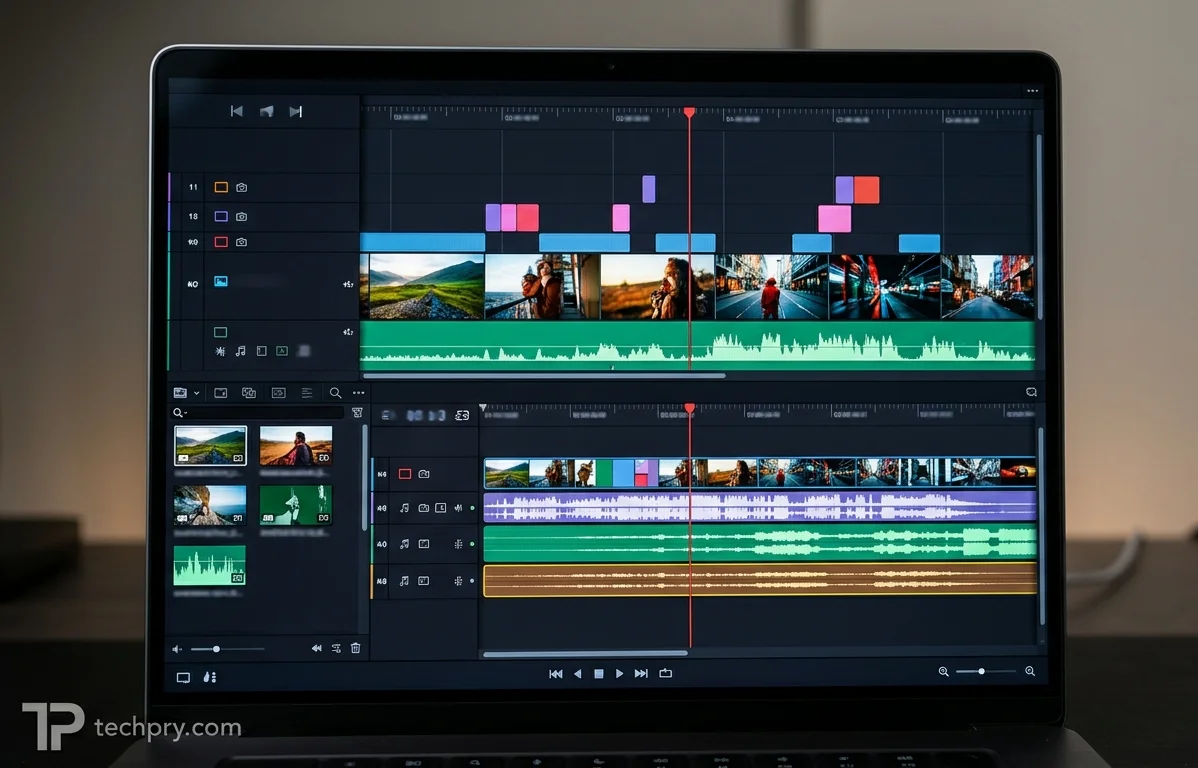
Response time is where the sources split. The specification lists 1 ms, Exceldisc cites 0.2 ms, and the specification's figure is the safer one to quote. Either is fast, so the gap is a footnote rather than a buying factor. Exceldisc's own verdict is that the 240 Hz panel is the sweet spot for 2026, pairing quick response for gaming with true blacks and color accuracy that make video editing and media viewing look striking.
Of these numbers, gamut coverage and brightness decide whether the screen suits creative work; deep blacks and fast response are what this kind of panel delivers by design. Coverage this wide is the strongest argument for the editing use the review recommends later.
Do the matte coating and slim bezels make a difference?
Yes, with a condition. The panel has a matte coating, and Exceldisc says it does an excellent job of cutting glare in office environments. The side bezels are 4.7 mm, giving a screen-to-body ratio of about 85.2%, and the reviewer describes them as refined almost to invisibility.
The condition is in the review's wording: the praise is for offices. With a peak brightness of 600 nits, the coating suggests a screen built for indoor work rather than for fighting direct sunlight, though the review does not say how it fares outdoors.
Does the display support HDR, touch or sync technology?
Not on the listed configuration. The specifications show no HDR support, no sync technology and no touchscreen, though there is an ambient light sensor. Exceldisc's panel description mentions OLED options with VESA DisplayHDR True Black 600, which contradicts the specification's HDR line, so anyone who wants HDR should confirm the exact panel in the model they order.
The missing sync technology is the unusual gap on a 240 Hz panel aimed at games, since such technology normally lets the screen follow the GPU's frame rate. The missing touchscreen costs little, because the laptop is not a convertible.
When was it released and which CPU and GPU configurations are offered?
MSI announced it at in January 2026, and the first Intel-based units reached the market in March 2026. Configurations run from the RTX 5060 or at the mass-market end up to the Laptop GPU with 24 GB of graphics memory. Models with the Intel Core Ultra 9 386H and RTX 5070 Ti shipped first in March 2026, and the RTX 5090 configurations followed shortly after.
The configuration with the full published specifications, an RTX 5060 model, sits at the entry end of that range, so the review's comments about the 5090 and 5070 Ti builds should not be assumed to carry over to it.
Which processor does it use: the Intel Core Ultra 9 386H?
The processor is the Intel Core Ultra 9 386H, which Exceldisc identifies by its codename. It has 16 cores (4 performance and 12 efficiency) and, per the specification, 16 threads, clocked from a 2.1 GHz base to a 4.9 GHz turbo with 18 MB of L3 cache. It is built on a 2 nm process and carries as its integrated GPU.
Exceldisc lists the chip as 16 cores and 22 threads, which conflicts with the specification's 16 threads; the specification figure is used here, and it implies one thread per core.
With only four performance cores and twelve efficiency cores around them, this chip is built to spread background and parallel load across many small cores rather than to stack fast cores on one task. That design is generally associated with lower power draw, which fits the 7–9 hour battery figure Exceldisc reports, though the review itself does not draw that link.
What GPU does the listed configuration use: an RTX 5060 Laptop with 8 GB and a 115 W TGP?
A dedicated GeForce RTX 5060 Laptop GPU with 8 GB of memory and a 115 W TGP. The rest of its profile is in the table.
| Spec | Listed value |
|---|---|
| Fabrication process | 4 nm |
| Shading units (cores) | 3328 |
| Texture mapping units | 104 |
| Raster operations pipelines | 48 |
| Memory bus | 128 bit |
| Memory speed | About 24 Gbps |
| Compute performance | 18.4 TFLOPS |
| Solar Bay benchmark | 53423 |
is implemented with a MUX switch, which lets the display connect straight to the dedicated GPU instead of routing frames through the integrated graphics.
The 115 W budget sits only a little under the 125 W ceiling reported for the RTX 5090 variant, which suggests the chassis's thermal limit, rather than the GPU tier, is the real boundary of this line. The 8 GB of video memory is the number to compare against the 24 GB on the top option when choosing between configurations.
How well does it play games, and what does the 125 W GPU limit mean?
On the RTX 5090 variant, Exceldisc calls the laptop a monster that will run Cyberpunk 2077 maxed out smoothly. The same passage sets the limit: a 125 W thermal cap to preserve the thin profile, which means it won't beat a giant in raw frame rates.
The reviewer lists that 125 W figure among the laptop's cons, calling it modest next to thicker rivals, yet credits the cooling layout with pushing GPU power higher than a chassis this size would normally allow. Both can be true: the cap is low for the class of GPU and high for the size of the body.
Who feels the cap? Buyers who rank frame rate above everything will find thicker machines faster, while buyers who carry the laptop daily get game-ready performance at 1.99 kg. All of the review's gaming praise concerns the RTX 5090 variant, so it says nothing direct about the RTX 5060 configuration, whose 115 W budget and 8 GB of memory are the figures to weigh.
How is it cooled and how loud does it get?
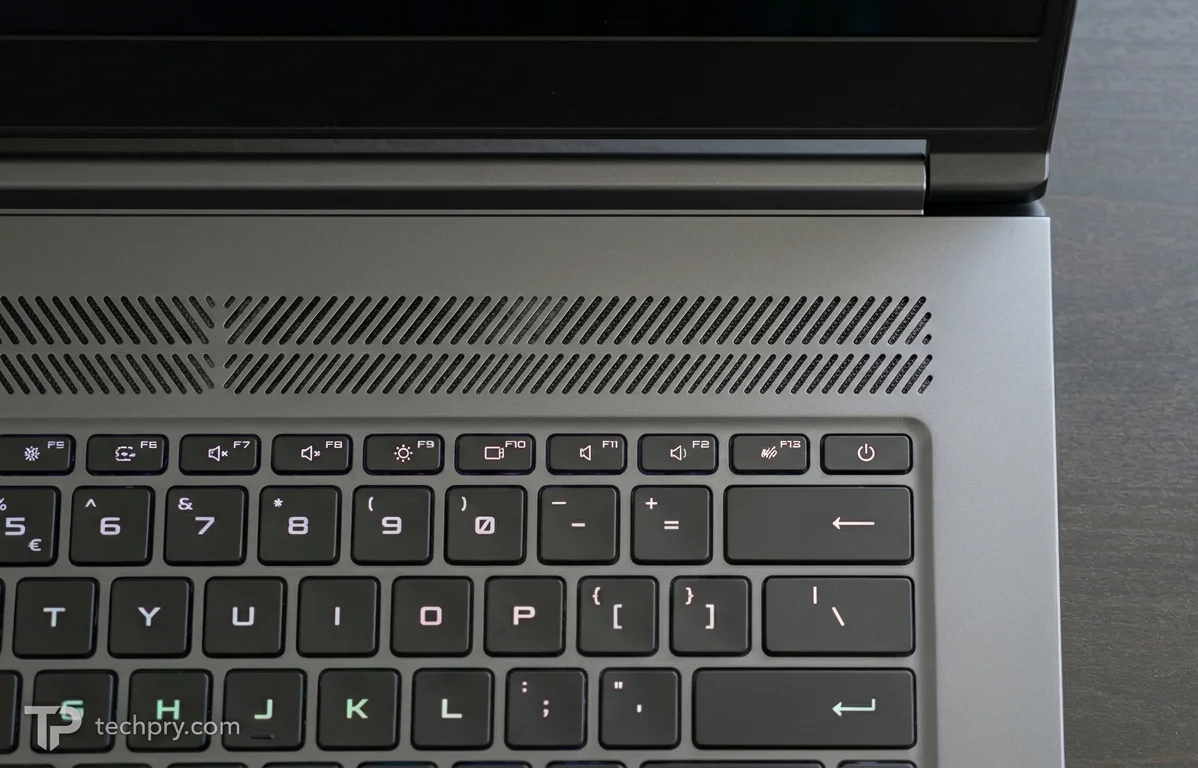
Cooling is active, with 2 fans and MSI's system, which uses multi-directional exhaust, including subtle vents above the keyboard. The specifications list neither a nor , so whatever headroom the machine has comes from the fan and vent layout rather than from those heat-moving extras. Exceldisc credits that layout with letting the GPU TGP run higher than the chassis size would normally permit.
Noise is where two statements need reading side by side. The specifications put noise at maximum load at 56.7 dB. Exceldisc says the laptop stays quiet enough for a coffee shop while running Cyberpunk 2077 maxed out on the RTX 5090 variant. One is a worst-case ceiling, the other an impression from a single gaming scenario on one variant, so a noise-sensitive buyer should plan around 56.7 dB and treat the coffee-shop comment as encouragement rather than a guarantee.
How much memory and storage does it have, and can both be upgraded?
The listed configuration has 16 GB of memory and one 512 GB SSD, and both are upgradable.
| Component | Installed | Room to grow |
|---|---|---|
| Memory | 16 GB as 2x8 GB at 7200 MHz | 2 slots in total, up to 128 GB |
| Storage | One 512 GB M.2 SSD on PCI-E Gen 4.0 (x4) | 2 slots in total |
The drive supports . Two RAM slots holding 2x8 GB modules means a memory upgrade is a swap rather than an add, while the storage side is easier because one of the two M.2 slots is still free.
Exceldisc singles upgradeability out as a strength, contrasting the two SODIMM and two M.2 slots with soldered-down designs such as a MacBook or Razer Blade. It matters most on this configuration: 16 GB and 512 GB start well below the 128 GB memory ceiling, and a buyer planning the editing work the review recommends will likely want to use those slots.
How long does the 90 Wh battery last in real use?
Roughly 7–9 hours of mixed use, such as coding and writing, with the display left at 240 Hz, according to Exceldisc. The pack is 90 Wh, slightly down from the 99.9 Wh of the heavier 2024 models.
The same review gives two verdicts on that number, and the difference is the comparison class: excellent for a gaming laptop, merely average for an ultraportable. It adds that battery life is good but not great by ARM standards. The class you shop against decides the answer. Against other gaming laptops this is a strength; if your reference point is a thin-and-light or an ARM-based machine, it is the weakest part of the one-laptop-for-everything pitch, and the 740-gram adapter will travel with you.
How does charging work: a 240 W adapter, 100 W over USB-C and a non-replaceable battery?
The battery is a Li-Po pack that is not replaceable, and the laptop supports . The charger delivers 240 W and the adapter weighs 740 grams, while charging over is supported at 100 W. The charging port is a proprietary one on the left side.
The gap between 100 W over USB-C and the 240 W adapter suggests USB-C is the top-up and fallback route, while the proprietary adapter is presumably the one to pack for sustained heavy loads. That cuts both ways: forgetting the adapter is no longer fatal, but a lost one cannot be replaced one-for-one with a generic USB-C charger.
Which ports does it have and where are they located?
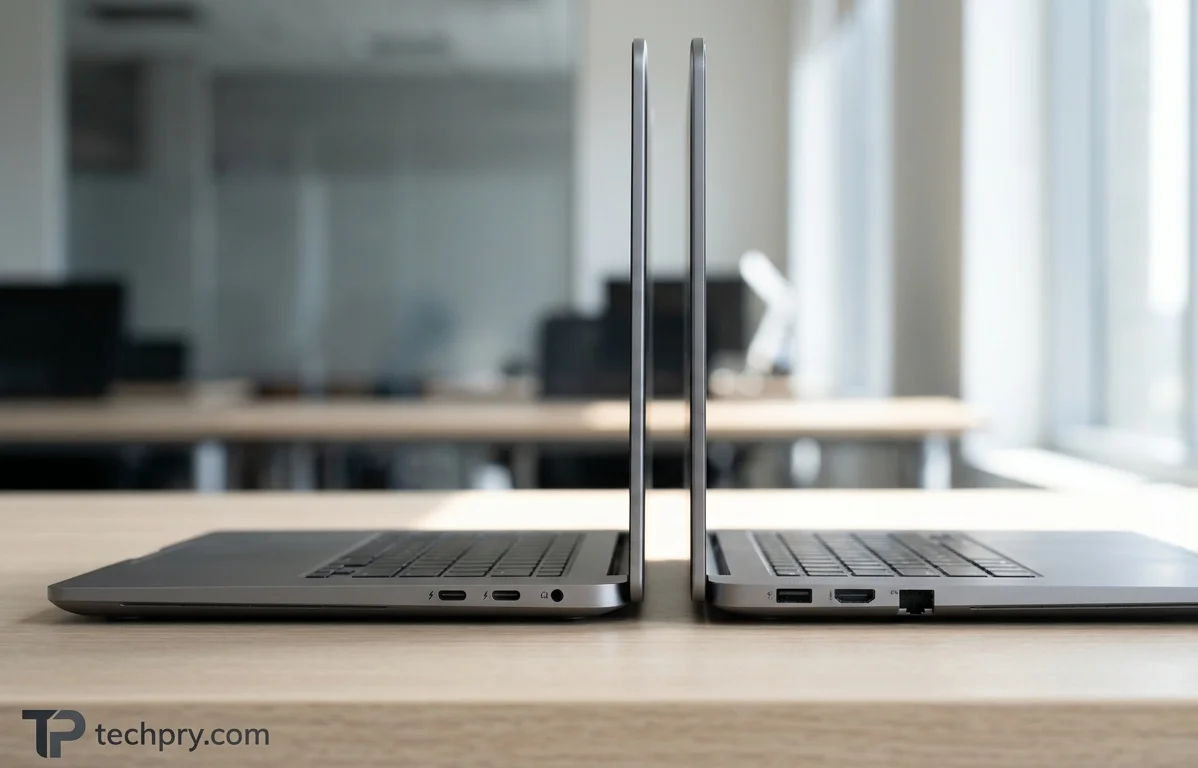
For a 1.99 kg laptop the list is generous: , USB 4.0 Type-C, USB 3.2 Type-A, an output and a port, plus a 3.5 mm audio jack. Exceldisc says that adds up to a full set of ports with no dongle needed, and notes that built-in Ethernet is a rarity in thin-and-light laptops.
| Where | What is there |
|---|---|
| Left side | Two Thunderbolt 4 ports and a 3.5 mm audio jack |
| Right side | Two USB 3.2 Gen2 Type-A ports, an HDMI 2.1 port with 8K output and a Gigabit Ethernet port |
| Charging | Proprietary port on the left side |
| Not included | SD card reader, DisplayPort, VGA |
The specifications list two USB 4.0 Type-C ports while Exceldisc places two Thunderbolt 4 ports on the left side; the two lists most likely describe the same pair of USB-C ports.
The gap that matters is the missing SD card reader: anyone who copies from camera cards will need a separate reader. A comparison on laptopdecision.com sets the laptop against the 2025 Razer Blade 16. Both share Thunderbolt 4, HDMI 2.1 and a 3.5 mm jack, but the Blade is listed without Ethernet, which gives the Stealth its clearest port advantage.
Which Wi-Fi and Bluetooth versions does it support?
It supports and lists . Exceldisc gives the Bluetooth version as 5.4/6, which differs from the specification's 6.0, so 6.0 is the value to rely on. The laptopdecision.com comparison shows the 2025 Razer Blade 16 on Wi-Fi 7 as well, but at Bluetooth 5.4, so wireless is a small edge for the Stealth rather than a differentiator.
What are the keyboard and touchpad like?
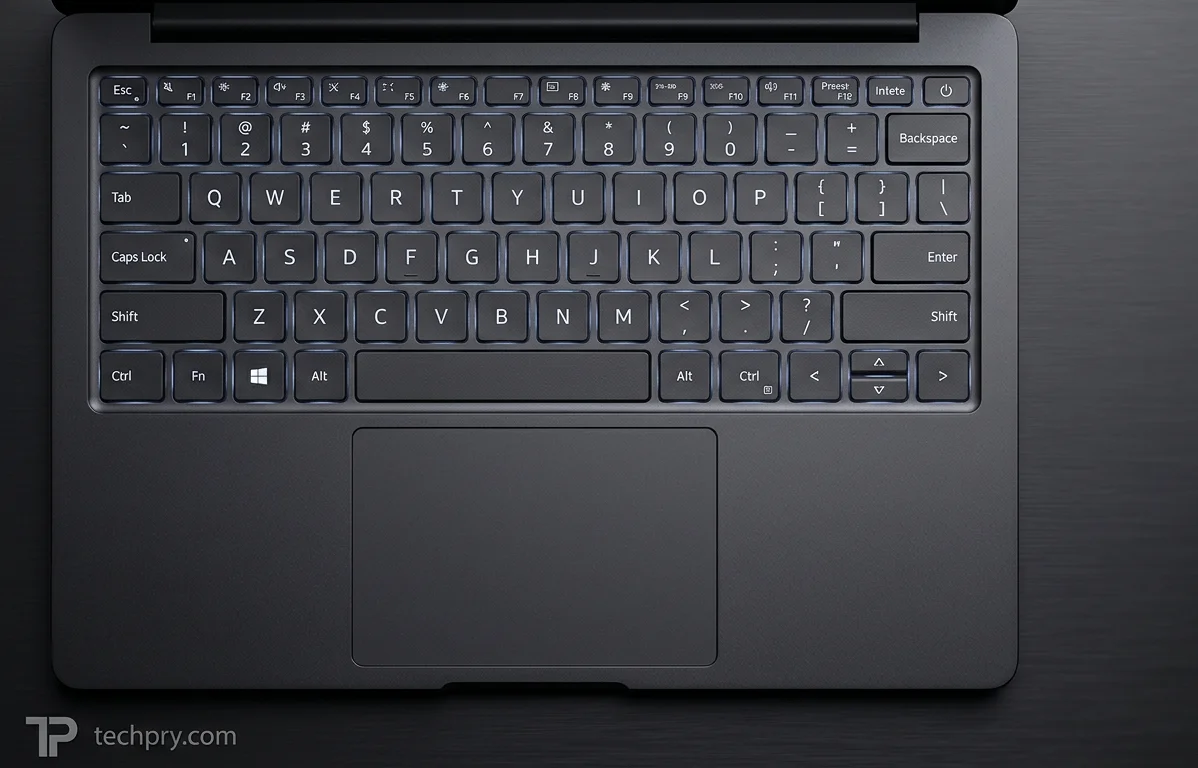
An island-type backlit keyboard without a numpad, and a that Exceldisc calls a standout upgrade.
The touchpad measures 16.1 x 10.0 cm, has a plastic surface and supports . The reviewer says it is significantly larger than on the previous generation and offers satisfying mechanical feedback for multi-touch gestures.
The missing numpad is the trade-off for spreadsheet-heavy users. The review praises the touchpad but says nothing about typing feel, so that is the one input question to settle in a shop before buying.
What are the speakers, microphones, webcam and biometric options?
Audio comes from a 2.2 speaker system with two microphones, and video calls get a 1920 x 1080 webcam above the display plus a fingerprint sensor and an infrared sensor.
The speakers are two tweeters and two woofers, rated 2x2W for the tweeters and 2x2W for the woofers, with about 81.4 dB of loudness. There is no support. On paper, the audio hardware is the plainest part of the specification, and the 3.5 mm jack is the obvious route for anyone who wants better sound.
For sign-in, the fingerprint and infrared sensors give two options, though the listing does not say what the infrared sensor is used for. The laptopdecision.com comparison shows the 2025 Razer Blade 16 without a fingerprint sensor.
Does it have an NPU, and what does ‘AI+’ in the name mean?
Yes: the laptop has an Intel NPU (), and Exceldisc reads the ‘AI+’ in the name as a marker of the shift to neural processing.
The review's concrete claim is narrow. It says the OLED screen and an RTX 5090 or 5070 Ti GPU, paired with the NPU, accelerate AI tools in Adobe Suite significantly, and it ties that to those GPU configurations. The configuration with the full published specifications pairs the NPU with an RTX 5060 instead, so that claim does not directly cover it, and no NPU throughput figure is listed to fill the gap.
Who is the Stealth 16 AI+ best suited for?
People who want to game at a hotel or at home but need a laptop that looks respectable in a boardroom meeting; that is the professional-gamer profile Exceldisc describes. The review also recommends it to video editors on the RTX 5090 or 5070 Ti configurations, where the OLED screen and the NPU work together on AI tools, and to buyers who want to upgrade memory and storage later.
It is the wrong pick in a few specific cases:
- You rank raw frame rate first: the review says a giant desktop-replacement machine will beat it, and the top GPU is capped at 125 W.
- You want ultraportable endurance: 7–9 hours is average by that standard.
- You need HDR, adaptive sync or a numpad: the listed configuration has none of the three.
- You copy from camera cards: there is no SD card reader.
What are the main drawbacks: GPU power limit, battery life and price?
The review's three complaints are a modest 125 W GPU power limit, merely average battery life for an ultraportable, and a high price at the top specifications. They do not weigh equally.
The power limit matters most, but only to buyers of the RTX 5090 variant who compare raw frame rates with thicker rivals. Battery life depends on the yardstick, since the same figure is excellent for a gaming laptop and average for an ultraportable. The price complaint is conditioned on high-end specs, and because mass-market models start at the RTX 5060 or RTX 5070 Ti, it may not apply with the same force to an entry build.
Beyond the review's complaints, the specifications add smaller gaps already noted above: no SD card reader, no numpad, no sync technology and a battery that cannot be replaced.
Is it worth it? The overall verdict and 9/10 score
Exceldisc scores it 9/10. Its verdict is that this is the first laptop in years to truly bridge the and the Windows gaming ecosystem, and, for anyone who wants a high-performance PC that respects a professional environment, the benchmark for 2026.
The condition in that last clause does real work, and so does the fact that this is one reviewer whose gaming enthusiasm is tied to the RTX 5090 variant. Read as a buying guide, the facts point to a split. The RTX 5090 and 5070 Ti builds suit people who want gaming and creative power in a body that passes in meetings, at the price premium the review flags. The RTX 5060 configuration keeps the same body, display, ports and upgrade room, but pairs them with an 8 GB, 115 W graphics card whose gaming results the review does not report.
Comments 0
Please log in or sign up to comment.