
Dell Latitude 7450: Good Keyboard and Ports, Soldered RAM and a Short Upgrade List
Reviewers like the typing and the ports, but soldered RAM, a single SSD slot and clashing battery figures mean the configuration you order is the one you live with.
Contents
- Keyboard: good key travel for long typing, with some flex in the middle
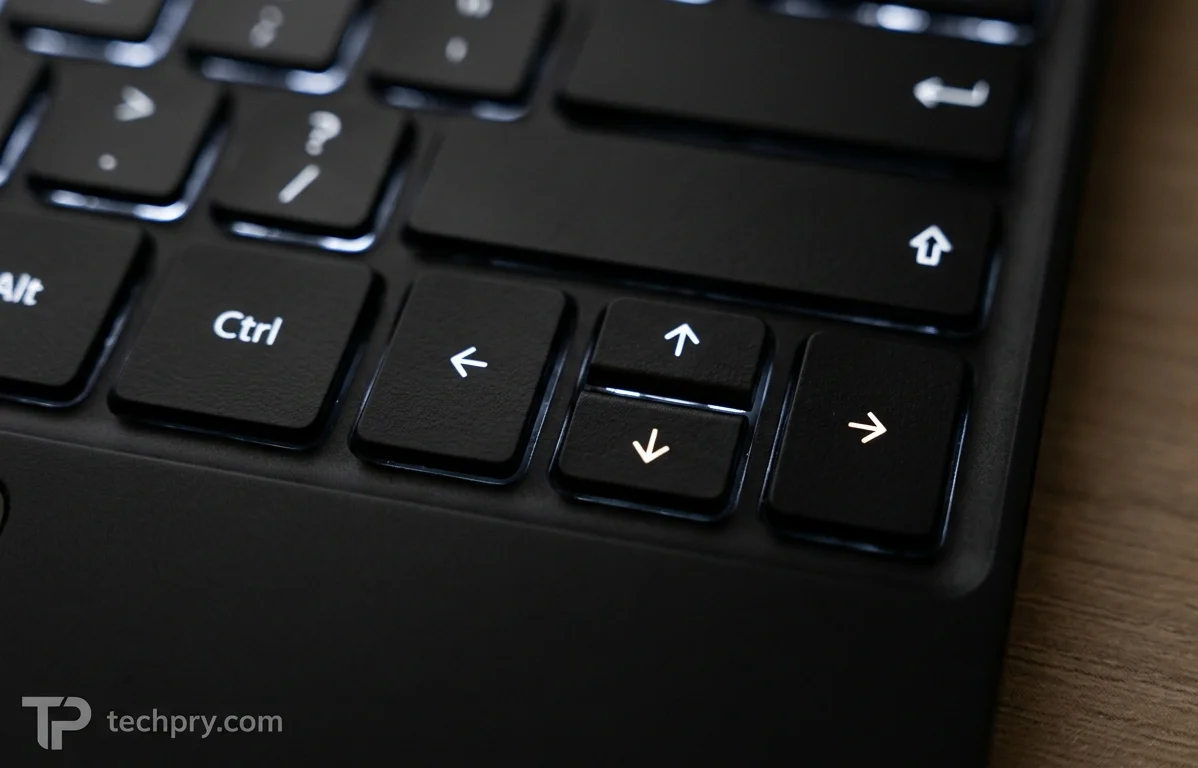
- Arrow keys: half-height Up and Down keys are the main keyboard complaint
- Keyboard backlight: optional white Mini LED lighting
- Touchpad: large, smooth and accurate, filling the space in front of the keyboard
- Upgradeability: soldered RAM, one swappable SSD and little else to change
- RAM: 16GB of soldered LPDDR5X, with up to 64GB available when ordering
- Storage: a single M.2 SSD slot, 256GB here and up to 2000GB offered
- Ports: HDMI 2.1, two Thunderbolt 4 USB-C, two USB-A and a headphone jack
- No Ethernet port and no SD card reader
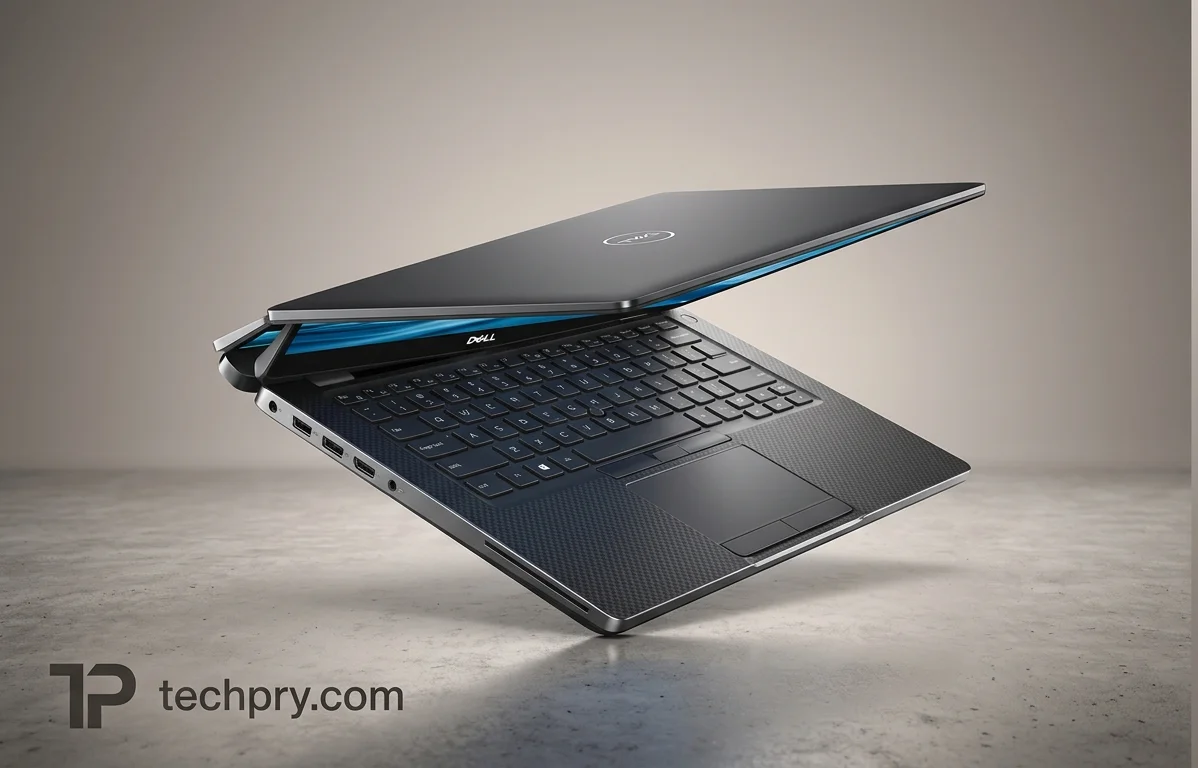
- Build quality and design: a solid gray aluminum clamshell
- Weight and size: 1.33 kg, 313 x 222.75 mm and thin bezels
- Where the Latitude 7450 sits in Dell's lineup: three variants, successor to the 7440
- Processor and graphics: is a Core Ultra 5 125U with Arc graphics enough for office work?
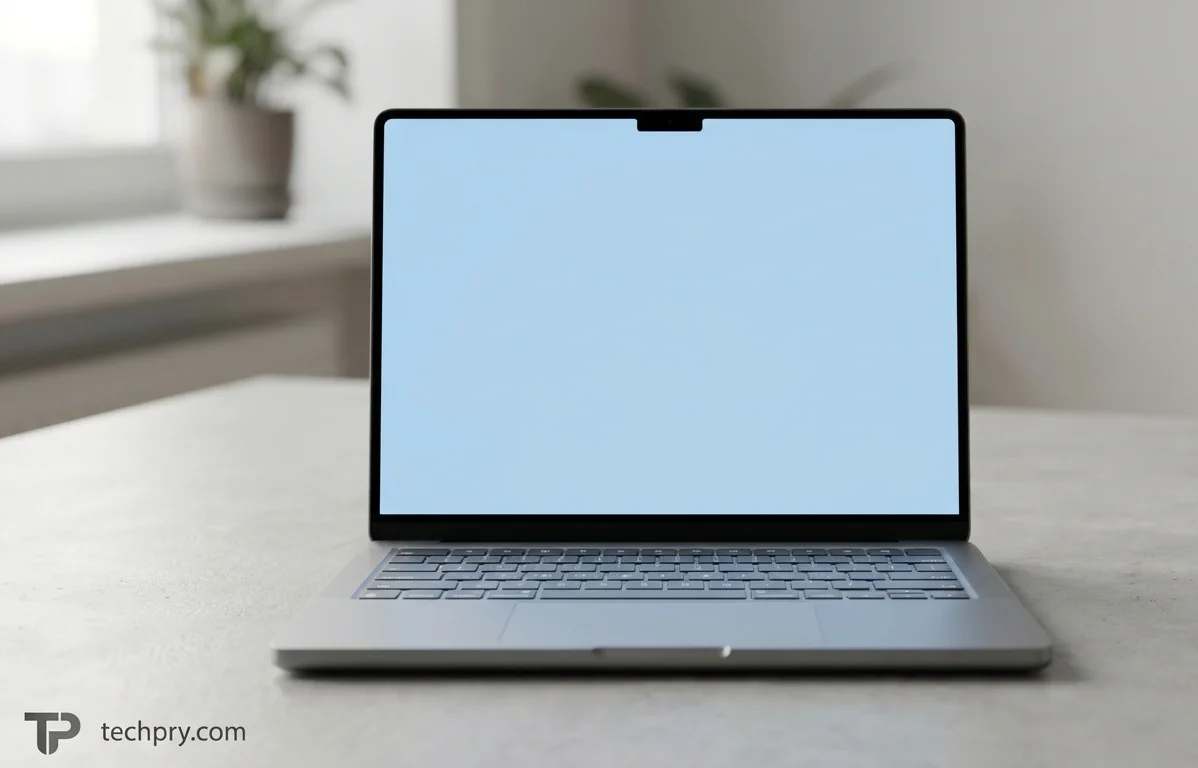
- Display: 14-inch 1920 x 1200 IPS at 60 Hz, 250 nits, matte, with good viewing angles
- Touchscreen: not on this configuration, though touch panels are offered
- Cooling and noise: one fan, 38.2 dB at full load, and some heat reaching the screen
- Lid and hinge: opens flat to 180 degrees, but one-handed only up to 90
- Wireless: Wi-Fi 7 and Bluetooth 5.4, with strong tested Wi-Fi throughput
- Battery and charging: 38 Wh pack with USB-C Power Delivery and fast charging
- Webcam, fingerprint reader and security features, including optional IR and vPro
- Audio: four speakers on both sides of the keyboard
- Who should buy it, and who should skip it
Most of what decides whether the Latitude 7450 suits you is settled before you click buy. The 16GB of RAM is soldered, there is one SSD slot, and three of the four reviews call upgradeability limited. Even the battery capacity comes in two versions, 38 Wh in the spec and 57 Wh in LaptopMedia's listing, so the exact configuration matters. In return you get a 1.33 kg aluminum body, a keyboard reviewers like for long typing apart from its half-height arrow keys, and a port line-up that two of the four reviews praise, with Ethernet and an SD card reader the notable gaps.
Keyboard: good key travel for long typing, with some flex in the middle
Three of the four reviews call the keyboard comfortable for long typing, and it does carry a dedicated . LaptopMedia credits the key travel and feedback, StorageReview describes an assertive feel, and GadgetGuy agrees the keys travel well while finding the board reasonably spacious. The layout is island-style with no number pad, so anyone who lives in spreadsheets will miss one.
The Copilot key takes over the right Control position rather than sitting alongside it, according to GadgetGuy. LaptopMedia refers to an AI hotkey and StorageReview to a Copilot key like those on many newer laptops.
The one criticism of the typing surface is flex. GadgetGuy finds the keyboard a little squishy in the middle, with slight give as you type, and says that holds for both the Ultralight and standard models. Against three positive reviews, that reads as a caveat about the deck rather than the keys, and one to weigh if you type hard. Only LaptopMedia's review covers this aluminum version. StorageReview and GadgetGuy reviewed the Ultralight, though GadgetGuy says its keyboard remarks apply whichever 7450 you end up with.
Arrow keys: half-height Up and Down keys are the main keyboard complaint
The arrow cluster pairs half-height Up and Down keys with full-size Left and Right keys, and it is the most repeated complaint about the keyboard. LaptopMedia says the small Up and Down keys feel uncomfortable to press, and StorageReview calls the mix confusing, so two of the four reviews object. GadgetGuy looks at the same arrangement from the other side: because the arrows are shrunk, the shift keys stay full-size, which it says typists tend to prefer over half-size shift keys.
The two views do not really clash, because they weigh different habits. If you move through documents, code or spreadsheets with the arrow keys, the first complaint will be the one you notice. If you mostly write prose and lean on Shift, the trade works in your favor.
Keyboard backlight: optional white Mini LED lighting
The backlight is an option rather than standard, and when fitted it is a that StorageReview says stands out nicely in white against the black keycaps. LaptopMedia adds that, at least on paper, this type draws less power than ordinary backlighting. That is an expectation rather than a measurement, so it is a small point in favor and not a battery-life promise.
The practical step at order time is checking that the configuration includes the backlight at all.
Touchpad: large, smooth and accurate, filling the space in front of the keyboard
The touchpad is among the safer bets on this laptop: three of the four reviews call it well sized, and two describe it as smooth and accurate. It measures 13.3 x 7.2 cm, and StorageReview notes it uses just about all the room between the keyboard and the front edge. LaptopMedia, which calls it big and wide for such a compact laptop, adds that it clicks quietly. On the spec sheet it counts as a .
None of the reviews that discuss the pad raises a complaint about it, which makes it the least contested part of the input hardware.
Upgradeability: soldered RAM, one swappable SSD and little else to change
Treat the configuration you order as the one you keep. Three of the four reviews describe upgradeability as limited, and the reasons are concrete. The RAM is soldered to the motherboard and cannot be upgraded later. StorageReview calls that normal for this class of laptop but still wishes it could be changed. Notebookcheck, writing about the 2-in-1, says there is almost no scope for internal changes beyond swapping the lone SSD, and tells buyers to assess their business needs and configure the purchase to match.
LaptopMedia sets the same limitation against what the machine includes, calling it feature-rich on the strength of its ports, four-speaker audio and wireless set-up.
The one disagreement is the battery. StorageReview names the battery pack, an M.2 2230 wireless card and an M.2 2230 SSD as the only upgradeable parts, while the spec lists the battery as not replaceable. Until that is settled, treat the SSD and the wireless card as the realistic upgrades and the battery as unconfirmed. Getting inside takes a screwdriver, since the bottom panel is held on by eight screws.
For a company buying a fixed configuration for its staff, this matters little. For an individual who expects to add memory in a couple of years, it is the strongest argument against the model.
RAM: 16GB of soldered LPDDR5X, with up to 64GB available when ordering
This configuration has 16GB of RAM soldered to the motherboard, so it cannot be upgraded, and configurations go up to 64GB. The memory runs at 6400 MHz in a 2x8 GB layout.
Because the size cannot change later, the choice at purchase is final, and 16GB is not the ceiling. LaptopMedia reviewed a unit with 32GB, and GadgetGuy lists the standard model's 16GB among its lower specs. The integrated graphics also draw on this same pool because the GPU uses shared system memory, so the RAM figure affects more than app capacity. If you keep many applications open or lean on the graphics, the larger options deserve a look when configuring, while 16GB is the entry-level choice for plain office work.
Storage: a single M.2 SSD slot, 256GB here and up to 2000GB offered
There is one M.2 slot for an , holding a 256GB drive in this configuration, and SSD options go up to 2000GB. The drive sits on a x4 bus.
Unlike the RAM, the SSD can be replaced. The spec lists storage as upgradable, StorageReview identifies the M.2 2230 SSD as an upgradeable part, and Notebookcheck names swapping the lone SSD as the one internal change available. That makes the 256GB entry size a less binding choice than the RAM size, since capacity can be added later while memory cannot. The catch is the single slot: a bigger drive replaces the original rather than joining it.
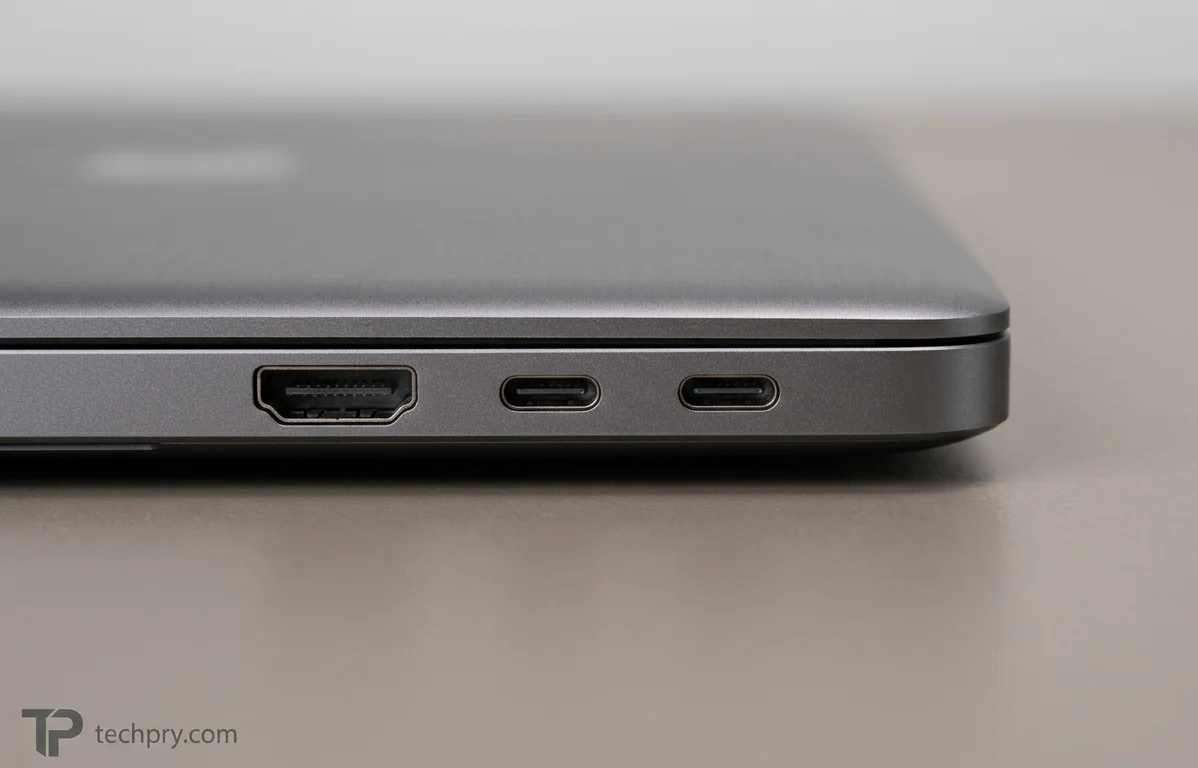
Ports: HDMI 2.1, two Thunderbolt 4 USB-C, two USB-A and a headphone jack
The left edge carries and two USB-C ports, and the right edge has a 3.5 mm audio jack, two USB-A ports and a Wedge lock slot. Two of the four reviews judge the selection good or welcome: LaptopMedia calls it good, and StorageReview is glad to see traditional USB ports.
| Edge | Port | Detail |
|---|---|---|
| Left | HDMI | Version 2.1 |
| Left | 2x USB-C | Thunderbolt 4 / USB4 at 40 Gbps, with Power Delivery |
| Right | 2x USB-A | USB 3.2 Gen 1 at 5 Gbps |
| Right | Audio jack | 3.5 mm combo jack |
| Right | Lock slot | Wedge type |
| Optional | NanoSIM slot | Only on models configured with WWAN |
The USB-C ports also carry output, and LaptopMedia says the USB-A ports support the function for charging accessories. The charger plugs into either USB-C port, and both sit on the left edge. Once the charger takes one, the other USB-C port, the HDMI output and the two USB-A ports remain, which suits a desk with a dock and a monitor but leaves little room for several USB-C-only devices.
There is no VGA port, no separate DisplayPort connector and no proprietary charging socket, so USB-C handles charging. The NanoSIM slot exists only on optional WWAN models, and the units LaptopMedia and Notebookcheck looked at lacked it.
No Ethernet port and no SD card reader
Neither an RJ45 Ethernet port nor an SD card reader is built in. Notebookcheck criticizes the missing Ethernet port, saying Dell once again skimps on it. It made that remark while reviewing the 2-in-1, whose port selection it describes as similar to last year's. The spec confirms the same absence for this model.
If you plug into wired networks or import photos from cards, that means an adapter or dock, which will take up one of the USB ports.
Build quality and design: a solid gray aluminum clamshell
The body is gray aluminum, and it is a conventional clamshell rather than a convertible. LaptopMedia rates the build quality as solid: the lid can only just be flexed, and hard pressure on the base produces only slight bends between the touchpad and the Space key, which it considers normal. The chassis picks up only a small amount of smudges in use, and LaptopMedia likes the stealthy look, noting that the machine looks almost like a twin of the .
All of that praise rests on a single review, so treat it as one informed opinion rather than a consensus. No other review confirms or contradicts it.
Weight and size: 1.33 kg, 313 x 222.75 mm and thin bezels
The laptop weighs 1.33 kg (2.93 lbs). LaptopMedia's scale shows 1.33 kg and StorageReview gives 2.92 pounds for the aluminum model. It measures 313 x 222.75 mm and is 17.1 to 18.21 mm thick, with a footprint of 697 cm2. Side bezels are 5.8 mm wide, giving a screen-to-body ratio of about 81.5%, and LaptopMedia describes the 1200p display as surrounded by thin bezels.
Not every source agrees on weight. GadgetGuy cites the Australian Dell listing for the standard Latitude 7450 at 1.5 kg, against the 1.33 kg in the spec. The difference may come from different configurations or regions, but the sources do not say, so check the weight on the exact listing if it is decisive for you.
Where the Latitude 7450 sits in Dell's lineup: three variants, successor to the 7440
The Latitude 7450 is Dell's upper-midrange business laptop, part of the , and it is sold as an aluminum Mainstream model, the and the . Operating system options are , Windows 10 Pro and Windows 11 Home, with memory and storage configurable up to 64GB and 2000GB.
The 7000 series sits above the entry-level 3000 and midrange 5000 series and below the 9000 series. The 2024 model succeeds the Latitude 7440, which LaptopMedia says it resembles almost like a twin. Notebookcheck describes the port selection as similar to last year's, with the HDMI port moving up to version 2.1.
Because the three versions share a name, the sources are not always describing the same unit. This aluminum clamshell is the one the spec covers, while StorageReview and GadgetGuy tested the Ultralight and Notebookcheck the 2-in-1. Several figures that differ from the spec elsewhere in this article, namely weight, battery capacity and speaker power, may trace back to that mix of variants and configurations, though the sources do not say.
Processor and graphics: is a Core Ultra 5 125U with Arc graphics enough for office work?
The only hands-on verdict comes from a stronger machine than this one. LaptopMedia found enough power for daily or office tasks and even light gaming on a unit with a Core Ultra 7 165U, 32GB of RAM and a 1200p IPS screen, so for the Core Ultra 5 125U configuration it is encouraging rather than confirmed.
The has 12 cores (2 performance and 10 efficiency), 14 threads, a 1.3 GHz base clock rising to 4.3 GHz, and 12 MB of L3 cache. Graphics come from four-core rated at 1.9 TFLOPS with a 14 W power figure, drawing on shared LPDDR5X memory. Both belong to the platform, which Dell offers in 15W U-series and 28W H-series versions.
On paper, ten efficiency cores next to two performance cores suit a mix of light tasks better than one long, heavy job. That fits the office-and-light-gaming verdict, and integrated graphics are consistent with light gaming being the ceiling.
Display: 14-inch 1920 x 1200 IPS at 60 Hz, 250 nits, matte, with good viewing angles
This is a 14-inch 16:10 IPS panel with a matte coating, 1920 x 1200 pixels, a 60 Hz refresh rate and a peak of 250 nits. LaptopMedia calls the viewing angles good.
| Detail | Value |
|---|---|
| Pixel density | 162 ppi |
| 'Retina' viewing distance | 53 cm or more |
| Response time | 35 ms |
| HDR | No |
| Adaptive refresh and sync technology | None |
| Ambient light sensor | Yes |
The 53 cm figure means individual pixels blend together beyond that distance, and you would need to sit closer to pick them out. The rest of the list describes a panel built for documents rather than media or fast motion: 60 Hz with no adaptive refresh, a 35 ms response time and no HDR leave little for gaming or video work.
Brightness is the figure to watch. GadgetGuy says the standard model comes at 250 or 300 nits depending on the model, so 250 nits is the lower of the two grades, and if you work in bright rooms a 300-nit configuration is worth looking for if one is offered. The matte coating helps in that situation.
Touchscreen: not on this configuration, though touch panels are offered
No: this configuration's display is not a touchscreen, but touch panels are among the available options. LaptopMedia lists four 60 Hz 16:10 panels: three 1200p units, one of them with touch, that differ in maximum brightness and color gamut coverage, and a top-tier 1600p touchscreen. Two of the four options therefore support touch, and the sharpest panel is also a touch one.
Cooling and noise: one fan, 38.2 dB at full load, and some heat reaching the screen
Cooling is a single fan with no and no liquid metal, noise tops out at 38.2 dB under full load, and LaptopMedia reports a bit of heat reaching the screen when the CPU works hard.
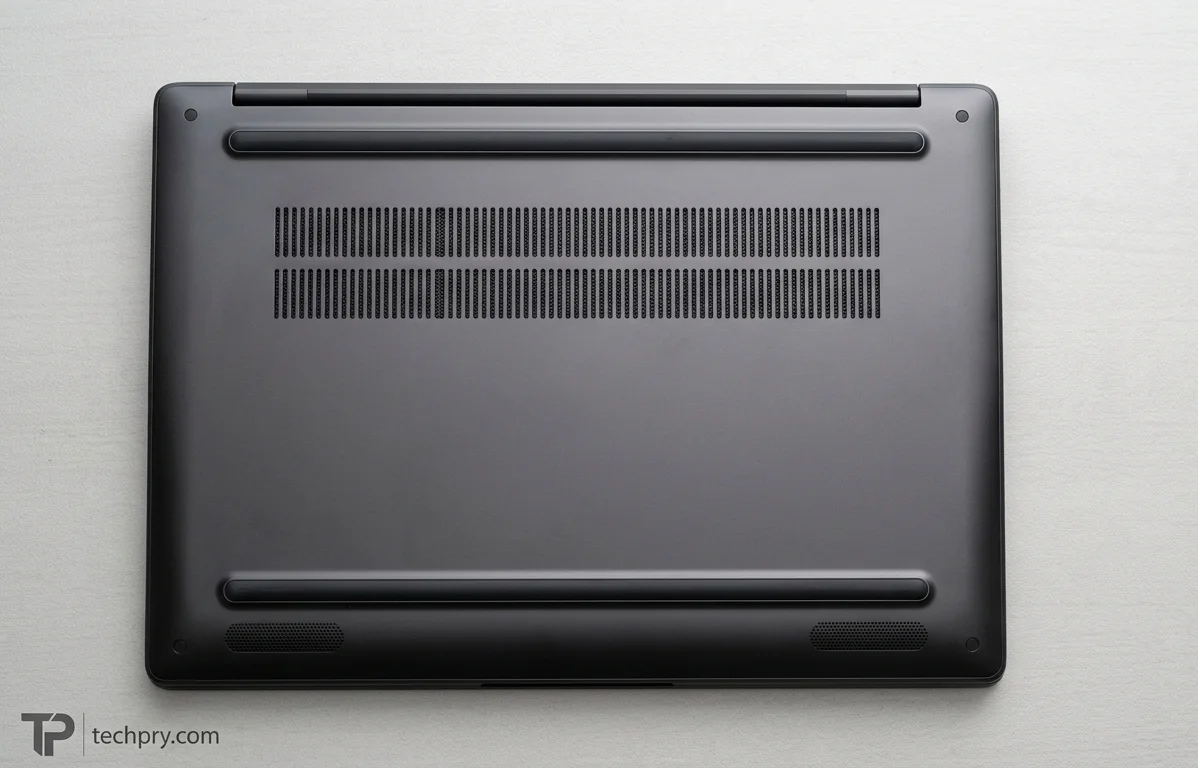
The venting layout explains the heat. The underside has a two-row ventilation grill, and the lower exhaust aims at the desk while a second vent above it points at the lower lid bezel, which is how some warmth reaches the display. The complaint is tied to heavy CPU load, so ordinary document and browser work is a less likely trigger.
Opening the lid slightly past 90 degrees helps: the bottom of the lid and its two rubber feet lift the rear of the body, and more fresh air reaches the cooling. The 38.2 dB figure applies to maximum load, so it describes the worst case rather than everyday noise.
Lid and hinge: opens flat to 180 degrees, but one-handed only up to 90
The lid opens a full 180 degrees so the laptop lays flat, but it opens with one hand only up to 90 degrees, and beyond that you need both. LaptopMedia likes the flat position for content sharing.
The 180 degrees is a flat-lay angle on a clamshell, not a convertible hinge, since this model is not a transformer. The two limits come up at different frequencies. The one-hand ceiling matters every time you open the laptop, while lying flat is for the occasional moment of showing your screen to someone else. Past about 90 degrees the lid also lifts the rear of the body on its rubber feet, a side effect that helps the cooling.
Wireless: Wi-Fi 7 and Bluetooth 5.4, with strong tested Wi-Fi throughput
The laptop supports and , and Notebookcheck's testing of the 2-in-1 found impressive throughput from its card. On both the 5 GHz and 6 GHz bands the card held strong speeds without transmission throttles, and the 6 GHz band showed receive speeds 3.6% faster than 5 GHz.
A 3.6% edge is small, so the advantage of 6 GHz in that test was marginal rather than dramatic. Two cautions apply. The test was run on the 2-in-1, so it is indicative for this clamshell rather than a result for it, and the spec names only the Wi-Fi generation, not the card. StorageReview lists the M.2 2230 wireless card among the replaceable parts, which leaves room to swap the module later.
Battery and charging: 38 Wh pack with USB-C Power Delivery and fast charging
The spec lists a 38 Wh, 7.6 V Li-Po battery with fast charging, and it charges over at 60, 65 or 100 W through either USB-C port on the left edge. A full charge takes 1 hour 30 minutes, the cable is 1 m long, and the box includes a Type-C charger.
The capacity itself is disputed. LaptopMedia lists the battery as 57 Wh, well above the 38 Wh in the spec, and its reviewed unit was a different configuration (Core Ultra 7 165U, 32GB of RAM), so the larger figure may belong to that unit, though the sources do not say. No review reports a runtime, which leaves capacity as the only guide, and a gap this size would change what a day away from the charger looks like.
If the 38 Wh figure is the right one for your configuration, fast charging is what keeps a smaller pack practical, since a top-up at a desk takes well under a full 1 hour 30 minutes.
Webcam, fingerprint reader and security features, including optional IR and vPro
Built-in security covers a Wedge lock slot, a webcam privacy shutter and a . An , fingerprint reader, SmartCard reader, NFC, a (an Opal 2 SSD) and a vPro CPU are options. The webcam sits above the display behind its shutter, and the choices are 1080p HDR units with or without facial recognition or a top-end 5MP IR model. The laptop is aimed at business IT, with remote management and enterprise support.
The power button in the top-right corner doubles as the fingerprint reader on units that have one, and LaptopMedia says the touchpad houses the optional NFC sensor.
One number does not line up: the spec lists a 2560 x 1440 webcam resolution, which does not fit neatly with the 1080p options LaptopMedia describes, so confirm the webcam for the exact configuration.
Which extras matter depends on who is buying. The management and encryption options mostly serve IT departments, while an individual will notice the sign-in hardware, meaning the fingerprint reader and the facial-recognition cameras.
Audio: four speakers on both sides of the keyboard
Sound comes from four speakers (a 4.0 layout) with grills on either side of the keyboard, driven by a Realtek ALC3281 chip, and no review gives an opinion on how they sound. The spec lists about 81 dB of loudness, two microphones and no support.
Power is where the sources split: the spec rates the speakers at 4x2W, while LaptopMedia lists 4x 2.5W. LaptopMedia counts the four-speaker setup among the reasons it calls the machine feature-rich, but that is a statement about hardware rather than sound quality, so judge the speakers by ear if audio matters to you.
Who should buy it, and who should skip it
It suits a buyer who wants a 1.33 kg aluminum 14-inch business laptop with a keyboard and touchpad that reviewers like and a port set covering HDMI, USB-C and USB-A, and who is content to choose RAM and SSD size once. Companies buying fixed configurations for staff also get the manageability and security options aimed at business IT.
It is a weaker fit for anyone who expects to add memory later, wants a swappable battery, needs Ethernet or an SD slot without an adapter, or leans on the arrow keys all day. Touch and brighter panels exist as options, but this configuration has neither, so check the screen when configuring.
Before ordering, pin down the figures where sources disagree: weight (1.33 kg in the spec, 1.5 kg in an Australian listing), battery capacity (38 Wh against 57 Wh), speaker power, and whether the battery pack can be replaced.
Comments 0
Please log in or sign up to comment.