
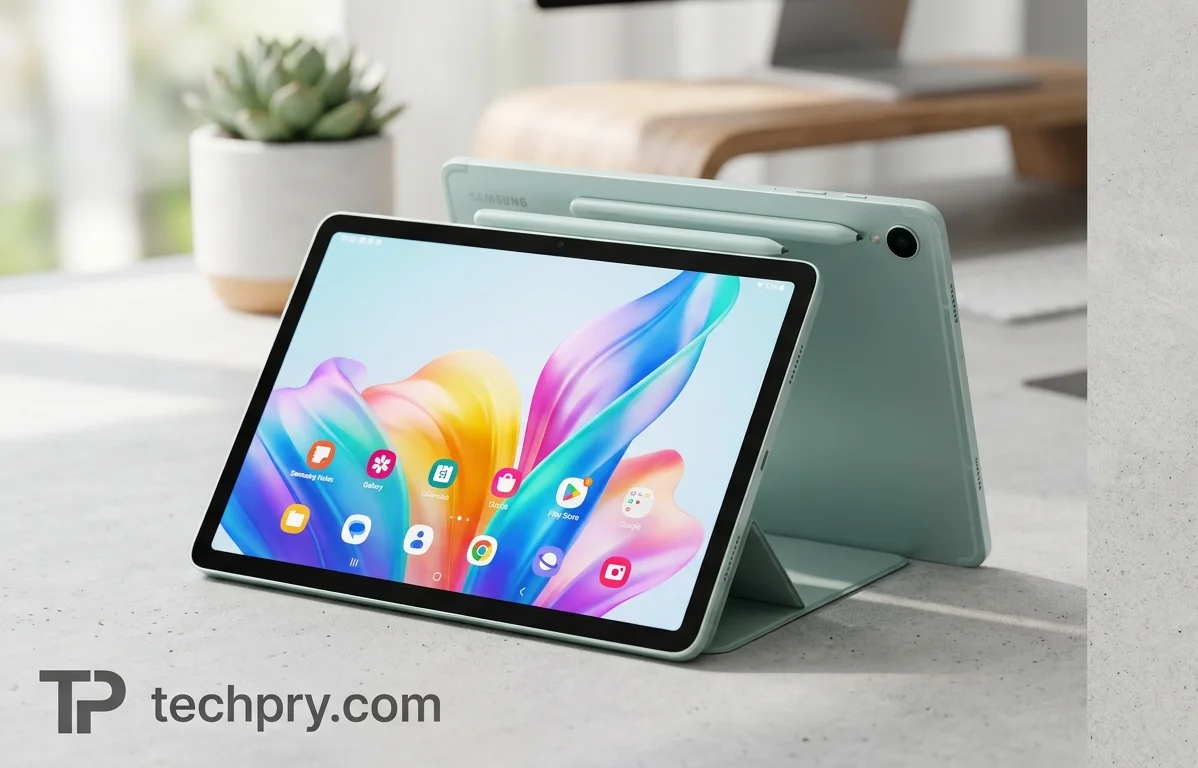
Samsung Galaxy Tab S10 FE: Premium Shell, Mid-Range Compromises
The S10 FE keeps the aluminum body, water resistance, bundled stylus and long battery life of Samsung's pricier tablets, and gives up the AMOLED screen, top-tier speed and a fast USB port.
Contents
- Mid-range or premium: where the Galaxy Tab S10 FE sits and what it costs
- What are the Galaxy Tab S10 FE's main drawbacks?
- How does the S10 FE's LCD screen stack up against AMOLED Tab S models?
- Display specs: size, panel type, resolution and refresh rate
- How bright is the S10 FE's screen?
- How fast is the Galaxy Tab S10 FE next to the Tab S10+ and Apple rivals?
- Which chipset, CPU and GPU does the Galaxy Tab S10 FE use?
- What are the Galaxy Tab S10 FE's full benchmark results?
- How long does the Galaxy Tab S10 FE's 8000 mAh battery last?
- How fast does the Galaxy Tab S10 FE charge, and is a charger included?
- Does the Galaxy Tab S10 FE include an S Pen, and how good is it for notes?
- Why do reviewers call the Galaxy Tab S10 FE's design premium, and how portable is it?
- Is the Galaxy Tab S10 FE water and dust resistant?
- How good is the Galaxy Tab S10 FE's rear camera?
- Is the Galaxy Tab S10 FE's front camera good for video calls?
- Can the Galaxy Tab S10 FE work like a laptop with Samsung DeX?
- Which keyboard accessories work with the Galaxy Tab S10 FE, and what do they cost?
- What AI features does the Galaxy Tab S10 FE offer, and how well do they work?
- How good are the Galaxy Tab S10 FE's speakers?
- How fast is the Galaxy Tab S10 FE's USB-C port, and is there a headphone jack?
- Which Wi-Fi, Bluetooth, NFC and GPS features does the Galaxy Tab S10 FE support?
- What RAM and storage does the Galaxy Tab S10 FE have, and can storage be expanded?
- Does the Galaxy Tab S10 FE have 5G, SIM or eSIM, and which versions exist?
- When was the Galaxy Tab S10 FE released, and which Android version does it run?
- What fingerprint scanner and sensors does the Galaxy Tab S10 FE have?
- Who should buy the Galaxy Tab S10 FE, and who should skip it?
From the outside, the Galaxy Tab S10 FE passes for one of Samsung's flagships: an aluminum back, a 6 mm body, water resistance and a stylus in the box. The savings show up elsewhere, in an LCD where its pricier siblings use a better screen technology, a chip that trails the S10+ and Apple's rivals, and a USB port that has dropped to USB 2 speed. ITPro's shorthand, a stripped-back S10+ for much less money, fits both halves of that picture, and deciding which half matters more to you is the whole buying decision.
Mid-range or premium: where the Galaxy Tab S10 FE sits and what it costs
The spec files it under mid-range, and Pickr uses the same label. Thế Giới Di Động disagrees and calls it a premium, high-end tablet. The launch price is $499, a figure ITPro repeats.
Both labels hold up, depending on what you weigh. Next to the and the , ITPro presents the S10 FE as a stripped-back version of the S10+ for substantially less money. The build and the water resistance lean premium, while the screen, the speed and the USB port covered below lean mid-range.
The sticker price is only the starting point. Micro Center lists the Gray Wi-Fi model with 8 GB of RAM and 128 GB of storage at $599.99, which is a store price rather than the launch MSRP, so the real price may run higher than $499. Accessories add more: Pickr prices the optional keyboard cover at $349, a big add-on next to a $499 tablet, while ITPro says the dedicated cover was free for a limited time with the tablet when it reviewed it, with no dates given. The box has no charger either. Check what is bundled on the day you buy before you compare prices.
What are the Galaxy Tab S10 FE's main drawbacks?
The screen and the speed matter most. Pickr and ITPro both rate the LCD below the panels on the premium Tab S models, and both place performance below the regular Tab S line, with ITPro naming the S10+ and Apple rivals. ITPro adds three complaints of its own: the USB port is now effectively a charging port, some AI features still need work, and the stylus has no inset magnetic strip to house it and no clear spot to charge it. The spec adds a battery that is not replaceable and no .
Not every drawback costs the same. The first two touch everyone every day, so they carry the most weight; the rest hit narrower groups.
| Drawback | Who feels it most |
|---|---|
| LCD in place of AMOLED | Buyers who care about contrast and vivid color, or who are stepping down from an S10+ |
| Performance below the S10+ and Apple rivals | Buyers expecting flagship speed |
| USB 2 port | People who plug in external storage |
| Garbled AI handwriting in Google Docs | People who handwrite into Google Docs |
| No home or charging spot for the stylus | Anyone who carries the pen around |
| Non-replaceable battery, no wireless charging | Owners who keep a tablet for years or prefer pad charging |
How does the S10 FE's LCD screen stack up against AMOLED Tab S models?
It is a clear step down, and Pickr and ITPro agree on that. ITPro says you give up the deep blacks and perfect contrast of AMOLED and get less vibrant, less intense colors, and Pickr suggests saving vivid photos for your phone. ITPro sets this against the S10+'s 2800 x 1752 AMOLED 2X display, while the S10 FE makes do with a 2304 x 1440 IPS panel.
Even so, the screen is not a failing grade. ITPro calls it a good screen for touch apps, browsing and everyday productivity, and an even better one for video, and Thế Giới Di Động praises how sharp the image looks. ITPro ties its video verdict partly to the four edge-firing speakers, not only the panel. On paper the panel's limits are visible too: contrast measures 1700:1 and there is no HDR support.
The color numbers are respectable. ITPro measured 97.7% sRGB coverage, slightly above the spec's 97.3%, plus 83.9% of , a gamut the spec also lists among the display's features. Average color error (Delta-E, where lower means closer to accurate) came to 2.67 in Vivid mode and 1.18 in Natural mode, so anyone who cares about accuracy should switch to Natural. The spec also records no PWM flicker, which matters to people sensitive to screen flicker, and a 32 ms response time.
Buyers coming from an S10+ or an AMOLED phone are the most likely to notice the difference; people who mostly read, browse and take notes are unlikely to be bothered.
Display specs: size, panel type, resolution and refresh rate
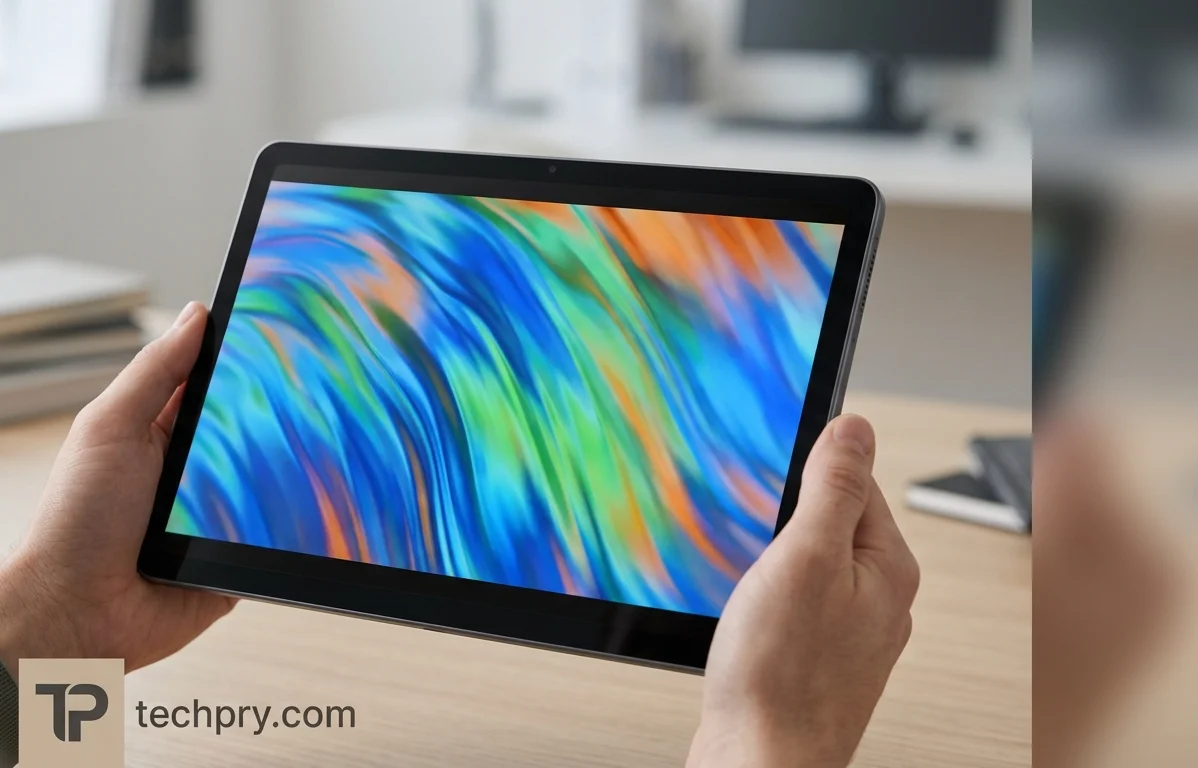
The S10 FE has a 10.9-inch screen at 1440 x 2304 pixels with a 90 Hz refresh rate, listed as by the spec and as IPS by GSMArena and ITPro. Pickr finds the size big enough for use, and Micro Center and Thế Giới Di Động call it spacious, wide enough for work and entertainment yet compact enough to carry.
The panel disagreement is probably less dramatic than it sounds. The spec, Micro Center and Thế Giới Di Động say TFT LCD, Pickr calls it a plain LCD, and GSMArena and ITPro say IPS. TFT describes the active-matrix drive layer and IPS describes how the liquid crystals are arranged, so the two labels may describe the same panel at different levels of detail.
The rest of the sheet: a 16:10 aspect ratio, 249 ppi and about 344.5 cm2 of display area, with tempered glass on top. Thế Giới Di Động adds that the panel shows 16 million colors. There is no , so the refresh rate does not adjust to what is on screen.
How bright is the S10 FE's screen?
It is rated at up to 750 nits, but measured peaks land lower. The automatic-mode peak brightness test reached 614 nits, and ITPro measured SDR brightness of 612 cd/m2. ITPro only reached 794 cd/m2 with turned on and a torch shone at the front camera, a reading that tops the rating but needs that ambient-light trigger. Two readings that agree at 612 and 614 point to roughly that level in ordinary use, and the higher figure appears to need that kind of push.
How fast is the Galaxy Tab S10 FE next to the Tab S10+ and Apple rivals?
It is slower than the regular Tab S models, and both reviewers say so: Pickr says its benchmarks show the S10 FE outside that league, and ITPro lists a lack of performance against the S10+ and Apple rivals as a con. Pickr adds that this does not make the result bad, calling everyday performance decent but short of what a Galaxy S-series phone delivers.
Thế Giới Di Động is more upbeat, saying the 8-core chip and 8 GB of RAM switch between apps without lag. Read the two verdicts together and a pattern emerges: day-to-day apps are fine, and the gap shows against flagship expectations rather than in routine use.
Headline scores are at 1360 single-core and 3877 multi-core, a GPU compute score of 7019, and an 11 total of 1240181. Raw scores like these only rank the tablet against other chips, so the verdicts above are the better guide to how it feels; the full breakdown follows below.
Which chipset, CPU and GPU does the Galaxy Tab S10 FE use?
It uses Samsung's , made by Samsung on a 4 nm process, with a neural processor alongside the CPU and GPU. The CPU has eight cores in a 1+3+4 layout: one core at 2.9 GHz, three more at 2.6 GHz, and four Cortex-A520 cores at 1.95 GHz, backed by 4 MB of L3 cache. Graphics come from the , with 256 shading units at 1300 MHz and roughly 1331.2 GFLOPS of compute throughput.
On paper, a layout with four small Cortex-A520 cores beside the faster A720 cores suits light work such as reading and video, which fits the tablet's long video-playback battery result.
What are the Galaxy Tab S10 FE's full benchmark results?
The AnTuTu 11 total splits into a CPU score that takes the largest share and a memory score that is the lowest of the four parts. In , a graphics stress test, the tablet scores 657 with 94% stability and 5 FPS in the graphics test, and the 3.0 total is 12702.
| Test | Result |
|---|---|
| AnTuTu 11 total | 1240181 |
| AnTuTu CPU | 491848 |
| AnTuTu GPU | 298745 |
| AnTuTu memory | 187448 |
| AnTuTu UX | 262140 |
| 3DMark Steel Nomad Light score | 657 |
| 3DMark stability | 94% |
| 3DMark graphics test | 5 FPS |
| PCMark 3.0 total | 12702 |
| PCMark web | 12301 |
| PCMark video editing | 7055 |
| PCMark photo editing | 22426 |
| PCMark data manipulation | 10830 |
| PCMark writing | 15855 |
On paper, photo editing is the strongest PCMark workload and video editing the weakest, so video editing is where the chip looks most stretched. The 5 FPS comes from a synthetic stress test, so read it as a stress result rather than a prediction for games.
How long does the Galaxy Tab S10 FE's 8000 mAh battery last?
Long enough that ITPro lists excellent battery life as a pro. The 8000 mAh Li-Ion cell is aimed at around 20 hours depending on use, according to Pickr, and in battery tests general use runs 24:49 hours.
The spread by workload shows why Pickr hedges on use: video playback lasts 14:58, web browsing 9:55 and gaming 6:44, while standby stretches to 118 hours. Gaming drains the battery much faster than video, so the heavier your use, the further you will sit below the headline figure.
Longevity looks good on paper: the battery is rated for 2000 charge cycles, and Thế Giới Di Động lists a battery-saving technology. The catch is that the battery is not replaceable, so when it fades there is no swap.
How fast does the Galaxy Tab S10 FE charge, and is a charger included?
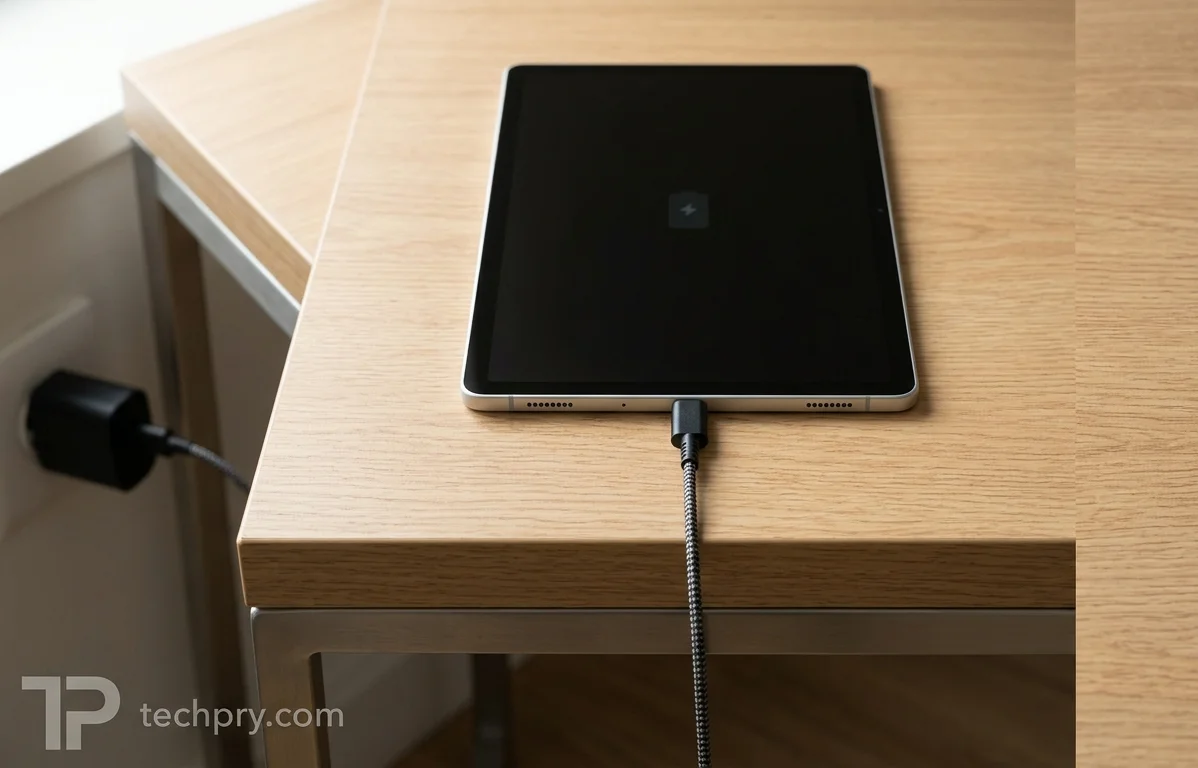
The tablet supports at up to 45 W, reaching 50% in 30 minutes and a full charge in 2 hours 50 minutes, and no charger is included in the box.
Because no charger ships, getting the full 45 W means buying one that supports it, which adds to the real cost. There is no wireless charging and no , so the tablet cannot top up a phone or other accessories from its own battery.
Does the Galaxy Tab S10 FE include an S Pen, and how good is it for notes?
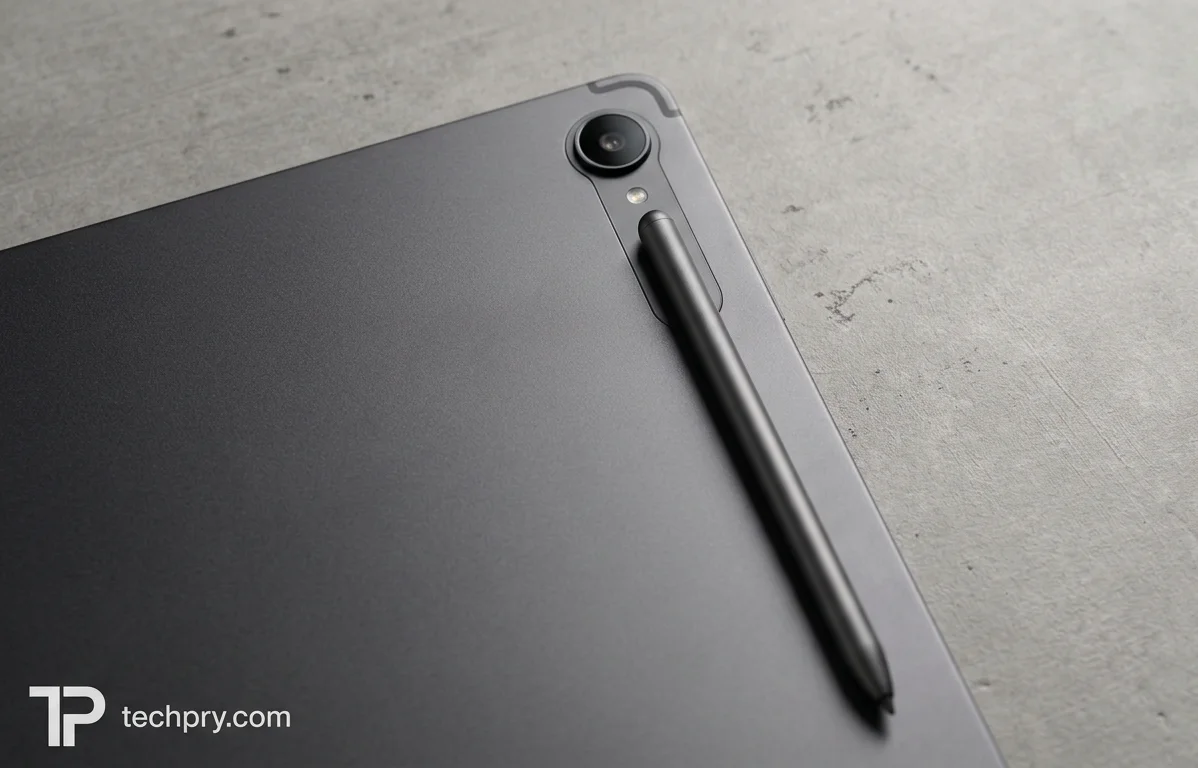
Yes: the tablet supports the and ships with one, as Pickr, Micro Center and ITPro all note. Pickr and ITPro both rate it for note-taking: Pickr says you can draw, sketch, take notes and mark things up, which makes the tablet more capable than most Galaxy-branded devices, and ITPro calls it a formidable note-taking tool with Samsung's Notes app or .
The pen attaches magnetically at the back of the tablet, and ITPro adds that it also sticks to both longer edges or at the rear next to the cameras. What it lacks, compared with the S10+, is an inset magnetic strip to house it and a clear spot to clamp it for charging. The pen works well, but a pen without a dedicated home is easier to misplace when you carry the tablet around.
Why do reviewers call the Galaxy Tab S10 FE's design premium, and how portable is it?
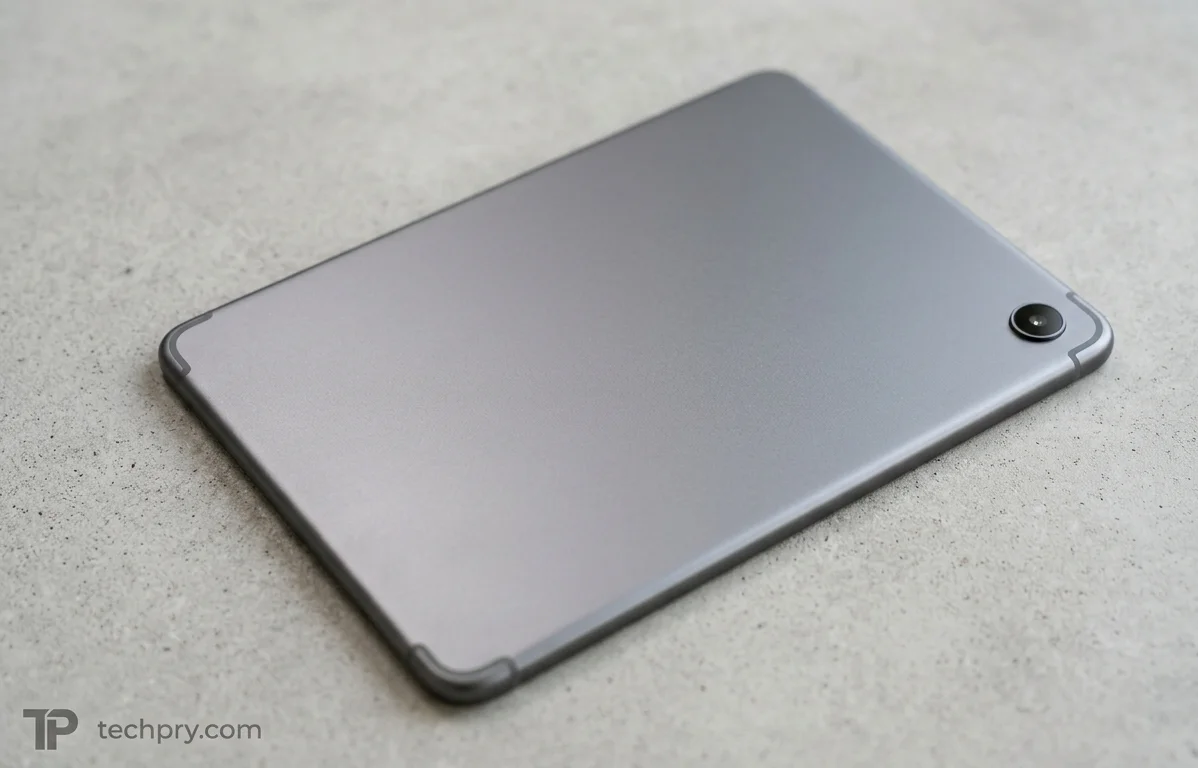
The Galaxy Tab S10 FE measures 254.3 x 165.8 x 6 mm and weighs 497 g, with a metal back and frame and a glass front. The spec lists four colors, Silver, Gray, Blue and Purple, though Thế Giới Di Động lists only Gray, Silver and light Blue, which may reflect regional availability, and Micro Center sells the Gray model.
Pickr and ITPro both praise the design as simple and premium in feel, and Thế Giới Di Động calls it modern. ITPro says it borrows its design language from the premium models, with a slimline aluminum-backed body, rounded corners and 8.5 mm bezels just big enough to grip without covering the screen; Pickr calls it easy on the eyes and fairly professional.
ITPro notes the screen is 1.5 inches smaller than the S10+'s, yet still calls the tablet slim and highly portable at 6 mm thick and 497 g. Thế Giới Di Động says it is light enough to hold for long periods without tiring the hand. GSMArena gives the weight as 497 g or 500 g, so you may see either figure quoted.
This is where the premium label is earned most clearly. The metal shell, thin bezels and low weight come from the premium line, while the parts you cannot judge in a store, the panel type and the chip, are where the savings sit.
Is the Galaxy Tab S10 FE water and dust resistant?
Yes. It carries an rating, described as immersible up to 1.5 m for 30 minutes. Pickr calls this a surprising extra, saying you can use it by the pool or in the bath without fear of obvious destruction, and Micro Center presents it as a reason to enjoy the tablet at home or out exploring. Next to the metal body, it is one of the stronger arguments for the premium reading of this tablet.
How good is the Galaxy Tab S10 FE's rear camera?
It is better than the tablet norm, according to ITPro, which says the rear camera captures good, well-exposed and detailed stills and video even in low light, a big step up from an average tablet. The hardware is modest: a single 13 MP lens at f/2.0 with , digital zoom only, no flash, and 4K video at up to 30 FPS.
The missing flash does not bother Pickr, which treats it as a reminder that you have a phone for that. Thế Giới Di Động lists and background blur among the rear camera's features. With one standard lens and no optical zoom, this is a camera for quick shots and scanning paperwork rather than a stand-in for a phone camera, which fits Pickr's remark.
Is the Galaxy Tab S10 FE's front camera good for video calls?
Yes, by ITPro's account: it calls the front camera a fantastic option for video calls and meetings, with video clearer and more balanced than many laptops deliver, particularly where a laptop is impractical. Thế Giới Di Động also finds it sharp and well suited to calls, online meetings and selfies.
The hardware is a 12 MP ultrawide camera at f/2.4 with no autofocus, recording 1080p video at 30 FPS, and software adds color filters, background blur and a beauty mode. Those numbers are ordinary on paper, so the praise comes from how the camera handles detail and exposure rather than from headline specs.
Can the Galaxy Tab S10 FE work like a laptop with Samsung DeX?
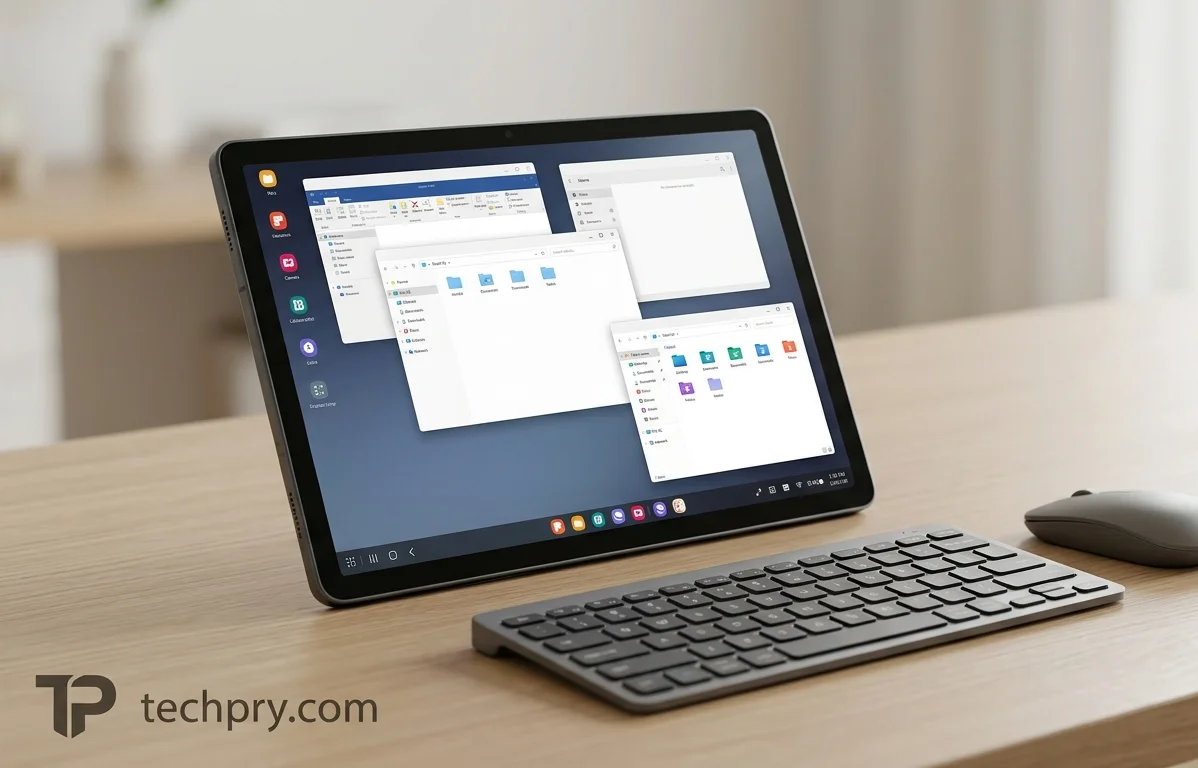
Up to a point. ITPro paired it with a keyboard and a Bluetooth mouse in mode and found a small but effective laptop substitute, with floating resizable windows, a taskbar, rapid app switching and split-screen views. Serious work in Google Docs and Sheets was workable.
Samsung DeX is a laptop-like, PC-like desktop interface, and multi-window use is supported, as ITPro and Thế Giới Di Động both list. Thế Giới Di Động's no-lag verdict on switching apps with 8 GB of RAM is consistent with ITPro's result. The word small matters here: the screen is 10.9 inches, which Pickr finds big enough for use, and the hardware depends on accessories that do not ship with the tablet.
Which keyboard accessories work with the Galaxy Tab S10 FE, and what do they cost?
No keyboard ships in the box, as Pickr and Thế Giới Di Động both point out, and the tablet works with Samsung's as well as Bluetooth keyboards and mice. Pickr prices the book cover at $349, while ITPro says the dedicated keyboard cover was free for a limited time with the tablet when it reviewed it, with no dates given.
Pickr says typing with the cover is comfortable, though not as quick as on a regular keyboard, and adds that you will probably not write a novel on it. ITPro's laptop-style results came from a Logitech keyboard and Bluetooth mouse rather than Samsung's cover, which suggests the first-party cover is optional rather than required for DeX-style work. That makes the cover a convenience purchase, and the $349 price is worth weighing against any free-cover offer running when you buy.
What AI features does the Galaxy Tab S10 FE offer, and how well do they work?
The tablet offers Samsung's handwriting and voice-to-text tools plus and , and ITPro says most of the time the AI features just work, with some rough edges. Pickr also mentions Circle to Search among a few other features.
ITPro says Samsung's AI features here work as they do on the premium Tab S10 models, turning handwritten scrawl or recorded voices into editable text and even translating where needed. The rough edge is specific: attempts at handwriting in Google Docs produced repeated words and garbled sentences, and ITPro lists some AI features still needing work as a con. ITPro's praise for note-taking named Samsung's Notes app and Google Keep Notes, so the handwriting complaint is tied to Google Docs rather than to note-taking in general.
Thế Giới Di Động's page adds a list of further tools, AI Key, AI math solving, AI best-face photos and AI object removal, but that is a feature list rather than a verdict on quality. Only ITPro judges how well the AI works, so treat the handwriting complaint as one reviewer's experience.
How good are the Galaxy Tab S10 FE's speakers?
Surprisingly loud, according to ITPro, which describes the output as crisp and beefy, especially for video. The spec lists stereo speakers with and a measured maximum loudness of 85.6 dB, while ITPro counts four edge-firing speakers and Thế Giới Di Động says the sound is tuned by .
The speakers carry more of the video experience than the spec sheet suggests: ITPro's verdict that the screen is even better for video leans on them, which offsets some of the LCD's weakness. Voice recording is supported and there is no FM radio, and the next section covers the missing headphone socket.
How fast is the Galaxy Tab S10 FE's USB-C port, and is there a headphone jack?
The single USB Type-C port runs at USB 2 speed, down from USB 3.2 Gen 1 on the S10+, and there is no . ITPro's verdict is that the port is now really just a charging port rather than something to connect external storage to.
The spec sheet is more generous on paper, listing charging, USB storage mode and . Those functions exist, but at USB 2 speed they are poor company for large transfers, which is the practical meaning of ITPro's complaint; the memory-card slot covered below is the better route to extra storage. There is no output either, so do not count on video out to a monitor. GSMArena also mentions a magnetic connector next to the port.
For audio, Thế Giới Di Động lists the headphone jack type as Type-C, meaning wired headphones connect through that same USB-C port. With only one port, wired headphones and charging compete for it, so wireless headphones are the easier fit.
Which Wi-Fi, Bluetooth, NFC and GPS features does the Galaxy Tab S10 FE support?
The tablet offers dual-band Wi-Fi with MIMO, Wi-Fi Direct and hotspot support, and the spec and GSMArena list it as . ITPro disagrees, saying it has Wi-Fi 6 without the faster 6E, and Thế Giới Di Động's feature list also says Wi-Fi 6. Wi-Fi 6E extends Wi-Fi 6 into an additional band, so the difference only matters if your router supports it.
Bluetooth is with LE and A2DP, which covers wireless headphones. Positioning lists GPS, GLONASS, Beidou, Galileo and QZSS, and there is no infrared port.
Two details are contested. The spec lists as supported, on a line it marks with an asterisk, while GSMArena says no. The spec marks its SIM lines with the same asterisk, and those lines apply only to the cellular model, so NFC may depend on the version too, though the spec does not say. Likewise, GSMArena notes the positioning systems are listed for the cellular model only, yet Pickr's review of the Wi-Fi SM-X520 lists GPS among its connections, so Wi-Fi-only buyers who need navigation should verify before ordering.
What RAM and storage does the Galaxy Tab S10 FE have, and can storage be expanded?
The listed configuration is 8 GB of RAM with 128 GB of storage, and storage can be expanded with a . Thế Giới Di Động says cards up to 2 TB are supported. Pickr mentions a bigger variant with 12 GB of RAM and 256 GB of storage.
Thế Giới Di Động lists about 106 of the 128 GB as usable, though the unit is not shown, and calls 128 GB enough for apps, photos, videos and documents. The spec lists no hybrid slot, which points to a separate card slot, so the card should not have to compete with a SIM on the cellular model. A card also answers the slow USB port: with USB 2 poorly suited to external storage, the card slot is the practical way to add space.
Does the Galaxy Tab S10 FE have 5G, SIM or eSIM, and which versions exist?
Two versions exist: a Wi-Fi model (SM-X520) and a model (SM-X526B), and only the cellular one has a SIM or . The Wi-Fi-only version has no mobile network, SIM or calling, and both Micro Center and Thế Giới Di Động list that Wi-Fi version.
| Version | Model code | Mobile connectivity |
|---|---|---|
| Wi-Fi | SM-X520 | No mobile network, SIM or calling |
| 5G | SM-X526B | One Nano SIM (standby mode) plus eSIM, with 5G support |
The spec lists 2G bands GSM850, GSM900, DCS1800 and PCS1900, 3G bands UMTS B1, B2, B4, B5 and B8, and 4G LTE bands B1, B2, B3, B4, B5, B7, B8, B12, B13, B17, B20, B25, B26, B28, B32 and B66. It lists bands only up to 4G, so check carrier compatibility for 5G before buying. GSMArena also knows the tablet as the Galaxy Tab S10 FE (10.9-inch), and the 12 GB RAM and 256 GB storage variant exists alongside the 8 GB and 128 GB model.
When was the Galaxy Tab S10 FE released, and which Android version does it run?
It was announced and released in April 2025 and ships with , upgradable to , with listed as the interface. Pickr says Samsung's tweaks to the tablet interface make it fairly easy to use.
Two software details deserve a closer look. The operating system itself takes up 29.5 GB, a real slice of a 128 GB model, which is another reason to treat the memory-card slot as part of the plan. And the spec lists the OS update period as 0 years, a figure that sits oddly beside the Android 16 upgrade path and comes without explanation, so confirm Samsung's current update policy if long-term support matters to you.
What fingerprint scanner and sensors does the Galaxy Tab S10 FE have?
A built into a button handles biometric unlock, and GSMArena describes it as side-mounted. The sensor list covers proximity, gyroscope, accelerometer, ambient light, compass and fingerprint, with GSMArena noting that the proximity sensor is for accessories only. The ambient light sensor is what automatic brightness relies on, and it is presumably what ITPro's torch trick triggered during its brightness measurement.
Who should buy the Galaxy Tab S10 FE, and who should skip it?
It suits people who want a slim, light, water-resistant tablet for notes, video and calls, and who value battery life over screen finesse. The pen is in the box, the battery lasts long days, the speakers go loud, and ITPro found the front camera clearer than many laptops' for meetings. Add a Bluetooth keyboard and DeX mode and ITPro found it can double as a small laptop.
It is the wrong pick if you want the deep blacks and vivid color of an AMOLED panel, flagship speed to match the S10+ or Apple's tablets, a fast USB port for external storage, a headphone jack, wireless charging or a battery you can replace. Price can tip the decision as well: $499 at launch, but a store listing at $599.99, a $349 optional keyboard cover and no charger in the box all push the real total up. Anyone who needs mobile data has to pick the 5G version, since the Wi-Fi model has no SIM or calling.
Comments 0
Please log in or sign up to comment.