
Samsung Galaxy Tab S10 Lite: Where the Bundled S Pen Does the Selling
The Galaxy Tab S10 Lite earns its praise through the bundled pen, a smooth 90 Hz screen and value, while storage, sound and missing FE extras set its limits.
Contents
- Is the Galaxy Tab S10 Lite worth it? Reviewers call it a safe, good-value pick
- The included S Pen is the Tab S10 Lite's standout feature
- Writing precision and rivals: lag-free in Samsung Notes, ahead of competitors, thinner on drawing apps
- Design and build: premium-feeling for the price, with thin bezels and more than one color
- Size, weight and materials: 524 g metal body, 6.5 mm thick
- Performance: smooth in daily use, with one report of overheating
- Chipset, CPU and GPU: 5 nm Samsung Exynos 1380 with a Mali-G68 MP5
- Benchmark scores: Geekbench 6, AnTuTu 11, 3DMark and PCMark results
- Speakers: decent stereo sound with Dolby Atmos, but little bass and mono audio in landscape
- Display: a 10.9-inch 90 Hz LCD that reviewers call crisp and smooth
- Brightness: rated 500 nits, measured 436 nits, a notch dimmer than the iPad 11 and S10 FE
- Viewing angles, reflections and measured color
- Streaming, anime and gaming: flawless for video, harder going for games
- What's missing: no fingerprint scanner, IP68 rating, headphone jack or external monitor output
- RAM and storage: 6 GB / 128 GB base, card expansion and a 256 GB option
- Students and note-taking: the pen plus Galaxy AI tools like Writing Assist and Circle to Search
- Keyboard cover and Samsung DeX: the Book Cover Keyboard is the recommended add-on
- Cameras: 8 MP rear and 5 MP front, fine for video chats but not for photographers
- Software and updates: Android 15 with One UI 7.0, and support listed at 5 to 7 years
- Battery and charging: 8000 mAh and 25 W, with one customer saying it drains quickly
- Connectivity: Wi-Fi 6, Bluetooth 5.3 and USB-C 2.0, with satellite positioning listed for the cellular model only
- Wi-Fi and 5G versions: SM-X400 and SM-X406B, with SIM and band support on the cellular model
- Where it fits in Samsung's lineup: successor to the Tab S6 Lite and near twin of the S10 FE
- Who should buy it, and who should pass
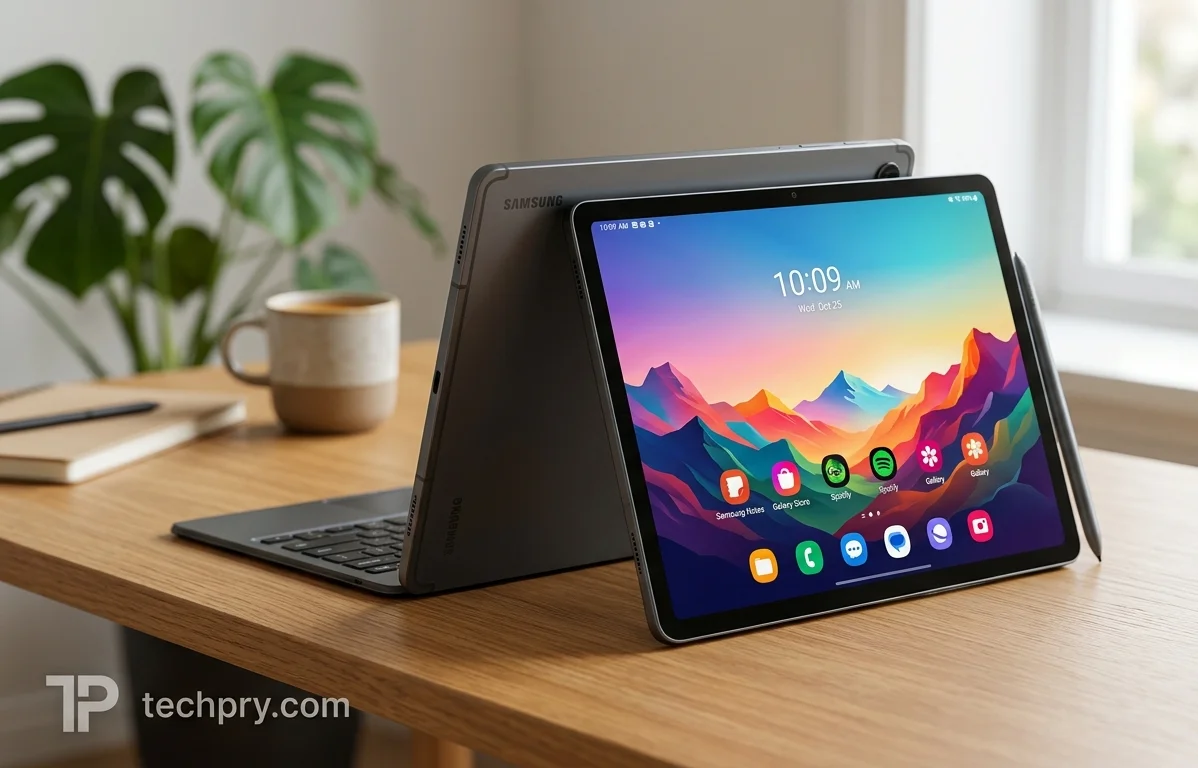
The pen is the easy part of the Galaxy Tab S10 Lite: all three reviews praise the bundled stylus , and one says it works almost exactly like the one on a much more expensive Samsung tablet . The harder part is what surrounds it. The 128 GB base model leaves about 100 GB usable, both speakers sit on one edge, and two features that the FE models have are missing . Whether those gaps matter depends on what you want from a tablet that launched at $319 .
Is the Galaxy Tab S10 Lite worth it? Reviewers call it a safe, good-value pick
For most buyers, yes. Two of the three reviews recommend it overall, and the Showya gadget blog (gadget.showya-kiss.com) found no obvious deal-breakers . That blog's verdict is specific: it is a safe choice if you want a stable, relatively large entertainment tablet or something to take notes on with an , and especially if you would rather avoid unfamiliar brands while staying above 8 inches . Customers on Samsung's US product page also recommend it, though the page's 100% recommendation figure is AI-generated from ratings and may include incentivized reviews, so it says less than it first appears to .
On value, all three reviews agree. MyNextTablet says a relatively low price buys an S Pen as good as the one on the expensive S10 Ultra, the Showya blog considers the $350 premium over riskier alternatives justified for the buying confidence it brings, and a customer on Samsung's page says the price is what won them over .
Pricing needs a caveat. Samsung's spec lists a launch price (MSRP) of $319 . The Showya blog, writing before the September 19, 2025 launch, saw Amazon listings of $349.99 for the 128 GB model and $419.99 for the 256 GB model . Those pre-launch listings sat above the MSRP, so treat $319 as the reference point and check what the tablet costs where you shop .
The included S Pen is the Tab S10 Lite's standout feature
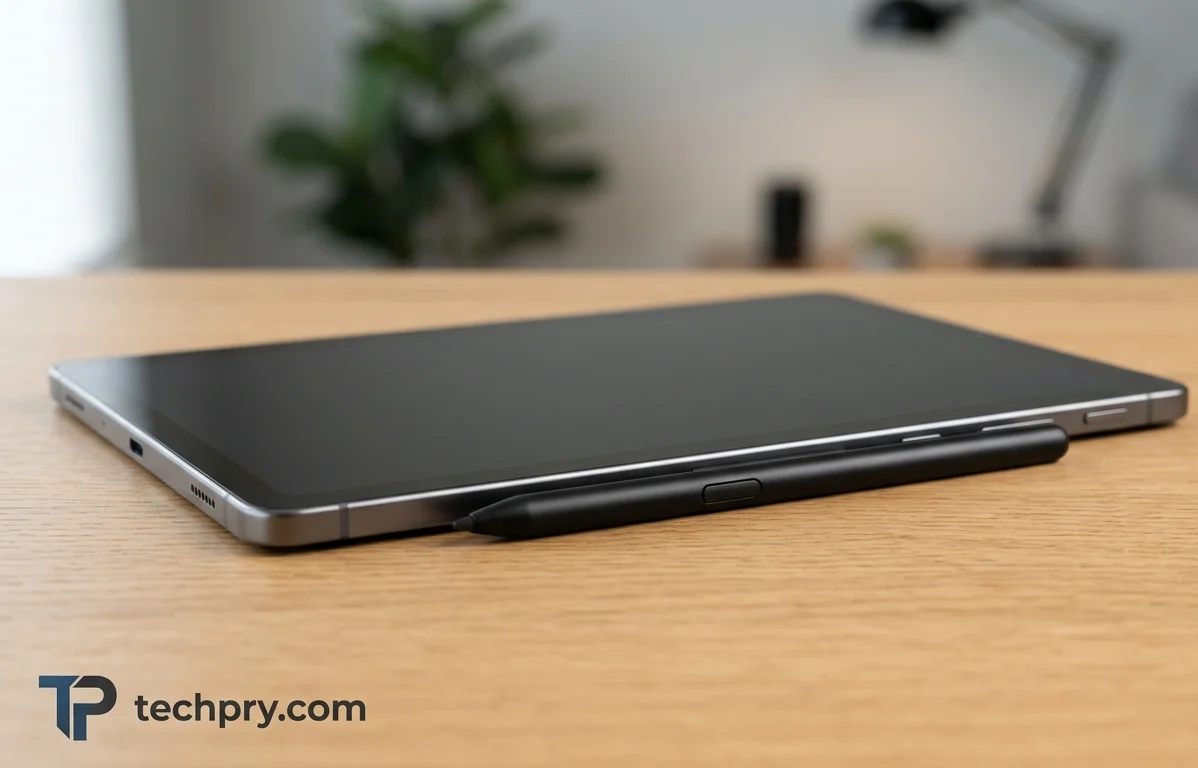
Yes, an S Pen is included, and all three reviews rate it as a strength . It snaps magnetically to the side of the tablet and has no battery, so it never needs charging . MyNextTablet calls it one of the highlights and says it works wonderfully and feels pleasant in the hand; the Showya blog says the tablet is worth it for anyone who wants something to scribble notes on with it; and a customer on Samsung's page calls it the best part . GSMArena's listing also marks stylus support .
Because the pen is bundled, magnetic and battery-free, there is no extra accessory to buy, charge or lose track of, which is a real part of the value argument at this price .
Writing precision and rivals: lag-free in Samsung Notes, ahead of competitors, thinner on drawing apps
MyNextTablet reports that in the pen writes precisely and without lag . It credits the , which leaves no gap between the pen tip and the digital ink, and says that gives a much better writing feel than Apple's iPad, whose display is not laminated . The people who gain most are writers and annotators, since a gap between tip and ink is something you notice with every stroke .
Against rivals the same reviewer is blunt: this is the best lower mid-range tablet with a pen, better than the competitors from Xiaomi, Lenovo and Honor . The reasoning is that the pen works almost exactly like the one on the far more expensive , whereas Apple, Lenovo, Honor and Xiaomi make you accept compromises compared with their flagships; the reviewer adds that this was already true of the S6 Lite . The one stated regret is that there are fewer professional drawing apps than on iPads, although an iPad Air with a laminated display costs twice as much as the Tab S10 Lite . That gap matters more to serious illustrators than to people taking notes or sketching casually .
Design and build: premium-feeling for the price, with thin bezels and more than one color
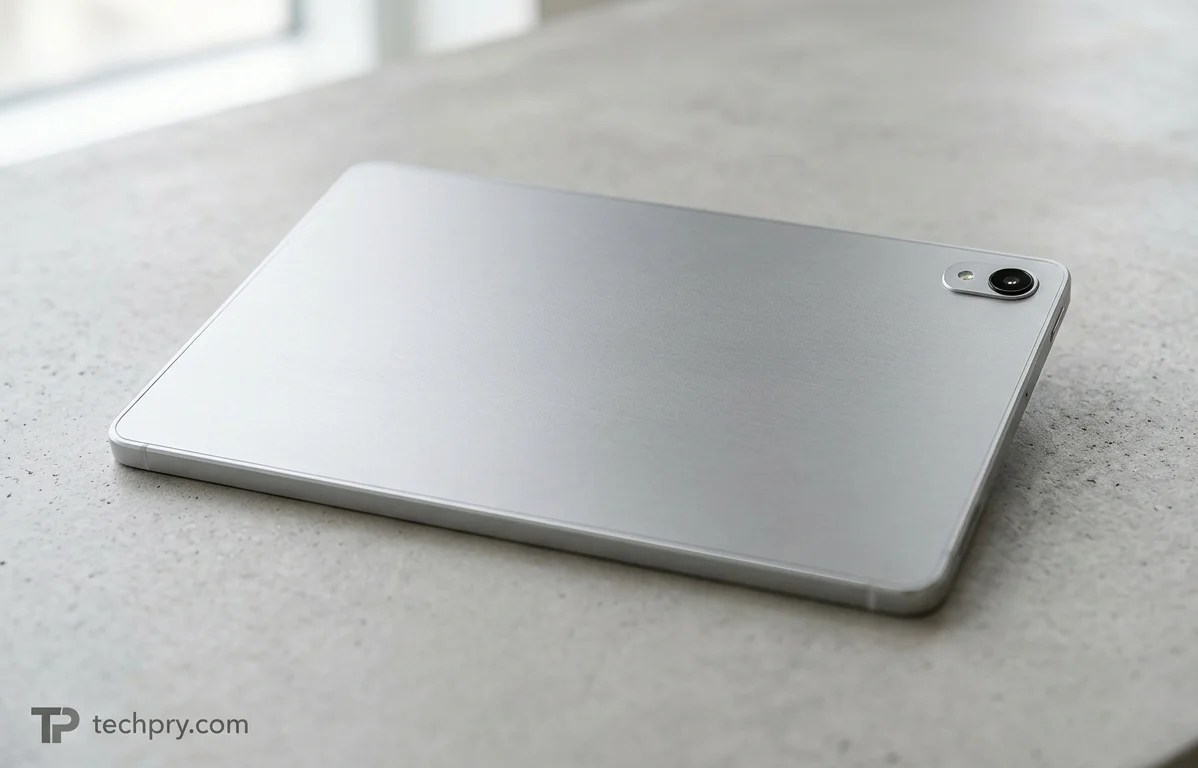
All three reviews say the design feels better than the Lite name or price suggests . MyNextTablet describes a flat case with a matte finish that feels pleasant in the hand, the Showya blog says the build quality punches well above its price, and a customer on Samsung's page says it feels premium . Two of the three also single out the bezels: MyNextTablet says the edges around the display are evenly thin, and the Showya blog calls them surprisingly thin for a budget device . At a $319 launch price, a body described this way is part of what the value argument rests on .
MyNextTablet likes that the tablet comes in more than just gray . The spec lists Silver and Red, while Samsung's US product page lists Gray, Silver and Coral Red, so check which finishes are actually offered where you buy .
Size, weight and materials: 524 g metal body, 6.5 mm thick
| Measure | Value |
|---|---|
| Height x width | 254.3 x 165.8 mm |
| Thickness | 6.5 mm |
| Weight | 524 g |
| Rear and frame | Metal |
| Screen-to-body ratio | 81.7% |
| Repairability | Average (2.86/5) |
GSMArena lists the thickness as 6.6 mm rather than 6.5 mm, a difference too small to matter in a bag . It also describes the build as a glass front with an aluminum back and frame . A customer on Samsung's page calls the tablet light .
Performance: smooth in daily use, with one report of overheating
In everyday use the tablet comes across as quick enough, and all three reviews say so . MyNextTablet says the system with 6 GB of RAM mostly runs smoothly, the Showya blog says performance does not feel compromised, and a customer on Samsung's page calls it super fast and better than expected . One customer also reports a bit of overheating around the core .
The wording is worth reading closely. MyNextTablet hedges with 'mostly', and the Showya blog frames its praise against the price, so this reads as mid-range smoothness rather than flagship speed . The overheating remark is a single customer's comment, which makes it something to watch rather than a pattern across the reviews . The next two sections put the chip and its benchmark numbers behind the impression.
Chipset, CPU and GPU: 5 nm Samsung Exynos 1380 with a Mali-G68 MP5
The tablet uses the Samsung-made, 5 nm . Its eight CPU cores split into four Cortex-A78 cores at 2.4 GHz and four Cortex-A55 cores at 2 GHz, backed by 4 MB of L3 cache, and the chip includes a neural processor . Graphics come from a with 160 shading units running at 949 MHz, good for roughly 303.7 GFLOPS .
MyNextTablet points out that this is the same processor as in the older Tab S9 FE . That makes it a known mid-range part, but also a reused one, so do not expect a performance step up from that older tablet's chip .
Benchmark scores: Geekbench 6, AnTuTu 11, 3DMark and PCMark results
The spec data covers four test suites: , and 3.0 . The scores are below.
| Suite | Test | Score |
|---|---|---|
| Geekbench 6 | Single-core | 1011 |
| Geekbench 6 | Multi-core | 2951 |
| Geekbench 6 | GPU compute | 3123 |
| AnTuTu Benchmark 11 | Total | 634864 |
| AnTuTu Benchmark 11 | CPU | 244859 |
| AnTuTu Benchmark 11 | GPU | 91068 |
| AnTuTu Benchmark 11 | Memory | 122651 |
| AnTuTu Benchmark 11 | UX | 176286 |
| 3DMark Wild Life Extreme | Score | 876 |
| 3DMark Wild Life Extreme | Stability | 87% |
| 3DMark Wild Life Extreme | Graphics test | 5 FPS |
| PCMark 3.0 | Overall | 10405 |
| PCMark 3.0 | Web | 8610 |
| PCMark 3.0 | Video editing | 6004 |
| PCMark 3.0 | Photo editing | 23113 |
| PCMark 3.0 | Data manipulation | 8512 |
| PCMark 3.0 | Writing | 12376 |
Two details stand out. The PCMark writing score of 12376 sits well above the video editing score of 6004, which suggests office-style work comes easier than video editing . And the 3DMark Wild Life Extreme graphics test managed only 5 FPS, in line with the Showya blog's description of gaming as interesting but challenging . On their own, these numbers describe a profile rather than a ranking.
Speakers: decent stereo sound with Dolby Atmos, but little bass and mono audio in landscape
The tablet has stereo speakers with support, and all three reviews rate the sound as good or decent for the money . MyNextTablet says the speakers deliver good sound for this price, the Showya blog calls them decent, and a customer on Samsung's page calls them amazing . The spec data records a maximum loudness of 85.9 dB .
Two complaints temper that. MyNextTablet says there is hardly any bass, in line with the S9 FE and S10 FE: fine for Netflix or YouTube, but music lovers are better off with headphones . The Showya blog adds that both speakers sit on the USB-C side instead of left and right, so landscape video plays in mono, and it says the speakers themselves sound decent while the placement is the problem .
The tablet has no headphone jack and no FM radio, and MyNextTablet treats the missing jack as expected . Thin bass, mono landscape audio and no jack all point the same way: for music or films you care about, use Bluetooth headphones or earbuds, which is what the Showya blog recommends for media .
Display: a 10.9-inch 90 Hz LCD that reviewers call crisp and smooth
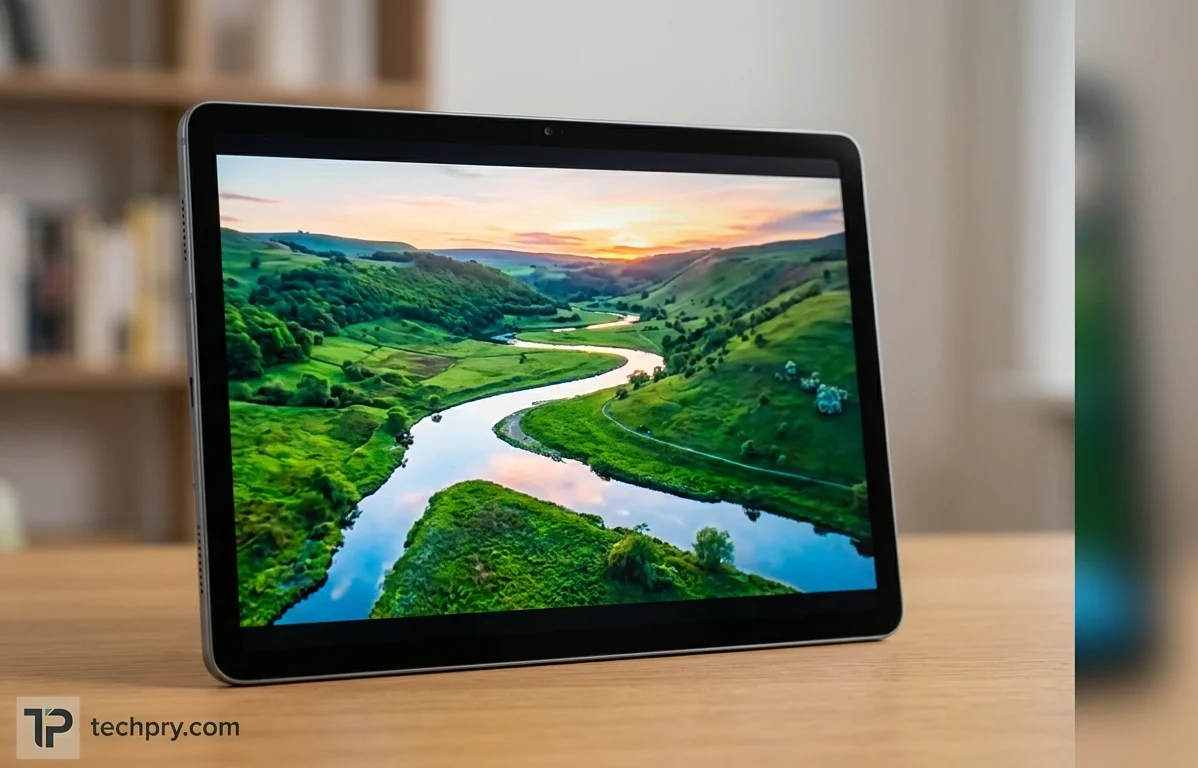
It is a 10.9-inch TFT LCD with 1320 x 2112 resolution in a 16:10 ratio, which works out to 228 ppi, and a . Reviewers like the combination. Two of the three praise the smoothness: MyNextTablet says 90 Hz instead of its predecessor's 60 Hz makes scrolling much smoother, and the Showya blog calls everything buttery smooth, especially if you are used to 60 Hz . Two of the three also praise the picture itself: the Showya blog calls the LCD genuinely beautiful and crisp, and a customer on Samsung's page says the display works very well .
Size is a matter of taste. The Showya blog's author personally prefers 8-inch tablets for portability but finds 10.9 inches sensible for home entertainment, since you are not carrying it around much . The praise here is for smoothness and sharpness; the display complaints, covered next, come from head-to-head comparisons on brightness and viewing angles .
Brightness: rated 500 nits, measured 436 nits, a notch dimmer than the iPad 11 and S10 FE
The spec lists a maximum rated brightness of 500 nits and no HDR support, and an automatic peak-brightness test measured 436 nits . MyNextTablet finds that good for the price and better than the , a direct competitor . In a head-to-head with the outside HDR, though, it is almost as bright but a tiny bit darker, and it is also slightly darker than the S10 FE .
One number does not line up. MyNextTablet quotes 600 nits for HDR content, while the spec lists 500 nits and says there is no HDR support . The two cannot both be right as stated, so the rated 500 nits and the measured 436 nits are the safer figures to plan around .
Viewing angles, reflections and measured color
MyNextTablet says the iPad 11 has better viewing angles . The Showya blog notes, without judging it, that the screen is reflective enough to have picked up a reflection of its author's storage shelf when photographed . With brightness a notch below the iPad 11, a lit room is where this screen works hardest .
On the measured side, display tests found 95.2% RGB color space coverage, a 1800:1 contrast ratio and a 40 ms response time . The spec lists among the display features, and no flicker was detected, which matters for anyone sensitive to screen flicker . The screen is protected by tempered glass .
Streaming, anime and gaming: flawless for video, harder going for games
Video is the strongest use. Two of the three reviews praise streaming and media watching: the Showya blog calls video streaming flawless and expects movie watching to be smooth, and a customer on Samsung's page calls it amazing for streaming and watching anime .
Games are less clear-cut. The Showya blog calls gaming interesting but challenging without spelling out the details . The one concrete warning is storage: after system files the 128 GB model has about 100 GB usable, and heavy RPGs take 30 to 40 GB each, so only about two big ones fit . Together with the low graphics-test frame rate in the benchmark table, that makes the 128 GB base model a better fit for streaming than for a library of heavy games .
What's missing: no fingerprint scanner, IP68 rating, headphone jack or external monitor output
The Tab S10 Lite has no , no waterproofing, no headphone jack and no DisplayPort output . MyNextTablet's main complaint is that, compared with the FE models, it lacks a fingerprint scanner and certification, and it says the S10 FE, which costs about $100 more, is worth it if you want them . On this point the spec and the review agree .
The USB-C port is USB 2.0 only, which MyNextTablet says rules out connecting an external monitor; it adds that even the FE would not manage it and that you need a regular S-series tablet like the new S11 . The spec likewise lists no DisplayPort output . The missing headphone jack is something MyNextTablet treats as expected rather than as a flaw .
One spec detail contradicts itself: the sensor list includes a fingerprint entry, while the design data says there is no scanner, and MyNextTablet sides with the design data . GSMArena's sensor list is shorter, naming an accelerometer, gyro, proximity (accessories only) and compass (cellular model only) .
How much any of this matters depends on the buyer. The scanner and water resistance are conveniences the S10 FE adds for a stated price gap, while the monitor limit matters mainly to anyone hoping to push the tablet to a bigger screen with a cable . The Showya blog, for its part, found no deal-breakers at all .
RAM and storage: 6 GB / 128 GB base, card expansion and a 256 GB option
The base configuration pairs 6 GB of RAM with 128 GB of storage, a 256 GB version is also offered, and a adds space for files but not for apps . The spec lists 6 GB of LPDDR4X RAM, while MyNextTablet says the tablet comes with 6 GB or 8 GB depending on the model . Storage is 128 GB of , of which about 100 GB is usable after system files, according to the Showya blog .
MyNextTablet welcomes the card slot . The spec gives a maximum card size of 1024 GB, whereas the Showya blog says cards up to 2 TB work . The Showya blog also stresses that the card is data-only and not , so apps must fit in internal storage .
That last point changes who the slot helps. A card suits photos, videos and downloads, but it does nothing for a game library, where the Showya blog counts only about two heavy RPGs on the 128 GB model and calls the $70 step up to 256 GB worth it for peace of mind unless the budget is very tight . For streaming and note-taking, 128 GB plus a card looks workable; for gaming, the 256 GB version is the real fix .
Students and note-taking: the pen plus Galaxy AI tools like Writing Assist and Circle to Search
Customers on Samsung's US product page make the strongest student case, calling the tablet a game changer for college classes and a solid choice for student efficiency . The features mentioned are , AI Select, and Solve Math . One customer says handwritten notes combined with these tools help them take smarter, more useful notes, and that the AI has already become a useful tool .
The praise comes from customers on Samsung's own store page rather than an independent tester, so read it as testimonial rather than test . Still, the pieces fit together: a pen that writes without lag in Samsung Notes, a laminated screen and AI tools that work on handwriting add up to a note-taking package that needs nothing extra to get started .
Keyboard cover and Samsung DeX: the Book Cover Keyboard is the recommended add-on
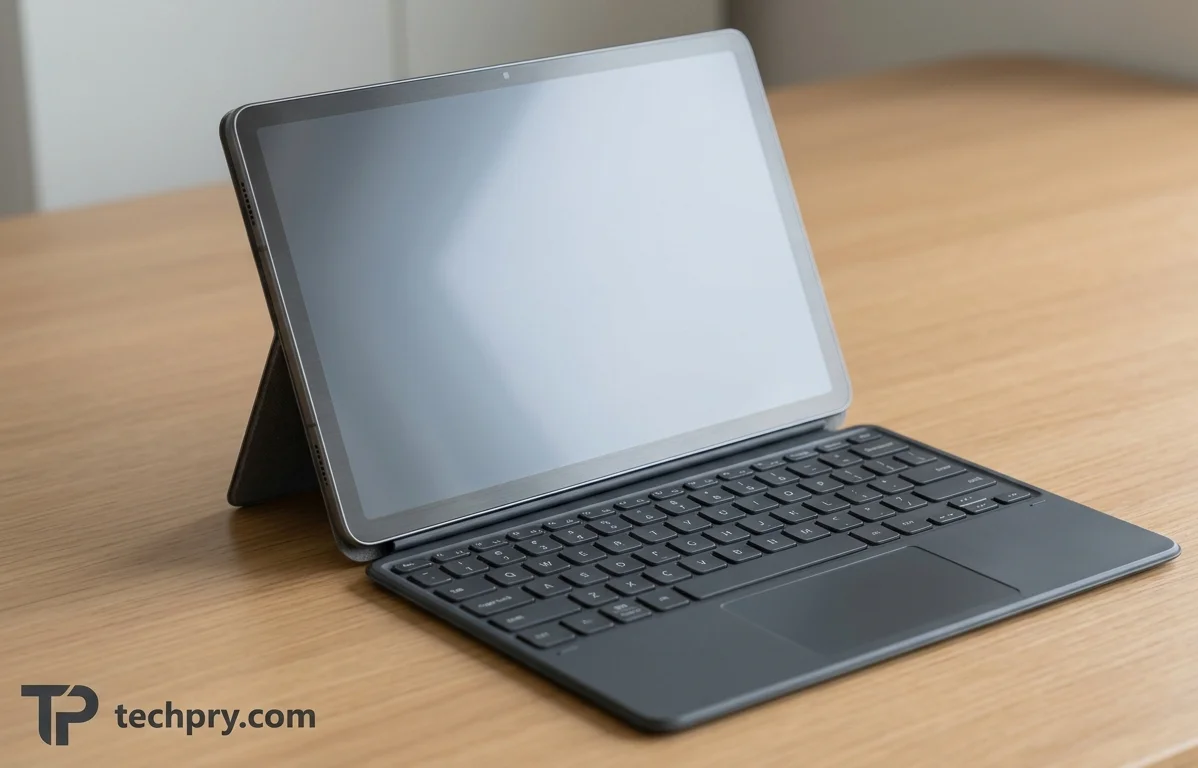
Samsung offers two keyboard covers for the tablet: the and the Book Cover Keyboard Slim . The standard one has a detachable keyboard with a touchpad and a separate back cover with a built-in kickstand, and it is identical to the one for the Tab S7, S8, S9, S9 FE and S10 FE . Other accessories from the S10 FE and S9 FE, such as the case and protective cover, are compatible too .
MyNextTablet praises the keyboard's key travel and reliable touchpad, and says it suits longer texts once you get used to the slightly smaller layout . is supported, and MyNextTablet says anyone who often uses it or wants to work productively should get the keyboard, ideally the touchpad version, because jumping between lines and words is much faster with a mouse-style pointer than with a touchscreen . Since wired external monitor output is off the table, a keyboard cover is the more realistic route to desktop-style work on this tablet .
Cameras: 8 MP rear and 5 MP front, fine for video chats but not for photographers
MyNextTablet finds the 8 MP main camera okay but not suited to photographers, and the 5 MP front camera sufficient for video chats . The spec explains why expectations should stay modest: the rear camera has a single standard lens with phase autofocus, no flash and no 4K video, and records 1080p at up to 30 FPS . The selfie camera has an f/2.0 aperture and no autofocus, and records 1080p at 30 FPS . This is a camera set for video calls and the occasional snapshot .
Software and updates: Android 15 with One UI 7.0, and support listed at 5 to 7 years
The tablet runs with . How long it is supported depends on whom you ask. The spec lists 5 years of OS updates, GSMArena says up to 7 major OS updates, and the Showya blog cites 7 years of security updates plus promised Android version updates . The Showya blog counts that commitment as part of what makes the price premium over unfamiliar brands worth paying .
Those figures measure different things: years of OS updates, a count of major updates and years of security patches. Treat the discrepancy as a reason to check Samsung's current commitment rather than as a settled number . Day to day, a customer on Samsung's page found setup very easy and says files and apps transferred from an existing Samsung device, with their watch, phone and tablet communicating flawlessly . That helps most if you already own other Samsung gear .
Battery and charging: 8000 mAh and 25 W, with one customer saying it drains quickly
The tablet has an 8000 mAh battery rated for 2000 charge cycles . It supports 25 W fast charging, and a full charge takes about 2 hours . The battery is not replaceable, there is no wireless or reverse charging, and no charger is in the box . The spec lists the battery as Li-Ion, whereas GSMArena lists it as Li-Po .
The one comment on battery life comes from a single customer on Samsung's page, who says the battery dies a bit quickly . That is an anecdote, not a measurement. Two practical points follow from the spec: because the battery cannot be swapped, the 2000-cycle rating is what to lean on for longevity, and because no charger is bundled, you need your own adapter that supports 25 W to get the fast-charging speed .
Connectivity: Wi-Fi 6, Bluetooth 5.3 and USB-C 2.0, with satellite positioning listed for the cellular model only
On the wireless side, the tablet supports (802.11 a/b/g/n/ac/ax) with dual band, Wi-Fi MIMO, Wi-Fi Direct, hotspot and Wi-Fi Display, plus with LE and the A2DP profile . Wired, there is one USB Type-C 2.0 port for charging and USB storage mode . There is no NFC and no infrared port .
Positioning is the confusing part. The spec lists GPS, GLONASS, Beidou, Galileo and QZSS, but GSMArena marks them as cellular-model only . If satellite positioning matters to you and you are weighing the Wi-Fi model, confirm it before buying . The spec also lists a body SAR of 0.92 W/kg .
Wi-Fi and 5G versions: SM-X400 and SM-X406B, with SIM and band support on the cellular model
Two versions exist: Wi-Fi (SM-X400) and 5G (SM-X406B) . The cellular model supports 5G, LTE Cat 18 and 2G/3G bands . It has one Nano SIM slot and support, though GSMArena marks both as cellular-model only, and there is no hybrid SIM/memory-card slot .
| Network | Bands listed |
|---|---|
| 2G | GSM850, GSM900, DCS1800, PCS1900 |
| 3G | UMTS B1(2100), B2(1900), B4(AWS), B5(850), B8(900) |
| 4G (spec) | LTE B1, B2, B3, B4, B5, B7, B8, B12, B13, B17, B20, B25, B26, B28, B32, B66 |
| 4G (GSMArena) | The same list plus LTE bands 38, 40 and 41 |
| 5G | 1, 3, 5, 7, 8, 20, 26, 28, 38, 40, 41, 66, 71, 77, 78 (SA/NSA/Sub6) |
Since the 5G list already includes bands 38, 40 and 41, the mismatch concerns the LTE listing; check your carrier's bands against both lists before buying the 5G model . And with no hybrid slot, using a SIM does not cost you the card slot .
Where it fits in Samsung's lineup: successor to the Tab S6 Lite and near twin of the S10 FE
The Tab S10 Lite is the successor to the . Its design closely resembles the and that tablet's predecessor, the , and it uses the same processor as the S9 FE . Accessories carry across those models, and the spec categorizes the Lite as mid-range .
Read against its relatives, the Lite is the FE styling and accessory ecosystem with two features removed, the fingerprint scanner and IP68 certification, at a price MyNextTablet puts about $100 below the S10 FE . MyNextTablet also finds the S10 FE screen slightly brighter . Against its predecessor, the S6 Lite, the Lite gains the smoother 90 Hz display, while the strong pen was already true of the S6 Lite .
The spec says the tablet was announced in August 2025 and released in the same month, and GSMArena puts both on August 25, 2025 . The Showya blog gives a launch date of September 19, 2025 instead, so check the retail date in your market .
Who should buy it, and who should pass
The evidence points to a clear buyer: someone who wants a pen-first tablet for notes or study, plus video streaming, from a mainstream brand . Pass, or step up, if any of these apply:
- You want a fingerprint scanner or IP68 certification: MyNextTablet says the S10 FE, about $100 more, is worth it then .
- You play heavy RPGs: the 128 GB model fits about two, and a card cannot hold apps, so the 256 GB version is the one to price .
- You care about music or movies through the built-in speakers: bass is thin and landscape audio is mono .
- You want to connect a wired external monitor: the USB 2.0 port will not do it .
- You expect to take serious photos with a tablet: the cameras are aimed at video chats .
Comments 0
Please log in or sign up to comment.