
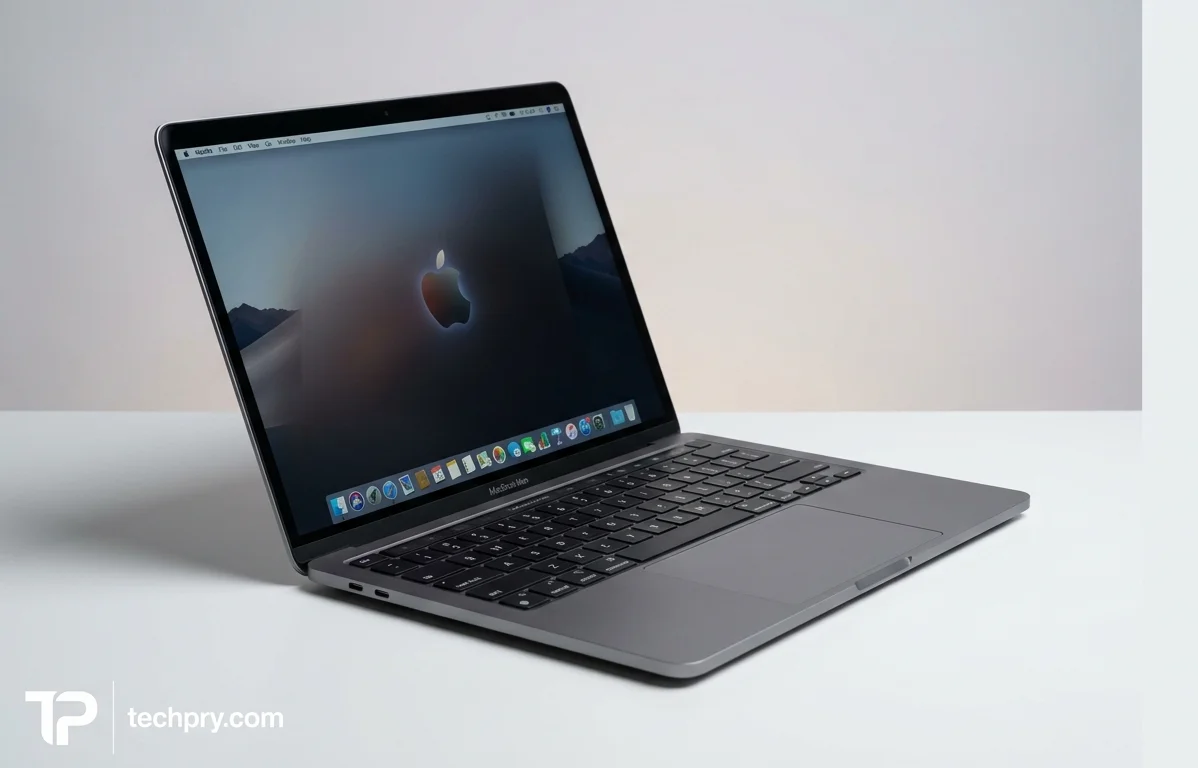
MacBook Neo: A $599 Mac Built on an iPhone Chip, and Where Apple Cut Corners
The Neo's screen, build and battery punch above $599, but fixed 8GB RAM, uneven USB-C ports and throttling under sustained load decide who should skip it.
Contents
- Is the MacBook Neo a good budget laptop?
- MacBook Neo price and release date: $599 from March 11, 2026
- How good is the MacBook Neo's display? Sharp and bright, with a narrower color gamut
- MacBook Neo display specs: 13-inch IPS, 2408 x 1506, 60Hz
- How long does the MacBook Neo battery last? About 13.5 hours in testing against a 16-hour rating
- MacBook Neo battery life vs MacBook Air, Chromebooks and budget Windows laptops
- MacBook Neo performance: quick for everyday work, limited for gaming and heavy creative jobs
- MacBook Neo build quality, weight and size: solid aluminum at 1.23 kg
- MacBook Neo colors: Silver, Blue, Pink and Yellow finishes
- Thicker bezels and no notch on the MacBook Neo
- MacBook Neo keyboard and trackpad: comfortable typing, mechanical click, no backlight
- MacBook Neo speakers: clearer than most cheap laptops, with a narrow soundstage and limited bass
- MacBook Neo webcam and microphones: 1080p, good enough for meetings and classes
- The MacBook Neo uses the iPhone 16 Pro's A18 Pro chip instead of an M-series chip
- 8GB RAM and 256GB storage on the MacBook Neo: neither can be upgraded
- MacBook Neo ports and connectivity: two USB-C ports (one slower) and a headphone jack
- Does the MacBook Neo have Touch ID? Only on the 512GB model
- Fanless MacBook Neo: silent in use, warm under load, throttles under sustained pressure
- How the MacBook Neo charges: 20W charger in the box, up to 30W over USB-C
- MacBook Neo Apple Intelligence and iPhone features
- Who should buy the MacBook Neo, and who should pass
Apple's cheapest MacBook gets to $599 by putting a chip from its flagship iPhones inside a Mac and by locking memory at 8GB, and nearly everything reviewers praise or fault traces back to those two choices. The screen, trackpad, build and battery come out well for the money, while the port layout, the RAM ceiling and heat under sustained load are where the savings show.
Is the MacBook Neo a good budget laptop?
Two of the four reviews say yes, and for the same reason: it trims extras instead of essentials. IGN describes a machine free of the usual budget compromises that copes with casual use and some real workloads for hours at a stretch, and FutureFive credits a sharp screen paired with useful everyday speed. The value argument also comes from two reviews: IGN says it feels like it should cost hundreds of dollars more, and LaptopMedia treats the sub-$600 entry price as an unusually cheap way into macOS. FutureFive and Box.co.uk both place it as Apple's lowest-priced MacBook to date.
That price is the context for everything below. The cuts land on RAM, ports, backlighting and sustained performance rather than on the screen or the body, which is why the verdict is positive even though the shortlist of compromises is real.
MacBook Neo price and release date: $599 from March 11, 2026
The Neo starts at $599 in the US and £599 in the UK, and its official release date was March 11, 2026. Box.co.uk adds that UK education pricing starts from £499. Pre-orders opened on March 4, 2026 in more than 30 countries and regions, including the UK.
The only step up the sources describe is a 512GB configuration with , which costs $100 more for a $699 total. Because that $100 bundles more storage with fingerprint unlock in a single jump, the $599 model is best judged on its own terms rather than as a stripped-down version of the $699 one.
How good is the MacBook Neo's display? Sharp and bright, with a narrower color gamut
Three of four reviews count the display among the Neo's strengths: it is sharp and clean, and LaptopMedia notes it is free of PWM flicker. Brightness peaks at 500 nits, and two reviews call that comfortable in bright rooms. FutureFive adds that outdoor use works as long as direct sunlight is avoided. Two reviews also like the color, with IGN saying it comes close to the vibrancy of its reviewer's own MacBook screen and FutureFive finding it balanced rather than oversaturated.
The catch is gamut. Apple advertises sRGB coverage rather than a wider color space, and the measured sRGB figure is 97.9%. IGN and FutureFive both flag the narrower coverage, and FutureFive says it is something professionals doing color-critical photo or video work may notice. FutureFive also reports that blacks are not especially deep and that reflections stay visible on the glossy finish.
For writing, browsing and streaming, the gamut is a footnote. For anyone grading photos or video, it is the line that separates this panel from the ones on pricier MacBooks.
MacBook Neo display specs: 13-inch IPS, 2408 x 1506, 60Hz
The display is a 13-inch IPS LCD with a 2408 x 1506 resolution in a 16:10 aspect ratio, refreshing at 60 Hz. There is no adaptive refresh rate and no touch support, though HDR is supported through Dolby Vision. FutureFive notes it also lacks and , so the fixed 60 Hz and the missing refresh and color-adaptation features are one story told from different angles.
The spec lists 218 ppi, while IGN gives 219 ppi, a one-ppi difference with no practical effect.
How long does the MacBook Neo battery last? About 13.5 hours in testing against a 16-hour rating
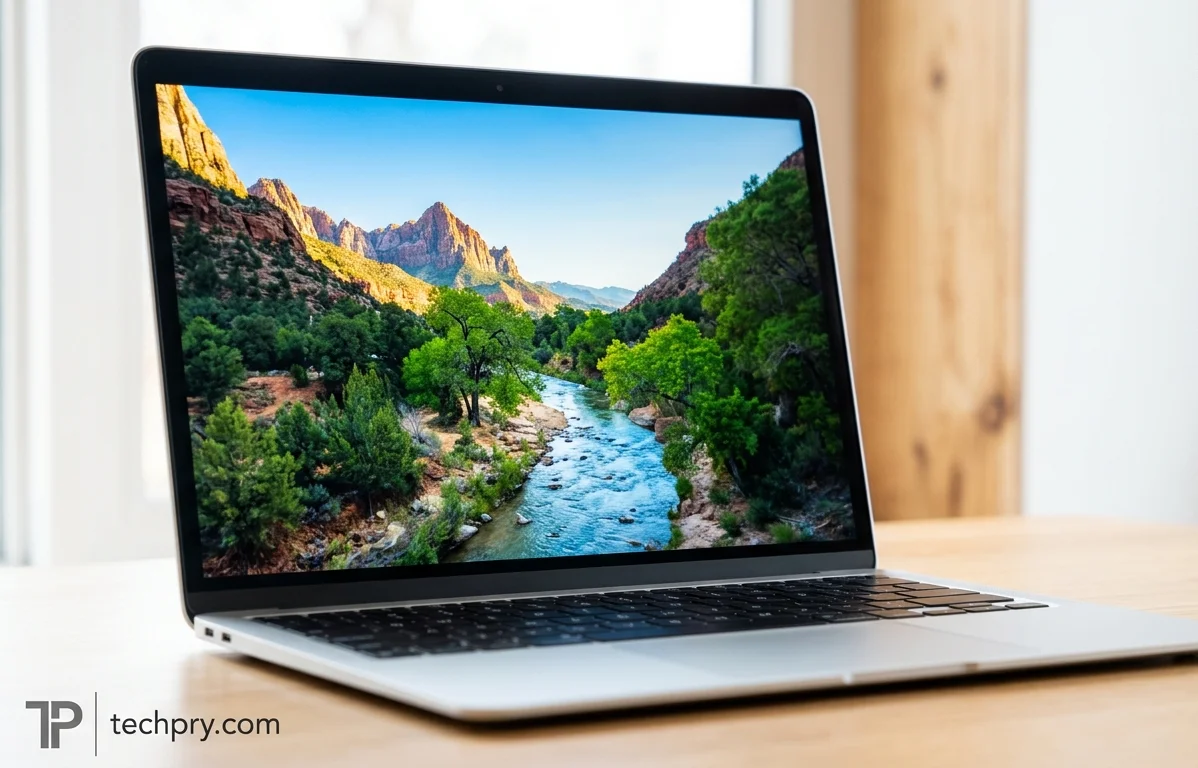
Tom's Guide measured 13 hours 28 minutes of continuous web surfing over Wi-Fi at 150 nits, short of Apple's rating of up to 16 hours of video playback from the 36.5 Wh battery. The two figures are not like for like, since one is a video rating and the other a web-browsing test, which helps explain why two reviews describe real-world life as somewhat below the rating but still close.
Three of four reviews praise endurance for the price. FutureFive says mixed productivity work at moderate brightness gets through a standard working day, and LaptopMedia's pros list cites nearly 16 hours. The warning comes from FutureFive: battery life falls faster with higher brightness, video calls and sustained multitasking. Expect the Tom's Guide number for light work and less if the day is full of calls with the screen turned up.
MacBook Neo battery life vs MacBook Air, Chromebooks and budget Windows laptops
In Tom's Guide's testing, the Neo trails every 13-inch from M2 to M5 but outlasts the M1 Air by 10 minutes. So the Neo sits roughly level with the oldest Air and below the rest.
Against cheaper rivals the picture is mixed. The Neo beat the $299 by over three hours and the $159 Asus Chromebook CX15 by six hours. It won by only 10 minutes against the $549 . The $529 outlasted it by three hours, while the $529 lasted under 9 hours. The Neo's endurance edge is therefore real against the cheapest machines but not universal, and a similarly priced Windows laptop beat it outright.
MacBook Neo performance: quick for everyday work, limited for gaming and heavy creative jobs
Three of four reviews find everyday performance quick and responsive, and the limits show up under sustained heavy loads, in gaming and in bigger creative projects. LaptopMedia calls single-core performance snappy for everyday tasks, and FutureFive says web browsing, office apps, streaming and light multitasking all run smoothly. Two reviews credit the OS: FutureFive says feels well matched to the hardware, and Tom's Guide calls it more robust and feature-rich than .
The downside is sustained pressure. LaptopMedia says the CPU runs hot and throttles heavily under long heavy workloads, and FutureFive says the laptop stops feeling effortless in that situation. FutureFive also calls gaming limited to casual titles and some games, and says light photo editing and short video exports are manageable while larger projects suit a MacBook Air or MacBook Pro.
Box.co.uk repeats Apple's claims of up to 50% faster everyday performance and up to 2x faster photo editing, the first against unspecified popular PC laptops. Those are manufacturer claims, not measured results, and the reviewers' own verdict is the more useful guide: fast enough for ordinary work, not built for long, heavy sessions.
MacBook Neo build quality, weight and size: solid aluminum at 1.23 kg
The Neo is an aluminum laptop that weighs 1.23 kg and measures 297.5 x 206.4 x 12.7 mm, and three of four reviews call the build solid for the price. IGN says the display barely moves while typing and that the body does not flex the way it would on a similarly cheap Windows laptop or Chromebook. FutureFive reports little flex and a lid that opens smoothly with one hand, and LaptopMedia lists the premium unibody design as a plus.
The footprint is close to the 13-inch MacBook Air, and the Neo is slightly thicker, a difference FutureFive calls minor in daily use. Build is where the Neo most clearly separates itself from the cheap Windows laptops and Chromebooks it competes with.
MacBook Neo colors: Silver, Blue, Pink and Yellow finishes
The spec lists Silver, Blue, Pink and Yellow, while reviews use the names Silver, Indigo, Blush and Citrus. IGN describes Citrus as a yellow-green that can look silver in some light and Indigo as a dark blue. Two reviews say the finishes look good depending on lighting, and FutureFive adds that Silver gives a more understated look. IGN's reviewer wishes the lighter shades were bolder, in the spirit of recent iMacs. Anyone buying for color should see the finishes in person, since they shift with the light.
Thicker bezels and no notch on the MacBook Neo
The Neo has thicker bezels than the MacBook Air, at 8.8 mm on the sides, and the display has no notch. IGN says the extra bezel makes room for the 1080p webcam. Two reviews do not treat this as a clear drawback, since some buyers will prefer the cleaner look without a notch.
MacBook Neo keyboard and trackpad: comfortable typing, mechanical click, no backlight
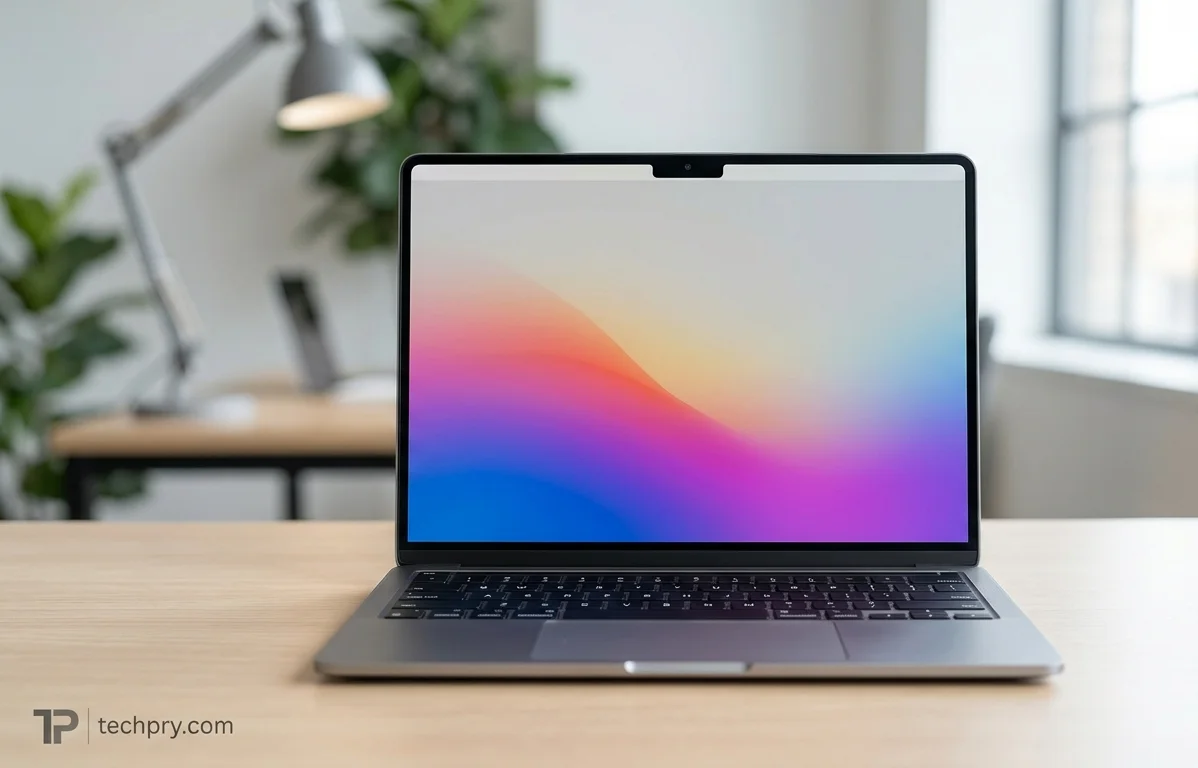
Both input devices are good, with one clear omission: the keyboard has no backlight. Three of four reviews like the trackpad. IGN says it can be clicked anywhere, unlike many Chromebooks and Windows laptops where only the lower part clicks, and FutureFive finds gestures smooth and the click consistent. LaptopMedia lists it among the strong points for the price. It uses a mechanical click rather than the haptic system on pricier Apple notebooks, and it is smaller than the MacBook Air's. IGN says the click has more travel and thunk than before.
The keyboard is an island design with 1 mm of key travel. Two reviews say it is good to type on, and FutureFive calls long writing sessions comfortable. IGN finds the keys slightly mushier than on its reviewer's M2 MacBook Air.
The backlight is the omission that matters. LaptopMedia and FutureFive both flag it, and FutureFive says it could become frustrating in dim rooms, on flights and during evening work sessions. For a daytime desk user that is a minor irritation; for someone who works late or travels, it is a daily one.
MacBook Neo speakers: clearer than most cheap laptops, with a narrow soundstage and limited bass
Three of four reviews say the speakers sound good for a budget laptop. IGN finds the sound balanced, with a little bass and no tinniness, and rates it well against other cheap and even midrange laptop speakers. FutureFive says the dual-speaker setup is clearer than many low-cost laptops and fine for casual music, streaming and video calls.
The criticisms are about fullness and width. FutureFive says bass remains limited and that anyone wanting fuller sound will prefer external speakers or headphones. IGN says the soundstage is narrower than on the M2 MacBook Air and even narrower than on the M1 Air, whose speakers fired up from either side of the keyboard. The Neo's speakers are side-firing instead of sitting in the hinge as on the Air, which fits that complaint. On paper the Neo supports , and the spec lists loudness at about 83 dB.
MacBook Neo webcam and microphones: 1080p, good enough for meetings and classes
Three of four reviews say the 1080p webcam is good enough for meetings and online classes. It sits above the display. FutureFive adds that the two beamforming microphones keep voice pickup clean in normal indoor environments.
The limits are about image quality rather than usability. IGN says not to expect the realistic color and sharp edges of iPhone selfie cameras, and FutureFive says the camera lacks some smarter software features found on pricier Macs. For video calls and lectures that is enough, but it will not please anyone who cares how they look on camera.
The MacBook Neo uses the iPhone 16 Pro's A18 Pro chip instead of an M-series chip
The Neo runs on the , the same chip as the , rather than an Mac chip. IGN, LaptopMedia, FutureFive, Tom's Guide and Box.co.uk all say so. The CPU has six cores, two performance and four efficiency, paired with a 5-core GPU. It runs at a 2 GHz base and a 4.05 GHz turbo on a 3 nm process.
A chip designed around short bursts of speed and low power draw fits the pattern in the reviews: snappy in ordinary work, long on battery, and less comfortable once a load stays heavy.
8GB RAM and 256GB storage on the MacBook Neo: neither can be upgraded
The Neo has 8GB of LPDDR5X RAM and a 256GB SSD, and neither can be upgraded. Two reviews call the memory limiting. LaptopMedia notes it is locked to a maximum of 8GB, and FutureFive calls it tight by modern standards, saying many browser tabs or demanding creative software push the system to lean on . FutureFive is careful to add that this does not make the Neo slow, only less effortless under pressure.
Since neither component can change after purchase, the decision is made at checkout. The one alternative the sources describe is the 512GB configuration, and nothing in them mentions more RAM. Heavy multitaskers should treat 8GB as the ceiling of this machine, not a starting point.
MacBook Neo ports and connectivity: two USB-C ports (one slower) and a headphone jack
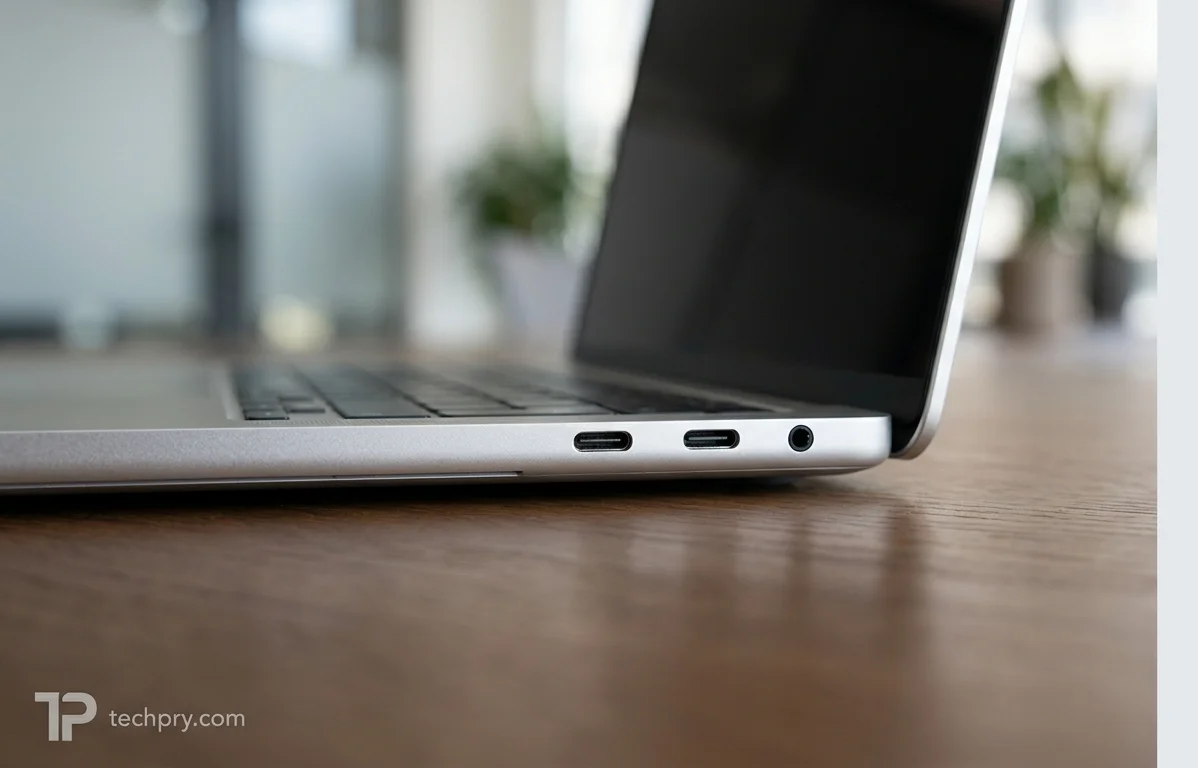
The Neo has two USB-C ports and a 3.5 mm headphone jack, and the two USB-C ports are not equal. The spec lists both as USB 3.2, yet IGN, LaptopMedia and FutureFive each describe one as limited to USB 2 speeds. The other runs at 10 Gbps and supports an external display, which IGN says can be 4K at 60 Hz, though FutureFive says external display support is limited to one monitor. Either port charges the laptop at full power.
LaptopMedia's port list shows a USB-A port and a single USB-C port, contradicting the spec's two USB-C ports and no USB-A, and LaptopMedia's own pros and cons refer to two USB-C ports. The listing looks like the outlier.
There is no HDMI, SD card reader or support. Wireless is and Bluetooth 6.0. Reviewers split on how much this matters. FutureFive says connectivity is where the cost-cutting becomes more obvious, while IGN expects buyers will not miss the absent ports and notes the faster USB-C port covers most needs. FutureFive also welcomes the headphone jack.
Daily-use annoyances come from the layout. FutureFive says neither USB-C port is clearly labelled, and all ports sit on the left side, which can make some desk setups awkward. An unlabelled slow port next to a fast one makes it easy to plug a fast drive into the wrong socket.
Does the MacBook Neo have Touch ID? Only on the 512GB model
Touch ID is optional and offered only on the 512GB configuration, which costs about $100 more for a $699 total. LaptopMedia and FutureFive both criticize its absence from the base model, which needs a password to unlock, and FutureFive calls the 512GB version the more appealing configuration.
Box.co.uk words it differently, listing a UK price of £699 for a 256GB model with Touch ID, which does not match how the other sources describe the configurations. Because storage cannot be upgraded later, the extra $100 buys both the fingerprint reader and the only extra capacity on offer.
Fanless MacBook Neo: silent in use, warm under load, throttles under sustained pressure
The Neo is passively cooled, so it makes no fan noise, but the same design is why two reviews report throttling under sustained heavy work. FutureFive says there is no noise during lectures, meetings or library sessions, and Box.co.uk calls it completely silent, well suited to classrooms and libraries. FutureFive adds that the chassis gets warm under load, but not alarmingly so. There is no vapor chamber to help.
Silence is the benefit, and reduced sustained performance is the price. Light work gets the quiet; heavy work gets heat and slowdown.
How the MacBook Neo charges: 20W charger in the box, up to 30W over USB-C
Charging is USB-C only, with no connector, and the Neo ships with a 20W charger while accepting up to 30W over . Fast charging is supported, and a full charge takes about 2 hours. The cable is 1.5 meters long, and the adapter weighs 58 grams.
FutureFive finds the bundled charger and charging speed modest, adding that a larger USB-C charger helps only slightly. Because charging goes through USB-C, it occupies one of only two ports, leaving a single port free while the laptop is plugged in.
MacBook Neo Apple Intelligence and iPhone features
The Neo supports , enabled by the A18 Pro's 16-core Neural Engine, and Siri has been upgraded with those capabilities. Many AI features run on the device, while complex tasks use . Apple claims up to 3x faster AI workloads.
iPhone integration includes , Personal Hotspot and iMessage. These details come from Apple's own feature claims as relayed by Box.co.uk, so the speed figure is a manufacturer claim rather than a measured result. The iPhone features only help buyers who already own an iPhone.
Who should buy the MacBook Neo, and who should pass
The Neo suits students and office users whose day is browsing, documents, streaming and video calls: those tasks run smoothly, the fanless body stays silent in lectures and libraries, and the battery gets through a workday. It also suits anyone who wants macOS and a solid body at $599 and values the screen over the spec sheet.
Pass on it if you edit photos or video for a living, need more than 8GB of RAM, play anything beyond casual games, rely on a backlit keyboard, or plug in several peripherals and monitors. And if you want fingerprint unlock, price the $699 configuration rather than the headline $599.
Comments 0
Please log in or sign up to comment.