
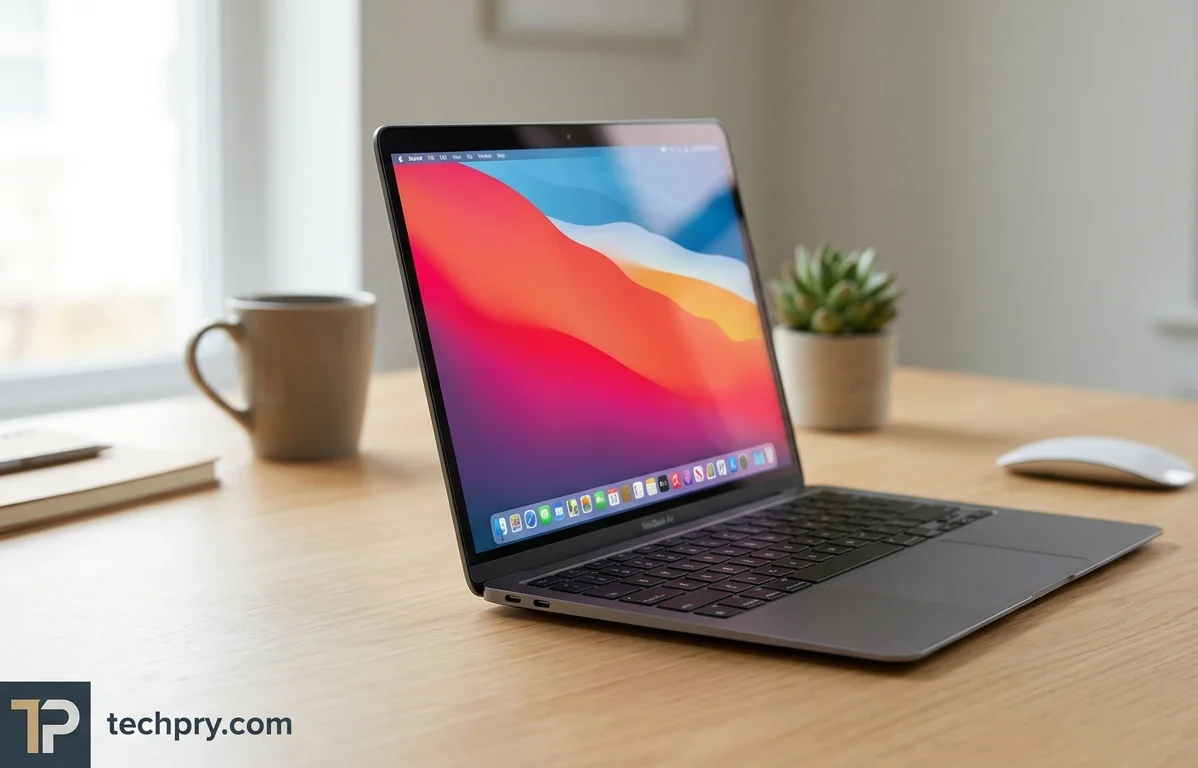
Apple MacBook Air 13 (M1, 2020): Silent and Light, but It Throttles and Cannot Be Upgraded
RTINGS praises the fanless M1 Air for silence, battery life and build, but flags throttling under load, two USB-C ports and soldered memory and storage.
Contents
- Who this MacBook Air suits: students and office workers first, gamers last
- Performance: comfortable with everyday work, slower in long demanding jobs
- Fanless cooling: silent and not overly hot, but it limits sustained performance
- Gaming: App Store games run easily, everything else is a gamble
- 7-core vs 8-core GPU: how the two M1 Air variants differ
- Display quality: sharp, bright and color-accurate, but blacks look gray in the dark
- Display specs: 13.3-inch 2560 x 1600 IPS Retina panel at 60 Hz with HDR10
- Memory and storage: 8GB and 256GB cover most people, but neither can be upgraded
- Battery life: an 8-hour workday is easy, and USB-C charging keeps the adapter light
- Build and portability: a 1.29 kg aluminum body that feels exceptionally well built
- Keyboard, touchpad and webcam: good keys, an excellent touchpad and a 720p webcam
- Ports: only two Thunderbolt 3 USB-C ports, and no USB-A, HDMI or SD card slot
- Wireless and security: Wi-Fi 6, Bluetooth 5 and a fingerprint sensor
- Speakers: excellent, very loud up-firing stereo speakers with three microphones
- The M1 processor: 8-core 5 nm CPU with 4 performance and 4 efficiency cores
- M1 integrated GPU specs and benchmark scores: 8 cores, 2.6 TFLOPS, shared LPDDR4X memory
Fanless is the whole story with this laptop. RTINGS says it stays completely silent under load and doesn't get overly hot, but the same review reports that it throttles under load because of thermal constraints. For someone who spends the day in documents, browser tabs and video calls, that trade costs almost nothing; for anyone planning long, demanding jobs or serious gaming, it is the catch that decides the purchase.
Two more facts belong in the same breath: everything inside is soldered on, so the memory and storage you pick at checkout are the ones you keep, and the only ports are two USB-C.
Who this MacBook Air suits: students and office workers first, gamers last
RTINGS gives its warmest verdicts to students and business users and its coolest to gamers. The full ladder looks like this:
| Use case | RTINGS verdict | Reason given |
|---|---|---|
| Students | Great | Slim, light and portable, with a battery that covers a full day of light productivity |
| Business use | Good | Exceptional build, very portable, and enough M1 power for most productivity tasks across an 8-hour workday |
| Media consumption | Good | Very loud, excellent-sounding speakers and a sharp, colorful high-resolution screen |
| Workstation | Decent | Handles fairly heavy workloads but slows in demanding tasks over an extended period |
| Gaming | Mediocre | The integrated GPU struggles in demanding games and the laptop throttles under load |
Read top to bottom, the verdicts fall as the work gets heavier and longer. The top three rest on portability, battery life, build quality, and the speakers and screen, none of which needs sustained peak speed, while the bottom two lean on exactly the thing a fanless body cannot hold up for long. If your day is mostly writing, browsing, video and calls, this is the profile the evidence favors; if you game or run demanding tasks for extended stretches, the same evidence points you toward something else. These are one review's judgments, but the reasons attached to each are specific enough to test against your own habits.
Performance: comfortable with everyday work, slower in long demanding jobs
The M1 handles everyday work comfortably and fairly heavy workloads too, but it slows down when demanding tasks run for an extended period. RTINGS says the chip is powerful enough for most student workloads and most productivity tasks, and that the CPU can handle fairly heavy workloads.
The cost is : because this is a fanless device, RTINGS reports slowdowns in demanding tasks over time due to thermal limitations. The wording matters, because the slowdown is tied to duration rather than to the size of the job, so a short burst of heavy work and an hour-long grind do not carry the same risk.
Graphics follow the same pattern with a lower ceiling. RTINGS says the integrated GPU can do some heavy-lifting but might stutter a bit in graphically intensive applications, and elsewhere that it struggles in graphically intensive tasks. Taken together, CPU-bound productivity is the comfortable zone, while sustained or graphics-heavy work is where the review keeps raising flags.
Fanless cooling: silent and not overly hot, but it limits sustained performance
The laptop relies on , so there is no fan, and RTINGS says it stays completely silent even under load and does not get overly hot. The spec also lists no and no liquid metal thermal compound, so there is no extra heat-spreading hardware to offset the missing fan.
The bargain is the throttling described earlier: RTINGS says the laptop throttles under load because of thermal constraints. In daily use that means silence and cool surfaces for ordinary work, with slowdowns only when something demanding runs long enough to hit the thermal limit. A quiet room or a shared study space is where this design pays off most; a long, heavy job is where it charges its price.
Gaming: App Store games run easily, everything else is a gamble
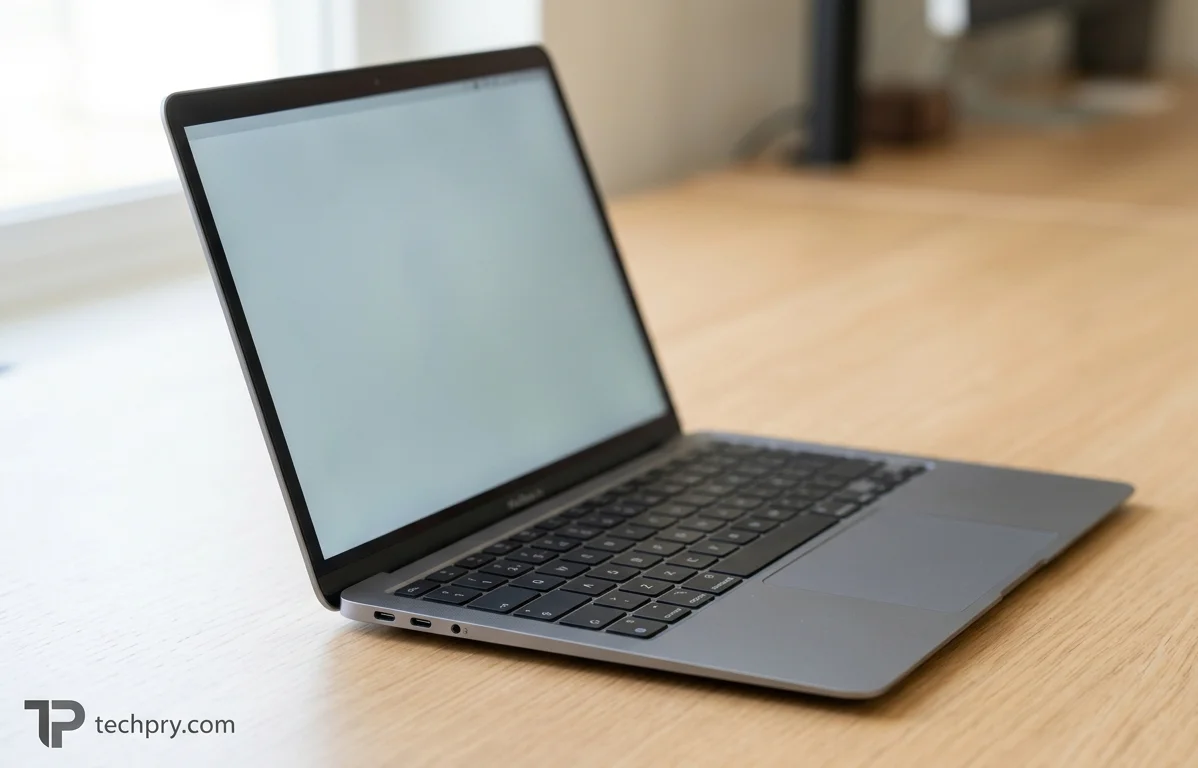
Gaming is the weak spot: RTINGS rates the laptop mediocre for it, with App Store games running easily and demanding or non-App Store games struggling.
The M1 handles games from the App Store without trouble. Outside the store the obstacle is software before hardware: RTINGS says very few games are optimized for the M1, so some may not run properly, and that most games aren't compatible with macOS on the M1. Where a game does run, the integrated GPU struggles in demanding titles such as Shadow of the Tomb Raider and Borderlands 3, and the laptop throttles under load.
Two separate limits therefore stack: compatibility narrows the catalog, and the GPU and cooling limit how well the remainder runs. A casual player who sticks to App Store titles will be fine; anyone hoping to play mainstream PC games on it will hit both walls.
7-core vs 8-core GPU: how the two M1 Air variants differ
There are two M1 chips in the Air, one with a 7-core GPU and one with an 8-core GPU, and they mainly differ in graphics performance. RTINGS says the 8-core version performs better in graphically demanding tasks, but that it starts with 512GB of storage while the 7-core model starts with 256GB.
That storage pairing matters because the spec sheet describes the (8-core) alongside 256GB of storage, a combination that does not line up with RTINGS's description of the starting configurations. Confirm the exact GPU and storage on any listing before paying. RTINGS's own unit had the 7-core GPU, so the GPU complaints elsewhere in this article come from the slower of the two variants, and the 8-core model should do better in graphically demanding work.
Display quality: sharp, bright and color-accurate, but blacks look gray in the dark
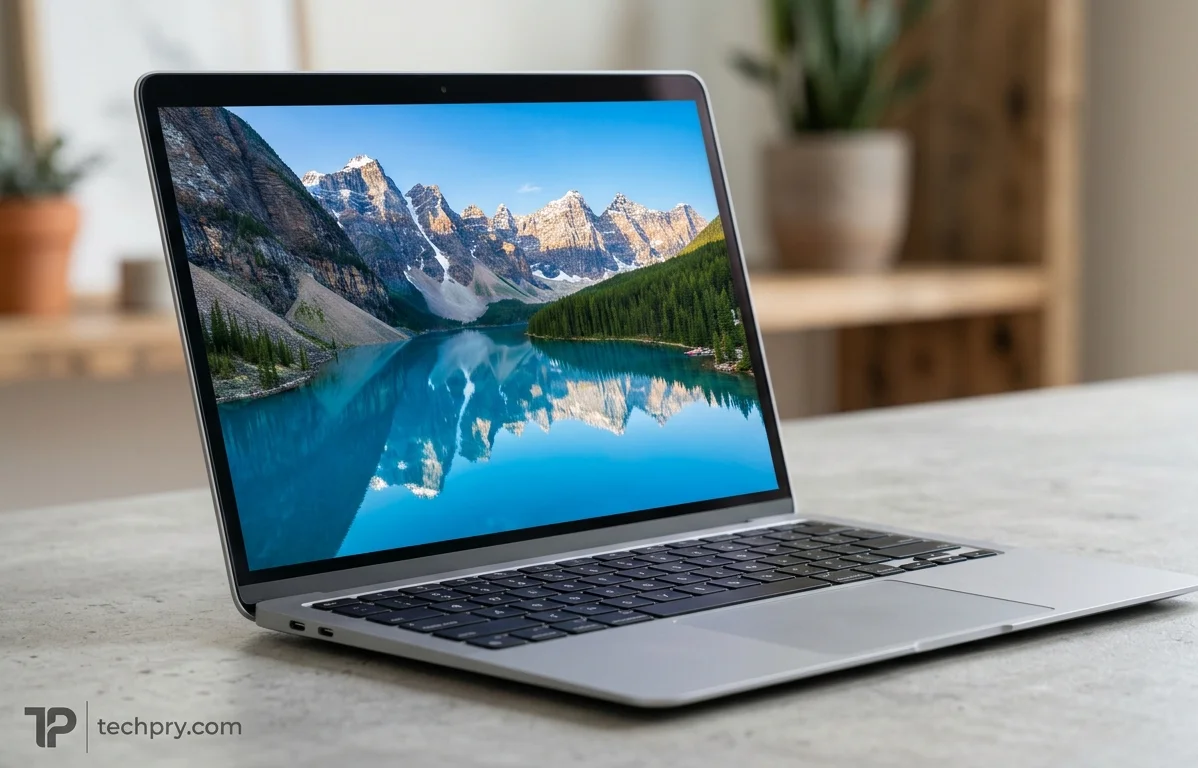
RTINGS praises the screen for sharpness, brightness and color accuracy that is superb out of the box, and its one clear complaint is relatively low contrast, which makes blacks look gray in the dark.
The measured numbers back the praise. The display covers 99.8% of the and 98.6% of the , plus 85.9% of the Adobe RGB profile. Near-complete sRGB coverage and a DCI-P3 figure that high leave little gamut missing for everyday photos, web pages and video, which fits the superb out-of-the-box accuracy RTINGS reports.
Contrast is the other side of the ledger. The measured contrast ratio is 1069:1, consistent with the gray blacks RTINGS describes in a dark room. Brightness works in the screen's favor: the maximum is 400 nits, and RTINGS says it gets bright enough to combat glare while also dimming a lot for dark-room comfort. The measured response time is 35 ms, a figure that matters mostly for fast motion on a 60 Hz panel. For writing, browsing and film in a lit room this is a strong screen; for movie nights with the lights off, the contrast is what you will notice.
Display specs: 13.3-inch 2560 x 1600 IPS Retina panel at 60 Hz with HDR10
This is a on an IPS LCD, marketed as 13 inches but actually 13.3 inches across. It supports as well.
| Spec | Value |
|---|---|
| Resolution | 2560 x 1600 pixels, 16:10 aspect ratio, 227 ppi |
| Refresh rate | 60 Hz, with no adaptive refresh rate |
| Coating | Glossy (antireflective) |
| Ambient light sensor | Yes |
| Touchscreen | No |
The practical reading is a fixed 60 Hz refresh and no touch input, with a glossy coating that pairs with the brightness RTINGS says combats glare.
Memory and storage: 8GB and 256GB cover most people, but neither can be upgraded
The laptop has 8GB of memory and a 256GB SSD, and neither can be upgraded later because everything is soldered on. RTINGS says the 8GB should be enough for most people, but recommends 16GB for anyone working with many browser tabs open or running memory-intensive applications.
The memory is running at 4266 MHz in a 2x4 GB arrangement, and it is shared rather than dedicated. Because the GPU also draws on system-shared memory, graphics work comes out of the same 8GB. The storage is an SSD that RTINGS calls fast, and RTINGS adds that it can be configured from 256GB up to 2TB.
Since nothing can be changed after purchase, the configuration you click at checkout is final. That makes the 16GB advice and the storage ceiling decisions about your heaviest realistic workload, not your average day: a buyer who lives in a handful of apps can take the base 8GB, while someone who keeps many tabs open should pay for the extra memory now.
Battery life: an 8-hour workday is easy, and USB-C charging keeps the adapter light
The battery easily lasts a typical 8-hour workday of light productivity, and RTINGS calls battery life great for video playback. The pack is a 49.9 Wh Li-Po at 11.4 V, and it is not replaceable.
A full charge takes 2:23 hours and fast charging is supported. Charging runs over at up to 65 W, though the spec also lists a charge power of 30 W, two figures it leaves unreconciled, so check which charger a listing includes. The charging port sits on the left side, the cable is 2 meters long and the AC adapter weighs 172 grams. That light adapter backs RTINGS's point that the adapter is easy to carry around if you need a small top-up to get through the day.
The one caveat is that the battery is not replaceable, so you cannot carry a spare pack or swap in a fresh one yourself.
Build and portability: a 1.29 kg aluminum body that feels exceptionally well built
The case is aluminum, it weighs 1.29 kg and it measures 304.1 x 212.4 x 16.1 mm, and RTINGS rates the build quality as exceptional, praising the full aluminum body. The same review finds it very easy to carry around because of its compact size and its thin, light design.
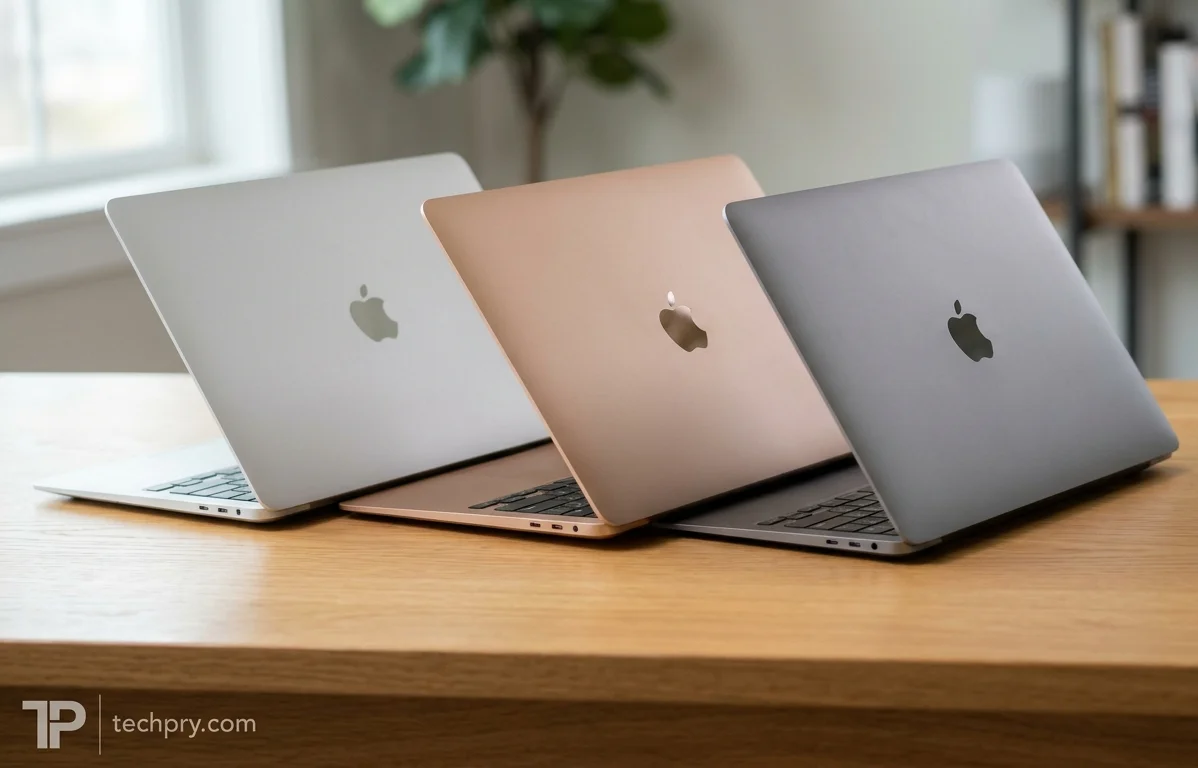
The footprint is 646 cm2, the side bezels are 8.8 mm wide and the screen-to-body ratio is about 79.4%. Those numbers are the physical basis for the student and business verdicts described earlier: a thin, light body is what makes a laptop easy to carry all day. It comes in Silver, Gold and Gray.
Keyboard, touchpad and webcam: good keys, an excellent touchpad and a 720p webcam
RTINGS rates the keyboard good to type on and easy to adapt to, the touchpad excellent, large and responsive, and the webcam great for video calls.
The keyboard is a backlit with 1 mm of key travel and no numpad. With only 1 mm of travel, the keys are worth trying in person if you type for hours, though RTINGS says the keyboard feels good and is easy to adapt to; anyone who enters a lot of numbers will want an external keypad.
The touchpad is a 12.1 x 8.1 cm glass surface, which matches the large, responsive feel RTINGS praises. The webcam sits above the display at 1280 x 720. On paper that is a modest resolution, yet RTINGS still calls the webcam great for video calls, so the number alone should not put off anyone who spends the day on calls.
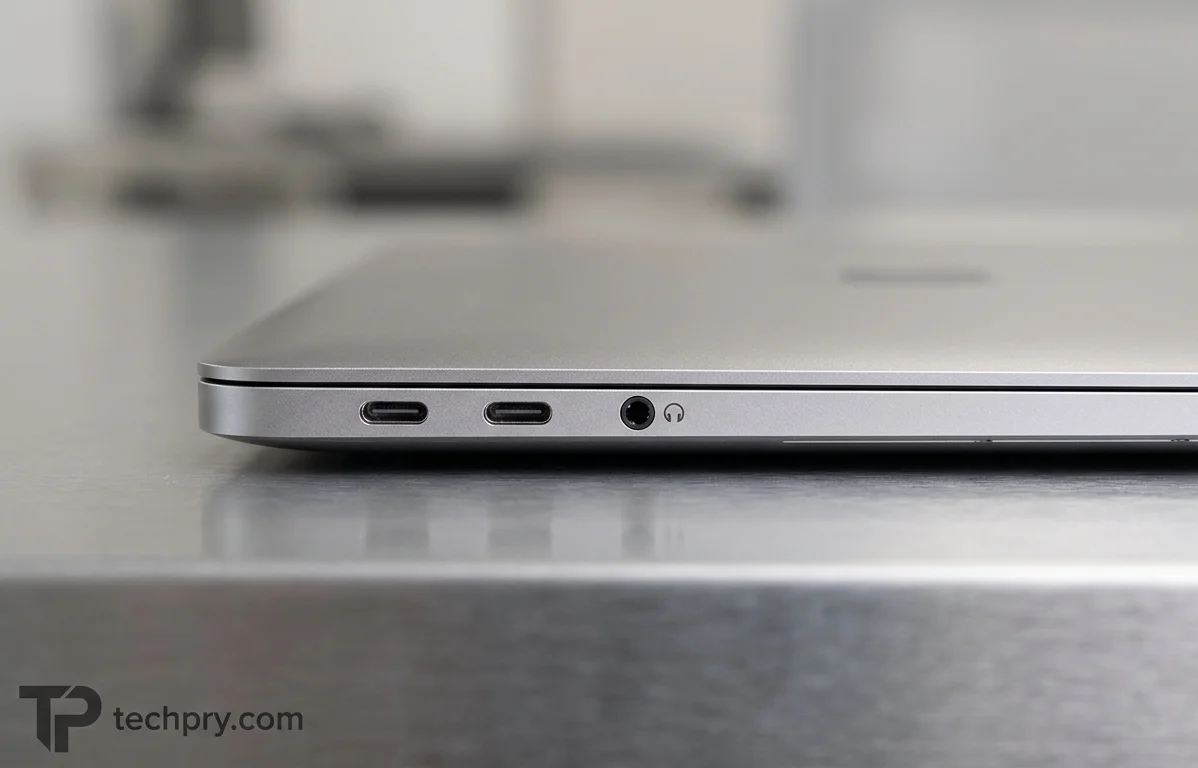
Ports: only two Thunderbolt 3 USB-C ports, and no USB-A, HDMI or SD card slot
The laptop has two USB Type-C ports, both , plus a 3.5 mm audio jack, and RTINGS criticizes the selection because you will likely need adapters or a to connect peripherals or an external display.
The spec lists no USB-A, HDMI, DisplayPort, VGA, Ethernet or SD card reader, and no proprietary charging port. That last absence has a practical consequence: charging also goes over USB-C, so plugging in the charger uses one of the two ports and leaves a single port for everything else. Charging while running an external display and a USB drive would call for a dock.
Wireless and security: Wi-Fi 6, Bluetooth 5 and a fingerprint sensor
The laptop supports and Bluetooth 5, and it has a fingerprint sensor but no infrared sensor. With no Ethernet port, Wi-Fi 6 is the built-in way onto a network unless you add an adapter.
Speakers: excellent, very loud up-firing stereo speakers with three microphones
RTINGS praises the speakers as excellent-sounding and very loud, and describes them as up-firing. The spec lists a 2.0 stereo configuration, support and a measured loudness of about 79.6 dB, along with three microphones.
Together with the sharp, colorful screen, the speakers are one of the two reasons RTINGS gives for rating the laptop good for media consumption, though dark-room viewers should keep the gray-blacks caveat in mind. The three microphones and the webcam RTINGS rates great for calls round out the video-call setup.
The M1 processor: 8-core 5 nm CPU with 4 performance and 4 efficiency cores
The processor is the , fabricated on a 5 nm process with 8 cores (4 performance and 4 efficiency), 8 threads and a 3.2 GHz base frequency. It is ARM-based, which RTINGS ties to the thin game compatibility described earlier: very few games outside the App Store are optimized for it.
M1 integrated GPU specs and benchmark scores: 8 cores, 2.6 TFLOPS, shared LPDDR4X memory
The GPU is an integrated, 8-core Apple M1 GPU built on a 5 nm process and rated at 2.6 TFLOPS, and it uses system-shared memory rather than dedicated video memory. The full sheet:
| Spec | Value |
|---|---|
| Design | Integrated Apple M1 GPU (8-core), 5 nm |
| Shading units / TMUs / ROPs | 1024 / 64 / 32 |
| Clocks | 450 MHz base, 1278 MHz boost |
| TGP | 15 W |
| Compute | 2.6 TFLOPS |
| Memory | System-shared LPDDR4X, 128-bit bus, 4.27 Gbps |
| Solar Bay score | 6004 |
| Blender GPU score | 235 |
The 15 W TGP is the number to read next to the throttling and gaming verdicts: a fanless chassis has a limited heat budget, and RTINGS reports the GPU struggling in demanding games. The two benchmark scores are most useful as reference points when you compare other laptops' results on the same tests.
Comments 0
Please log in or sign up to comment.