
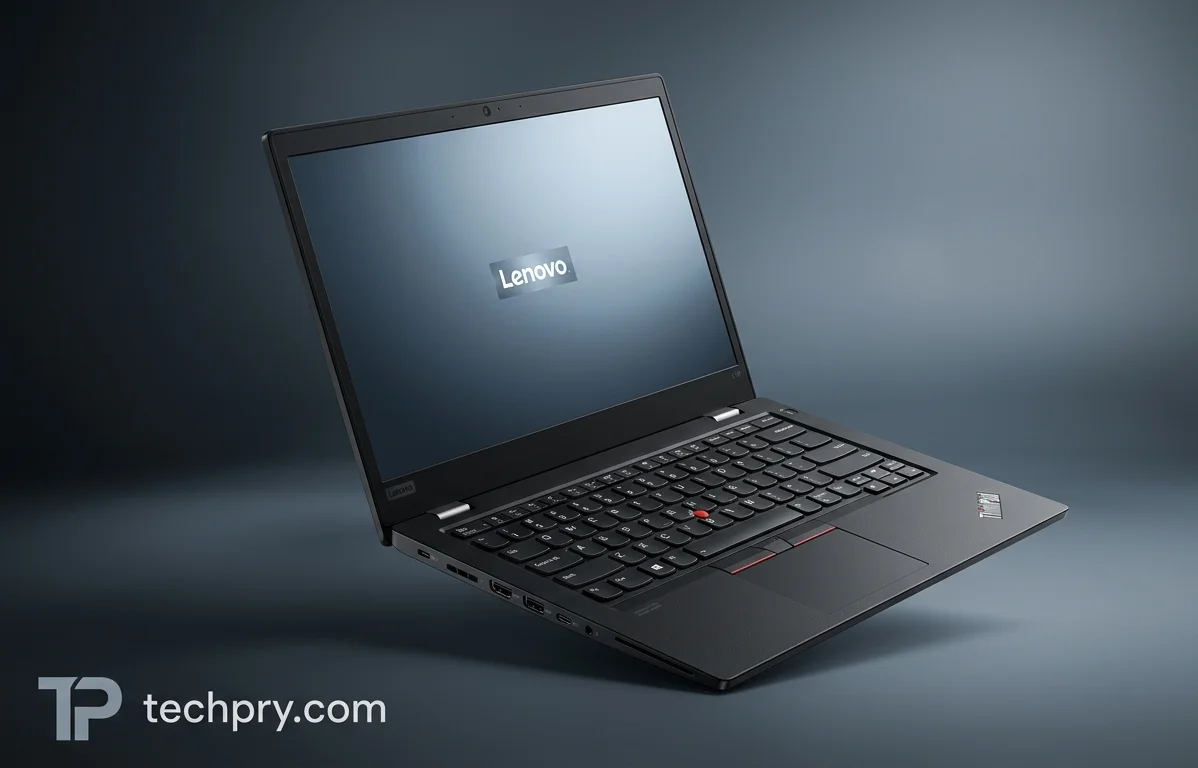
Lenovo ThinkPad L14 Gen 7: Tough, Well-Connected, With a Weak Screen
A rugged chassis, a great keyboard and dock-free ports are the draw, while weak color coverage and mismatched configurations are the catch.
Contents
- Display: a matte 14-inch 16:10 panel at 1920 x 1200 and 400 nits
- Display color coverage: the weak point for color-critical work
- Build quality and durability: very solid, though mostly plastic
- Size and weight: compact on paper, chunky in the hand
- Keyboard: great typing feel, no numpad
- Touchpad and red nub: physical buttons, no haptics
- Performance: average per ITPro, smooth multitasking per Thinkstore
- Processor, graphics and cooling: Core Ultra 5 325, Xe3 graphics and one fan
- AI features: a 47 TOPS NPU and Lenovo's Qira, with the reviewer cautious
- Battery: 46.5 Wh and 65 W charging, with good endurance per ITPro
- Webcam: a star performer, with a shutter
- Speakers and microphones: clear voices, little bass, harsh near maximum volume
- Ports: Thunderbolt, HDMI, three USB-A and Ethernet, but no SD card reader
- Docking stations: seven Lenovo dock configurations, with one video caveat
- Security and sign-in: fingerprint reader, face login, shutter, TPM and lock slot
- Wireless and network: fast Wi-Fi and gigabit Ethernet, with Bluetooth versions in dispute
- RAM: 16 GB at 5600 MHz in two slots, upgradable to 64 GB
- Storage: one upgradable M.2 slot, 256 GB on the spec unit
- A listed configuration: product code 21X2002AMH at €1,848.88 with a 2-year warranty
- Who it suits: a familiar, no-gimmick ThinkPad for business users and ThinkPad-default fleets
ITPro finds the ThinkPad L14 Gen 7 incredibly solid, its keyboard predictably great and its ports generous enough to skip adaptors, then names the display as the one weakness. That is a single reviewer's verdict. A second complication sits in the listings: the specification sheet describes a Core Ultra 5 325 model with a 256 GB SSD and a 46.5 Wh battery, while Thinkstore sells a Core Ultra 7 355 model with 512 GB and a 57 Wh battery. Confirm which version is on the table before trusting a price or a battery-life claim.
Display: a matte 14-inch 16:10 panel at 1920 x 1200 and 400 nits
The screen is a 14-inch, 16:10, 1920 x 1200 with a matte coating, rated at 400 nits and running at 60 Hz. That works out to 162 ppi. The feature list stops there: there is no touch, no HDR and no , and no sync technology either.
Brightness and surface are the display's good side. ITPro measured a peak of 432.5 cd/m2, above the 400 nits rating, and says the effective anti-reflective surface makes the laptop usable in more situations than glossier, more vibrant screens. Thinkstore makes the same point from its listing: the reduces reflections, which it calls ideal for a well-lit office or a desk by the window, and the brightness keeps the image readable in bright surroundings.
Together, the matte finish and the brightness headroom suit the rooms office laptops actually live in. Where the screen falls short is covered next.
Display color coverage: the weak point for color-critical work
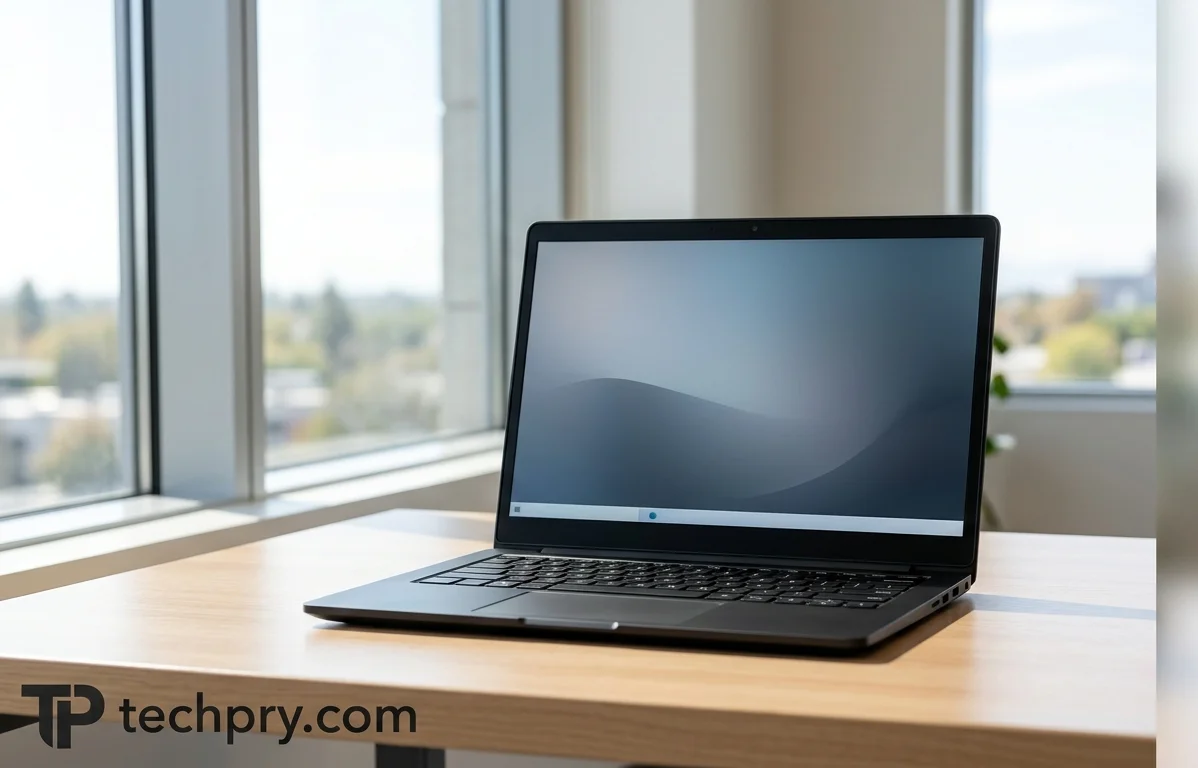
The gamut is narrow. ITPro calls the display the laptop's one weakness, and both its review and Thinkstore's listing put color coverage at 45% . In ITPro's tests the screen covers 57% of sRGB and 39.7% of , and the average of just under 5 is described as substandard color accuracy.
The spec sheet disagrees: it lists 100% sRGB and a 1000:1 contrast ratio. The sRGB claim sits badly with a 45% NTSC figure that two separate sources repeat and with ITPro's measured 57%, so the 100% figure is the number to doubt. Contrast is the exception, since ITPro finds plenty of it, which fits the 1000:1 rating.
What this costs depends on the buyer. For email, documents and spreadsheets, ITPro says the screen is not a disaster, though colors look a little muted in streaming video. For design or image editing, ITPro says the accuracy shortfall clearly has an impact, and this is the one place where the evidence points away from the laptop altogether.
Build quality and durability: very solid, though mostly plastic
It is very solid. ITPro says the laptop feels incredibly solid and practically bulletproof, and points to certification as the reason. ITPro adds that it feels a lot tougher than the slim-and-light 14-inch laptops it has seen recently.
The materials tell a more modest story, and the sources split on the details. The spec sheet lists aluminum on the top and middle of the chassis with a plastic bottom, while ITPro says only the top cover is aluminium and the rest is plastic with between 50% and 90% content. ITPro treats the certification, not a metal shell, as the reason for the toughness, so the aluminum disagreement is a detail rather than a deal-breaker. The chassis has a wedge-shaped profile, and the toughness has a price in bulk, covered next.
Size and weight: compact on paper, chunky in the hand
At 1.38 kg and 313.7 x 226 x 17.01-21.7 mm, it is a compact 14-inch laptop but not a slim one. The footprint is 709 cm2, the is about 80.2% and the side bezels are 6.1 mm.
ITPro calls it relatively compact and lightweight, and Thinkstore says it travels effortlessly. ITPro also says it feels heavier than its scale weight and positively chunky next to some slim-and-light 14-inch laptops, which is the flip side of the build quality above. Someone who carries the laptop all day is trading a little bulk for toughness, while someone who mostly moves it between desks barely pays that price.
The sources also disagree on the numbers. The spec sheet says 1.38 kg, ITPro says 1.36 kg and Thinkstore lists 1.39 kg for its configuration, differences too small to matter in a bag. The thickness gap is bigger: ITPro describes a wedge climbing from 11.32 mm to 17.01 mm, which is several millimeters thinner at both ends than the 17.01-21.7 mm on the spec sheet.
Keyboard: great typing feel, no numpad
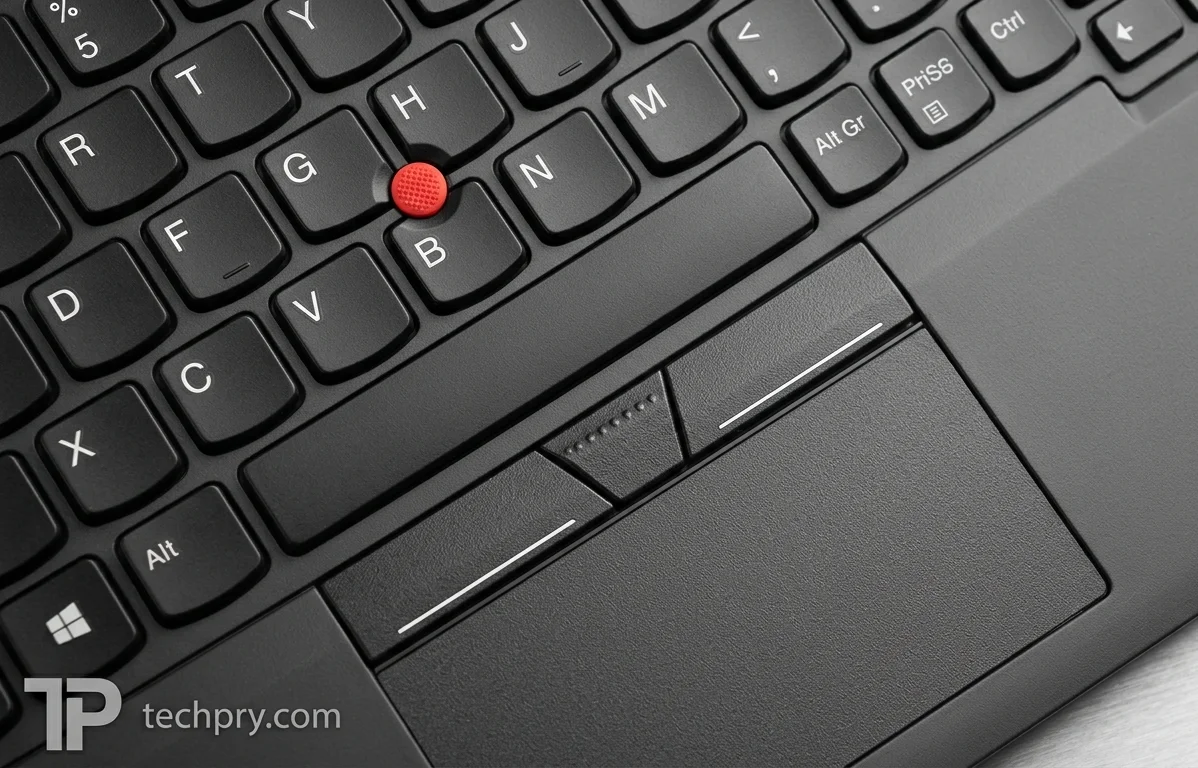
ITPro calls the keyboard predictably great. The keys are large, shield-shaped and slightly dished, the function keys are sensibly sized and the cursor pad is separate, with the main navigation keys in the top-right corner. There is no numeric pad.
ITPro also praises the ergonomics: the laptop feels stable on a lap or a desk, with palmrests that support a comfortable typing position. It has an with 1.5 mm of key travel and an optional .
Two practical points follow. The missing numpad is a plus for typists and a minus for anyone who enters numbers all day, and because the backlight is optional, a buyer who works in dim rooms should check that the configuration includes it.
Touchpad and red nub: physical buttons, no haptics
The touchpad is a traditional one with physical buttons at the top, not a haptic design. It measures 11.5 x 6.0 cm, has a plastic surface and supports . A red analogue nub in the middle of the keyboard also moves the pointer.
None of the published write-ups judges how well the pad tracks, so this is a description of what is there rather than a verdict. The physical buttons and the nub do give two ways to point without relying on the pad surface alone.
Performance: average per ITPro, smooth multitasking per Thinkstore
ITPro rates performance as average and lists it as a downside without a stated reason. Thinkstore is far more upbeat about its own configuration: it calls the powerful and good for smooth multitasking, says 16 GB of memory means daily work never keeps you waiting, and says the 512 GB boots the system in seconds and opens applications almost instantly.
The two verdicts are less contradictory than they look. Thinkstore's praise describes a Core Ultra 7 355, 16 GB and 512 GB configuration, not the Core Ultra 5 325 and 256 GB model, and it is sales copy for its own product rather than a measurement. ITPro's reviewed unit has a Core Ultra 5 processor. The fair reading for a Core Ultra 5 buyer is to expect average speed, to treat ITPro's unexplained rating as a flag rather than a finding, and to read Thinkstore's enthusiasm as describing a different chip.
Processor, graphics and cooling: Core Ultra 5 325, Xe3 graphics and one fan
The Core Ultra 5 model uses an Intel Core Ultra 5 325, an 8-core, 8-thread chip (4 performance and 4 efficiency cores) with a 2.1 GHz base frequency and a 4.5 GHz turbo. It has 12 MB of L3 cache and is made on a 2 nm process, and ITPro describes it as part of Intel's latest hardware. Thinkstore's configuration lists a Core Ultra 7 355 instead, so the two listings are not the same chip.
Graphics are integrated (4-core) with a 25 W TGP and a 2.5 TFLOPS rating. They draw on shared system memory rather than dedicated graphics memory, which makes this an everyday-work laptop rather than a graphics workstation.
Cooling is active with a single fan, and there is no and no . That is a basic thermal setup, and the spec sheet says nothing about noise or temperatures under load, so sustained heavy work is the one workload the evidence leaves unanswered.
AI features: a 47 TOPS NPU and Lenovo's Qira, with the reviewer cautious
It is a , and ITPro says its Core Ultra 5 includes an rated at 47 TOPS. The AI is more promise than proof so far: ITPro sees potential in the preinstalled but also lists AI features that still need work among its downsides, without saying more about either view.
Qira is Lenovo's own generative assistant, and ITPro lists what it promises: image generation, real-time translation and transcription, help based on what is on screen, and a chatbot. ITPro also notes that Lenovo is pitching local AI as a key selling point of the new L-series ThinkPads.
For a buyer, the practical reading is that the NPU hardware is in place while the software experience is still unfinished. A purchase justified by AI alone is a bet that the software improves, whereas one justified by the keyboard, build and ports is not.
Battery: 46.5 Wh and 65 W charging, with good endurance per ITPro
The Core Ultra 5 model has a 46.5 Wh Li-Po battery that is not replaceable, and it charges at 65 W over with support. The charging port is on the left side. ITPro lists good battery life as a pro.
Thinkstore says its processor's balance of speed and efficiency shows in battery life and that the battery gets you through a working day, but it cites a 57 Wh battery, not the 46.5 Wh on the spec sheet. The endurance praise therefore should not be carried over automatically: the working-day claim belongs to a larger pack, and because the battery is not replaceable, the capacity you buy is the capacity you keep.
Webcam: a star performer, with a shutter
ITPro calls the built-in webcam a star performer, delivering solid, well-balanced and well-exposed video in most practical lighting conditions at both 1080p and 1440p. The camera sits above the display and has a 2560 x 1440 resolution, which fits the 1440p mode ITPro used.
Thinkstore describes the camera as a 5 MP front camera with a rather than by video resolution, so the two descriptions are not directly comparable. Combined with the microphones and speakers covered next, the praise for video, speech pickup and voice clarity makes this a convincing meeting machine.
Speakers and microphones: clear voices, little bass, harsh near maximum volume
ITPro says the speakers favor clarity over soundstage or bass: they are quite listenable even at high volumes and voices in meetings are easy to follow, but the sound turns harsh near the top of the volume range. The onboard microphones do a solid job of picking up speech.
The hardware behind that is a Realtek ALC3287 audio chip, two 2 W speakers, support and two microphones. ITPro frames this as a business laptop, not an entertainment centre, which is the right lens. Two 2 W speakers will serve calls and the occasional video, while music with any bass is better left to headphones on the 3.5 mm jack.
Ports: Thunderbolt, HDMI, three USB-A and Ethernet, but no SD card reader
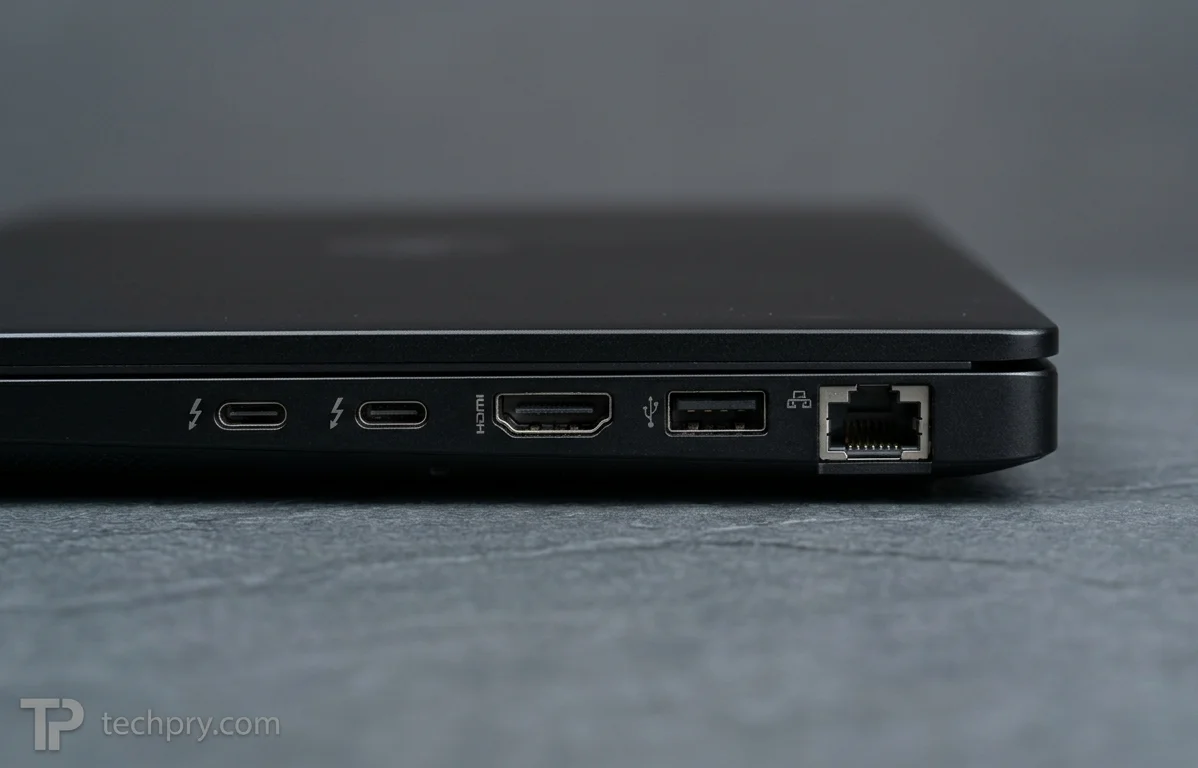
The port selection is generous enough that ITPro says there is no need to carry adaptors or docks to get a working desktop setup running. The left side has two ports, HDMI, one 5 Gbps USB 3.2 port and an RJ45 Ethernet port, and the right side adds two more USB-A ports and an audio jack. On paper that means two USB 4.0 Type-C ports with Thunderbolt 4 support, one output, three USB-A ports, a 3.5 mm jack and Ethernet. Thinkstore likewise recommends it to remote workers who want all the ports they need.
The gaps are specific: there is no SD card reader, no DisplayPort, no VGA and no proprietary charging port. The missing card reader is the one that bites, since photographers and field workers will need a dongle, and HDMI is the only dedicated video output listed.
Charging is worth planning around too. With no proprietary charger socket and charging over USB Power Delivery on the left side, the charger presumably occupies one of the two left-side Type-C ports, leaving one for a dock or display.
Docking stations: seven Lenovo dock configurations, with one video caveat
ITPro's view is that a dock may not be needed at all, though Lenovo has a comprehensive line-up. ConnectYourDock's compatibility page says Lenovo lists 7 dock configurations for machine types 21X2/21X3, and it lists network boot, wake from hibernation or power-off, and host among the dock features. The guidance it gives for this laptop is not to rely on for video. The page was reviewed on 8 September 2026.
Two things follow. Fleets that boot over the network or wake machines remotely have dock features to lean on, and anyone with docks that depend on DisplayLink for video should check before buying. The 21X2 at the start of Thinkstore's product code 21X2002AMH matches a machine type the dock page covers.
Security and sign-in: fingerprint reader, face login, shutter, TPM and lock slot
The fingerprint reader and the infrared sensor are both optional, so sign-in hardware depends on the configuration ordered. ITPro's unit had a separate, physical fingerprint reader and power button to the right of the keyboard, and it can also authenticate through facial recognition via the IR webcam and .
ITPro still favors the fingerprint reader: it feels faster, more secure and, on this machine, simply works. Thinkstore says the reader makes signing in fast and secure, and its configuration also lists an IR camera.
Beyond sign-in, Thinkstore lists a privacy shutter on the camera, a slot and a TPM chip that enables drive encryption. Together with the sign-in options, that covers the basics a managed fleet tends to check first, provided the optional sensors are actually fitted.
Wireless and network: fast Wi-Fi and gigabit Ethernet, with Bluetooth versions in dispute
The laptop has (802.11be) with a 2x2 antenna setup and an Intel WLAN controller, plus an Ethernet port that supports 100 and 1000 Mbit/s. There is no NFC.
Bluetooth is where the sources split. The spec sheet says Bluetooth 6.0, while both ITPro and Thinkstore say 5.4. With two sources agreeing on 5.4 and the spec sheet standing alone, 6.0 is best treated as unconfirmed, which only matters if a particular Bluetooth feature is a requirement.
Mobile data is an add-on: is upgradeable, but Thinkstore's configuration has no mobile network connection. Anyone who works away from Wi-Fi should confirm that cellular is included at order time.
RAM: 16 GB at 5600 MHz in two slots, upgradable to 64 GB
The Core Ultra 5 model has 16 GB of running at 5600 MHz, installed as 2x8 GB in two slots and upgradable to a maximum of 64 GB. Thinkstore agrees on the 16 GB, the DDR5-5600 speed, the two slots and the 64 GB ceiling, but lists a single 16 GB module, which contradicts the 2x8 GB layout.
The layout matters in two ways. Two 8 GB modules fill both slots, so any upgrade means swapping modules out, whereas a single 16 GB module would leave a slot free to add memory without removing the original. And because the integrated graphics draw on shared system memory, a paired-module setup is generally the better arrangement for them.
Storage: one upgradable M.2 slot, 256 GB on the spec unit
The Core Ultra 5 model has a single 256 GB in an M.2 slot on a PCI-E Gen 5.0 x4 bus, and the storage is upgradable. There is only one slot, so an upgrade means replacing the drive rather than adding a second one.
Thinkstore lists a 512 GB SSD on PCI Express 4.0, which conflicts with the spec sheet's capacity and interface. The capacity gap is explained by a different configuration, but that does not explain the interface gap, which is worth checking if drive speed matters. A 256 GB drive also leaves little headroom for a work laptop, so many buyers will want the larger drive or a replacement.
A listed configuration: product code 21X2002AMH at €1,848.88 with a 2-year warranty
Thinkstore, a Dutch store, lists the Core Ultra 7 355, 16 GB, 512 GB configuration under product code 21X2002AMH at €1,848.88 including VAT (€1,528.00 excluding VAT). It comes with a 2-year warranty and .
That price belongs to a different build from the Core Ultra 5 325 and 256 GB model, so it cannot be read as the price of the model described elsewhere in this article. It is also a single store's figure with no date attached, and no price is listed for the Core Ultra 5 version, so the cost of stepping between the two cannot be worked out. The table shows how far the two descriptions diverge.
| Detail | Spec sheet | Thinkstore listing |
|---|---|---|
| Processor | Core Ultra 5 325 | Core Ultra 7 355 |
| SSD | 256 GB, PCI-E Gen 5.0 x4 | 512 GB, PCI Express 4.0 |
| Memory layout | 2x8 GB | 1 x 16 GB |
| Battery | 46.5 Wh | 57 Wh |
| Weight | 1.38 kg | 1.39 kg |
| Bluetooth | 6.0 | 5.4 |
ITPro sides with Thinkstore on Bluetooth 5.4, which suggests that at least some spec-sheet lines deserve caution.
Who it suits: a familiar, no-gimmick ThinkPad for business users and ThinkPad-default fleets
It suits business users and fleets that want a conventional, tough ThinkPad rather than a showpiece. ITPro values the familiar design with no gimmicks and says the physical design is not a huge departure from the . ITPro also sees it as a safe enterprise choice: its most innovative features are software-focused on-device AI, which may be enough to swing a toward Lenovo, while ThinkPad-default fleets will find nothing that rocks the boat. Thinkstore recommends it to business professionals, students and teachers, remote workers, offices and small businesses who value performance and reliability over frills.
Weighing the evidence, the strengths are physical and well supported: toughness, keyboard, ports and webcam. The main weakness is the display's color gamut, which only matters to some buyers, while average performance and unfinished AI are flagged but unexplained.
- Good fit: office-productivity users, remote workers and fleets that value a rugged build, a great keyboard and connectivity without a dock.
- Look elsewhere: color-critical designers and photo editors, anyone who wants a slim-and-light machine or an SD card slot, and buyers who want fast performance or AI features that already work.
Whichever version you pick, check the details that vary: the processor, SSD and battery, plus the optional keyboard backlight, fingerprint reader and infrared sensor.
Comments 0
Please log in or sign up to comment.