
HP ZBook Fury 16 G11: Why the Configuration You Choose Matters More Than the Spec Sheet
The Fury 16 G11 earns its award for slots and ceilings, so the display, graphics and price you actually get depend on the configuration rather than the spec sheet.
Contents
- Is the ZBook Fury 16 G11 worth it? Editors' Choice for expandability, not for top speed
- How good is the display? PCMag calls the DreamColor panel the best in the business
- Display options: 1920 x 1200 IPS at 400 nits on the spec sheet, up to 4K DreamColor or OLED
- Keyboard and touchpad: numpad and RGB lighting, but a clumsy arrow-key layout
- How much RAM and storage fits? Up to 128GB across four SODIMM slots and 16TB across four M.2 slots
- Upgrading the Fury 16 G11: tool-free RAM access, but SSDs still need a screwdriver
- How much does the Fury 16 G11 cost? From $1,558 to $3,564 as tested, and five figures with maxed storage
- Which processors does the Fury 16 G11 offer? From Core i5-13600HX to Core i9-14900HX
- Which graphics cards does the Fury 16 G11 offer? RTX 1000 Ada on the spec sheet, a stronger card in the reviews
- How sturdy is the chassis? Aluminum, military-standard tested, with a rigid keyboard deck but a flexing screen
- At 2.4 kg and 363 x 250 mm, how bulky is the Fury 16 G11?
- Speakers and audio: clean, clear sound, but not loud and with minimal bass
- Webcam: crisp 5MP IR camera, with one complaint about missing AI effects
- Security features: IR face login, fingerprint reader and SmartCard slot, plus HP's security suite
- Wireless: is the upgrade to the newest Wi-Fi standard useful?
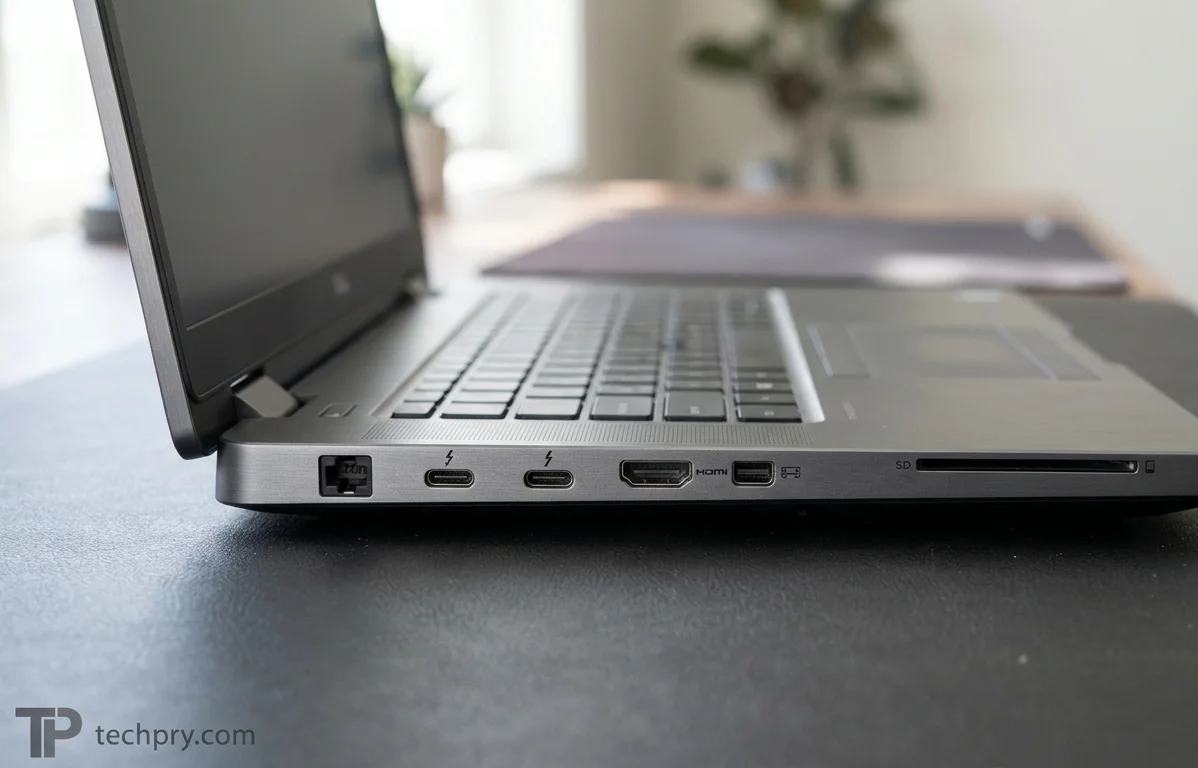
- Ports: two USB-C, two USB-A, HDMI, DisplayPort, Ethernet and an SD reader
- Battery, charging and cooling: a 95 Wh pack, chargers up to 230 W and two fans
- What changed from the previous generation? Newer CPUs, Wi-Fi 7, a Copilot key and a tool-free RAM cover
- Operating system and preinstalled software
- Warranty, packaging and what is in the box
- Who the Fury 16 G11 suits, and who should skip it
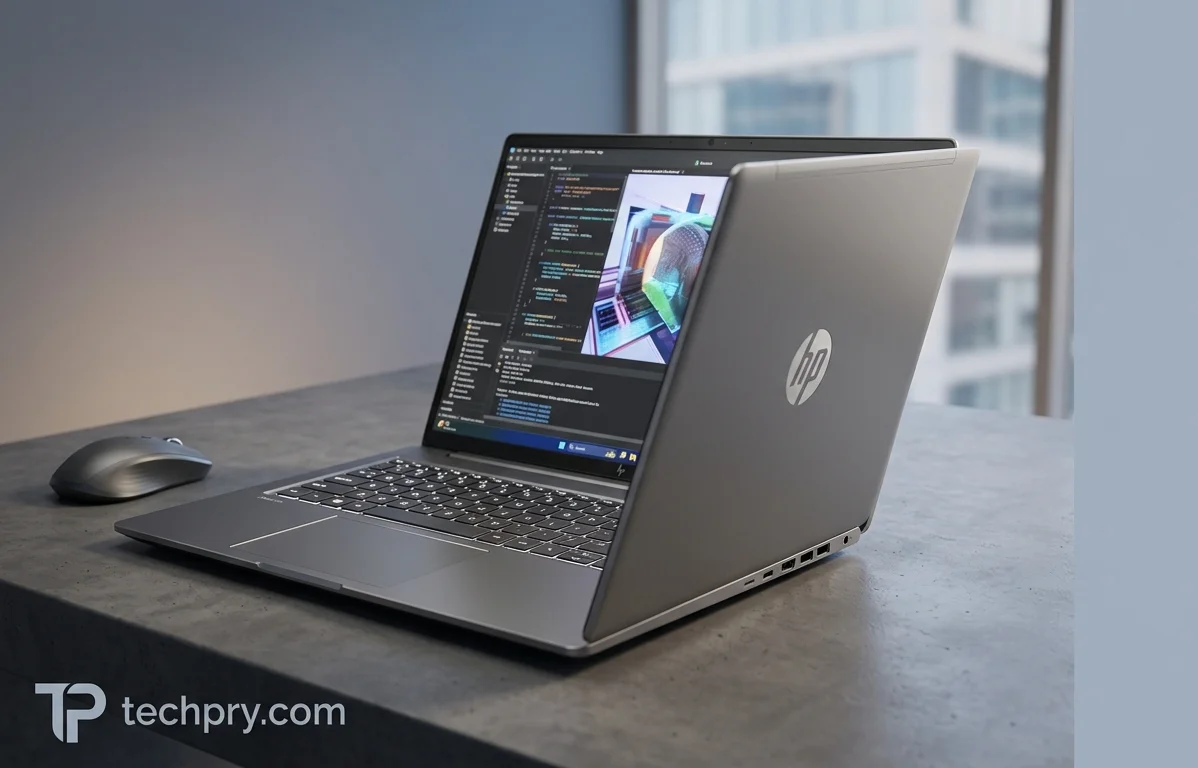
The ZBook Fury 16 G11 is closer to a family of machines than a single laptop, and the spec sheet describes the modest end of it: a Core i7 13850HX, an RTX 1000 Mobile (Ada) GPU and 8GB of RAM . Both reviews tested something quite different, a Core i9-14900HX with a higher-tier Nvidia GPU and a 4K 120 Hz screen . What holds across the range is room to grow: four RAM slots, four M.2 slots, a 128GB memory ceiling and up to 16TB of solid-state storage . That headroom earned an Editors' Choice award from PCMag, and it is also why the price starts at $1,558 and can reach five figures . Which end of the range you shop at decides almost everything that follows.
Is the ZBook Fury 16 G11 worth it? Editors' Choice for expandability, not for top speed
PCMag's verdict is positive but carefully worded: it gave the Fury 16 G11 an Editors' Choice award as a built for the biggest datasets and the most demanding specialized software, where cost is no object . The reviewer is equally clear about the limit, saying the review unit has only Nvidia's third-quickest professional GPU and so is not the fastest machine of its kind that PCMag has tested . Notebookcheck's own rating for the unit it tested is 85.9% (rating system v8, 08/2024) .
Put together, the award rests on how far the machine can be configured rather than on a speed record . The competition is other 16-inch workstations, and Notebookcheck names the , the and the . Because both reviews tested a Core i9-14900HX build with a higher-tier Nvidia GPU, their notes describe the middle-to-upper part of the range, not the base model on the spec sheet . Judgments about the screen, keyboard, speakers, webcam and build come from PCMag alone, while Notebookcheck's notes concern servicing, wireless and what changed from the previous generation .
How good is the display? PCMag calls the DreamColor panel the best in the business
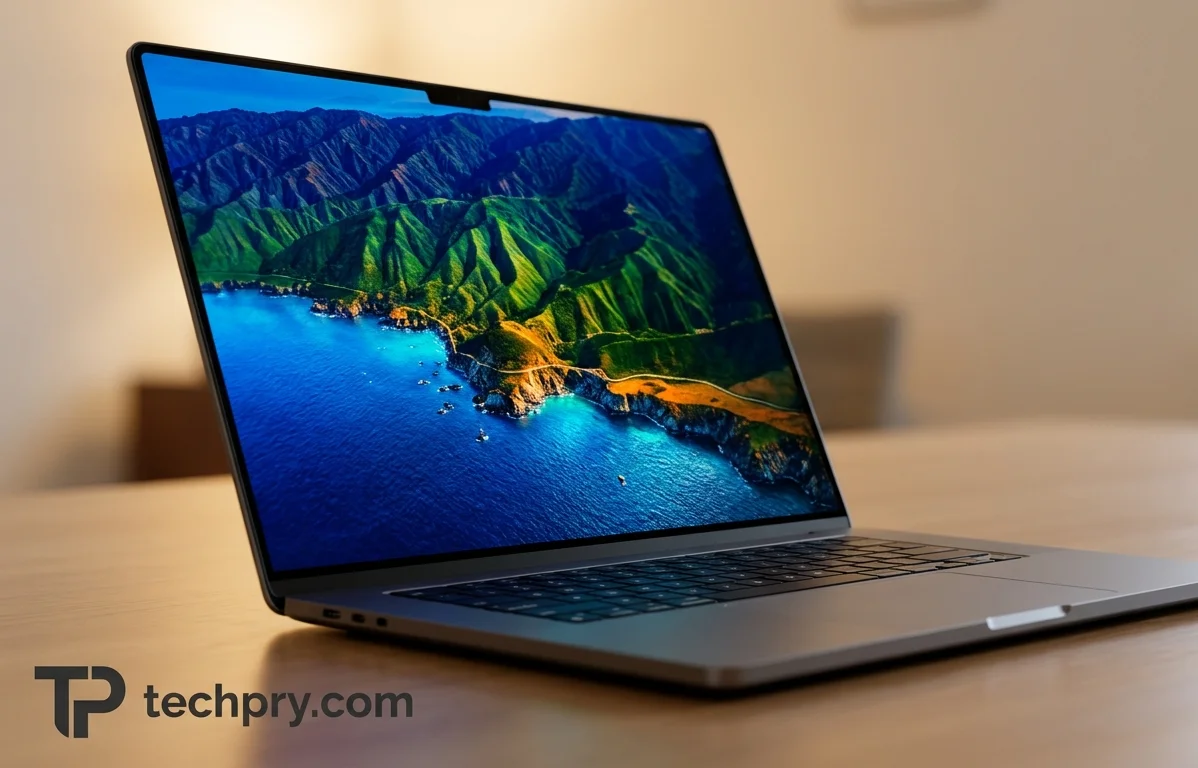
Very good, if you choose the right panel. PCMag describes the screen on its review unit as beautiful, with rich, vivid color and flawless contrast, and it says its opinion has not changed that these are the finest workstation displays in the PC business, even though they still use IPS in an increasingly OLED age . White backgrounds look clean, viewing angles are wide, and high-resolution photos and videos looked striking . Brightness is ample without ever feeling too intense, although this panel measured a fraction below its rated 500 nits .
The catch is which panel that is. The praise belongs to the 3840 x 2400, 120 Hz DreamColor option, which lists 100% DCI-P3 coverage . The screen on the spec sheet is a 1920 x 1200 IPS at 400 nits and 100% sRGB . For color-critical work, the upgraded panel is what PCMag's verdict is really about, and the small brightness shortfall is a footnote beside it .
Display options: 1920 x 1200 IPS at 400 nits on the spec sheet, up to 4K DreamColor or OLED
The spec-sheet display is a 16-inch, 16:10 IPS panel at 1920 x 1200, matte and non-touch, running at 60 Hz with 400 nits and 100% sRGB coverage, and it has no HDR or sync technology . Four other panels turn up across HP's listing and the reviews, and the table puts them side by side.
| Option | Resolution | Finish and touch | Refresh | Brightness | Color gamut |
|---|---|---|---|---|---|
| Spec sheet IPS | 1920 x 1200 | Matte, non-touch | 60 Hz | 400 nits | 100% sRGB |
| DreamColor IPS | 3840 x 2400 | Matte, non-touch | 120 Hz | 500 nits | 100% DCI-P3 |
| OLED touch | 3840 x 2400 | Glossy, touch | 60 Hz | 400 nits | 100% DCI-P3 |
| Privacy-filter IPS | 1920 x 1200 | Matte, non-touch | 60 Hz | 1000 nits | 100% sRGB |
| Glossy IPS touch | 1920 x 1200 | Glossy, touch | 60 Hz | 400 nits | 100% sRGB |
The privacy option is an integrated filter, which PCMag describes as a way to keep seatmates on airplanes from peeking . Its 1000 nits is the highest brightness in the set . The 4K keeps the same resolution as DreamColor with a bit less brightness, according to PCMag . Only the DreamColor panel reaches 120 Hz, so a buyer who wants a high refresh rate and a wide gamut is choosing that one panel, while the OLED trades refresh rate down to 60 Hz and adds a glossy finish .
Several of these figures differ from the spec sheet. The spec lists 60 Hz, but the PCMag and Notebookcheck units ran at 120 Hz . It lists 1920 x 1200, while those units were 3840 x 2400 . It lists 400 nits, against a 500-nit rating on the reviewed panel . It says non-touch, while HP's New Zealand listing shows a touchscreen . That same HP page gives 100% sRGB in its display line and 100% DCI-P3 in a separate color gamut line, so confirm which panel a specific SKU carries before ordering .
Keyboard and touchpad: numpad and RGB lighting, but a clumsy arrow-key layout
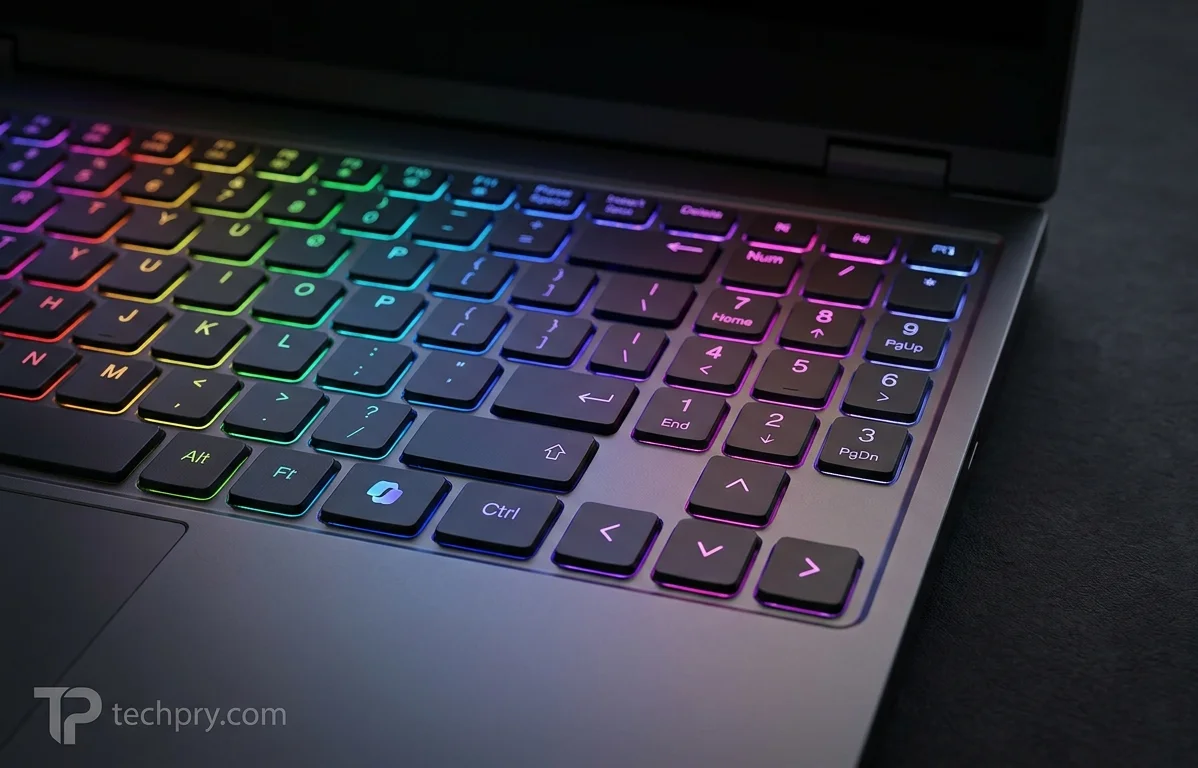
The keyboard earns praise for its features and one pointed criticism. It is an island-style, backlit HP Premium Keyboard, spill-resistant, with a full numeric keypad . PCMag credits the keypad and the colorful RGB backlighting, which comes with software offering a dizzying range of animated effects . Typing feel is shallow and a little rubbery, yet PCMag finds it comfortable for long stretches of fast input .
The criticism is the arrow cluster. Instead of an inverted T, the up and down arrows are half-height keys squeezed between full-size left and right keys, and PCMag calls the result awkward and thoroughly aggravating . Of the keyboard's flaws, this is the one most likely to nag daily use, since the shallow key feel is offset by comfort in long sessions .
The touchpad is a strength. HP fits an extra-large QuietKey touchpad with a glass surface, Windows Precision support and three buttons , and PCMag praises the large, responsive surface and precise buttons, noting that CAD and other demanding ISV apps often use a middle mouse button . One identifying detail: the G11 carries a Microsoft , and both PCMag and Notebookcheck point to it, with Notebookcheck calling it the easy way to tell this model from earlier iterations .
How much RAM and storage fits? Up to 128GB across four SODIMM slots and 16TB across four M.2 slots
The G11 accepts up to 128GB of DDR5 memory in four SODIMM slots and up to 16TB of solid-state storage across four M.2 slots . is available for buyers who need error-correcting memory . PCMag counts this expandability among the machine's main strengths but warns that filling the storage slots pushes the price into five figures .
What ships is far below those ceilings. The spec-sheet configuration is a single 8GB DDR5-5600 module and a 512GB PCIe Gen4 . The other configurations are compared below.
| Configuration | RAM | Storage |
|---|---|---|
| Spec sheet | 8GB DDR5-5600 (1x8 GB) | 512GB PCIe Gen4 SSD |
| Cheapest model, per PCMag | 16GB | 512GB SSD |
| HP New Zealand SKU | 32GB DDR5-5600 (1 x 32 GB) | 1TB PCIe Gen4 TLC M.2 SSD |
| PCMag test unit | 64GB | 1TB NVMe SSD |
On paper, a lone 8GB module in a four-slot machine is a starting point for upgrades rather than a configuration to buy as is, and HP's SKU is also a single module, while its own listing says the memory supports dual channel . Check whether a configuration fills one slot or two before assuming it uses the full memory bandwidth the platform allows. The slot counts are the same on every build, which is why the expandability praise applies across the range, but the price warning applies mostly at the top .
Upgrading the Fury 16 G11: tool-free RAM access, but SSDs still need a screwdriver
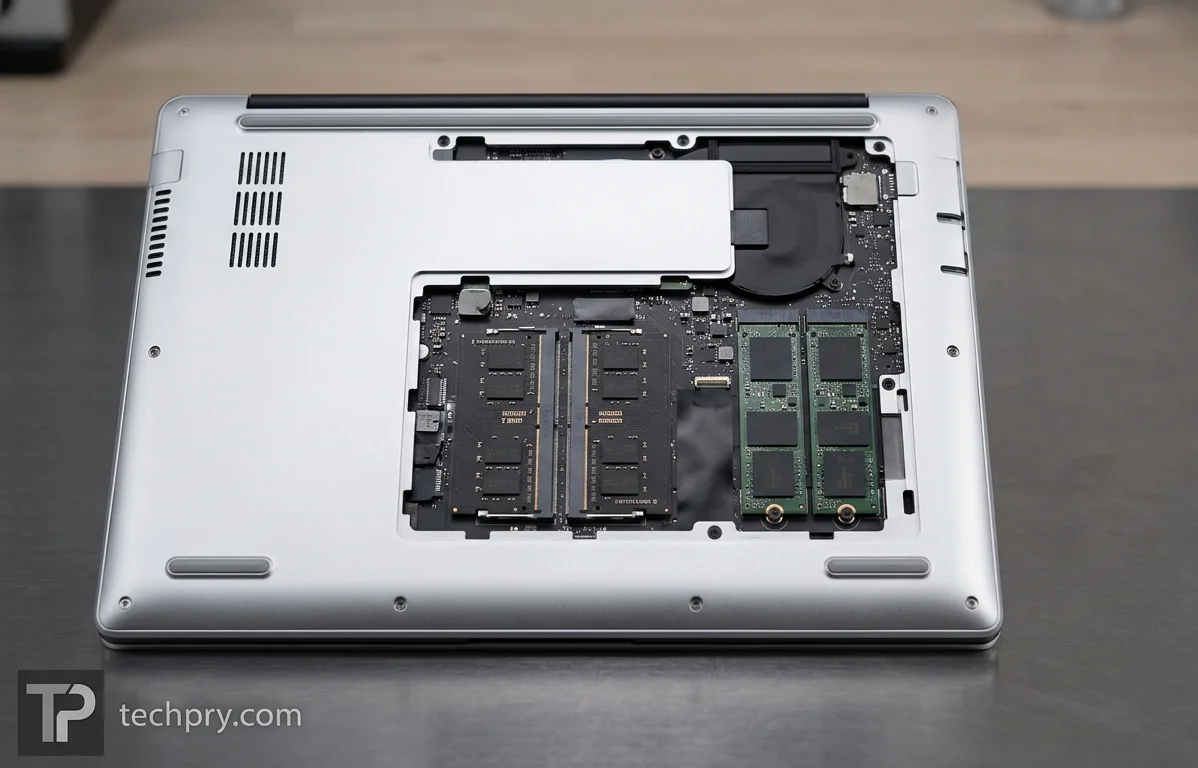
Memory is now the easy upgrade; storage is not. Notebookcheck found that the bottom panel slides off without tools, and on the G11 the aluminum RAM cover uses latches instead of screws, so modules can be installed with no tools at all . The SSDs, though, are still screwed to the motherboard, so swapping a drive needs a screwdriver . HP has promoted on the Fury 16 series since the G9, and the spec lists both RAM and storage as upgradable, which describes a service-friendly design that stops one step short of fully tool-free .
In practice that makes a RAM top-up the quick job and a drive swap the slower one, which matters if you plan to fill the other M.2 slots over time .
How much does the Fury 16 G11 cost? From $1,558 to $3,564 as tested, and five figures with maxed storage
Prices start at $1,558, and PCMag's test configuration cost $3,564, more than double the entry price, while Notebookcheck's upper-midrange unit cost about $3,300 . The cheapest model pairs an vPro with 16GB of memory, a 512GB SSD, a 1920x1200 display and only Intel UHD integrated graphics . PCMag says that integrated-graphics version is easily outclassed by real workstations .
The entry price therefore buys the chassis, the slots and the ports, but not the discrete GPU whose absence PCMag blames for the weak showing . At the other end, configurations climb to the and a 2400p OLED touchscreen, and loading all four M.2 slots to 16TB pushes the total to five figures . The two reviewed builds, at $3,564 and roughly $3,300, sit in the middle of that spread, which is where the award and the hands-on impressions in this article come from .
Which processors does the Fury 16 G11 offer? From Core i5-13600HX to Core i9-14900HX
The range starts at a Core i5-13600HX in the cheapest SKUs and reaches the that both reviews tested . The spec sheet itself lists a Core i7 13850HX, and HP's New Zealand SKU lists a Core i7-14700HX, so three different chips describe the same model name .
| Source | CPU | Cores / threads | Max turbo | L3 cache |
|---|---|---|---|---|
| Spec sheet | Core i7 13850HX | 20 (8P + 12E) / 28 | 5.3 GHz | 30 MB |
| HP New Zealand SKU | Core i7-14700HX | 20 / 28 | up to 5.5 GHz | 33 MB |
| Reviewed units, details per PCMag | Core i9-14900HX | 8P + 16E / 32 | 5.8 GHz | not listed |
The generation story comes from Notebookcheck: the G11 swaps Raptor Lake-HX CPUs for newer options and has no options at all . That makes this a refresh generation rather than a platform change. The cheapest SKUs still start with a 13-series chip, while HP's SKU and the reviewed unit carry 14-series parts, so the entry tier is the one least touched by the refresh . Against the 12 efficiency cores on the i7 tier, the reviewed i9 brings 16 and a higher turbo ceiling, which is the clearest hardware reason to pay for the top processor if your workloads scale across many threads .
Which graphics cards does the Fury 16 G11 offer? RTX 1000 Ada on the spec sheet, a stronger card in the reviews
The spec sheet lists a dedicated RTX 1000 Mobile (Ada) GPU with 6GB of GDDR6 and switching, alongside the processor's integrated Intel UHD Graphics . HP's New Zealand SKU lists an RTX 2000 Ada Generation GPU with 8 GB of GDDR6 . Both reviews tested the , which had 12GB of display memory in PCMag's unit, and configurations go up to the RTX 5000 Ada .
PCMag notes that the RTX 3500 Ada graphics in its unit carry all the a buyer could want, which matters if your software vendor only supports certified hardware . The graphics card is the biggest single variable in this laptop: three different discrete GPUs appear across the spec sheet, HP's SKU and the reviews, and the card tested sits below the top option . That is also why PCMag stops short of calling its unit the fastest workstation it has tested .
How sturdy is the chassis? Aluminum, military-standard tested, with a rigid keyboard deck but a flexing screen
Build quality is solid where it matters: an aluminum case that PCMag reports passed tests for shock, vibration, and extreme temperature and humidity, plus a keyboard deck that resists even a strong press . The weak spots are the lid and the look. The screen flexes a bit if you grasp the corners, and PCMag calls the bezels thick to the point of looking dated .
HP's specification takes the opposite view, describing the display as narrow bezel and listing 9.2 mm side bezels . One is a measurement and the other a judgment, so shoppers who care about the look should check photos rather than rely on either description. For a laptop that will travel, the tested durability and stiff keyboard deck count for more than a lid that only gives when it is gripped by the corners .
At 2.4 kg and 363 x 250 mm, how bulky is the Fury 16 G11?
Very: the spec lists 2.4 kg (5.29 lbs) and 363 x 250 x 27.7-28.6 mm, and PCMag confirms 5.3 pounds . PCMag places it in the heavyweight class of mobile workstations, as opposed to middleweights with lower memory and storage limits . Its examples are the Dell Precision 5690 at 4.46 pounds and HP's own at 3.81 pounds . After a typical ultraportable, PCMag says, it feels like two or three laptops' worth of base under a thin lid .
Weight also moves with the configuration. Notebookcheck's table lists 2.6 kg for its Core i9 and RTX 3500 Ada unit, and HP's New Zealand SKU says it starts at 2.35 kg, with weight varying by configuration and components . The extra mass is the other side of the high memory and storage ceilings PCMag credits, so buyers who value portability above all should look at the lighter machines PCMag cites .
Speakers and audio: clean, clear sound, but not loud and with minimal bass
The stereo speakers sound clean and clear in the highs and midtones, but PCMag finds them not particularly loud and notes minimal bass . They sit at the bottom front, are tuned by Poly Studio, and are backed by two microphones and dedicated volume function keys . HP Audio Control software adds auto, music, movie and voice presets, an equalizer and intelligent noise reduction for conference calls . The spec lists a loudness of about 88.9 dB and no .
That profile suits voices and calls better than music, and anyone who cares about bass or volume is likelier to reach for headphones through the 3.5 mm combo jack or external speakers .
Webcam: crisp 5MP IR camera, with one complaint about missing AI effects
The webcam is a strong point. It is a 5-megapixel IR camera above the display, and PCMag says it captures well-lit, vividly colorful images with crisp detail and no noise or static . Resolution goes up to 2560 x 1440 in 16:9 or 2560 x 1920 in 4:3 .
PCMag's only complaint, which it calls the worst thing it can say about the camera, is that Windows Camera lacked the new AI-enhanced options such as auto framing and background blur . The complaint is confined to what Windows Camera offered, not to image quality, so it is a minor mark against an otherwise well-regarded camera .
Security features: IR face login, fingerprint reader and SmartCard slot, plus HP's security suite
The security hardware is broad. The webcam's IR element supports face recognition, a fingerprint reader sits in the palm rest, a SmartCard slot is on the right edge, and a nano security lock slot completes the physical side . The spec lists the fingerprint reader and IR sensor as optional, while HP's New Zealand SKU and PCMag's unit both have the reader, so check the SKU if biometrics matter to you .
On the software side, the laptop comes with the suite . PCMag says it leads the business laptop segment, with features from OS restoration to a sandboxed secure browser and hardware-enforced containment of malware apps detected by deep-learning AI . Taken together, the biometric, smart card, lock slot and software layers cover most of what a corporate buyer would look for, though the suite's standing is PCMag's judgment .
Wireless: is the upgrade to the newest Wi-Fi standard useful?
Only partly, for now. The card is an Intel BE200 (2x2) with Bluetooth 5.4, non-vPro, but Notebookcheck cautions that in practice most users will still be connecting to Wi-Fi 6 or 6E access points . The card replaces the Intel AX211 of the previous model . PCMag lists Wi-Fi 7 and Bluetooth as standard .
The upgrade is better read as headroom for later than as a speed gain today. For people who work away from reliable Wi-Fi, can be added at ordering, which may matter more in daily use than the Wi-Fi generation .
Ports: two USB-C, two USB-A, HDMI, DisplayPort, Ethernet and an SD reader
The connector set is generous and avoids dongles for most desk setups. There are two USB4 Type-C ports that support at a 40Gbps signaling rate, with DisplayPort 1.4, Power Delivery and HP Sleep and Charge . Two 5Gbps USB 3.2 Type-A ports follow, one marked for charging . Video output comes from one port and one 1.4 output .
The rest of the list is Gigabit Ethernet from an Intel I219-V controller, an SD card reader, a 3.5 mm combo audio jack, the SmartCard slot on the right edge and a nano security lock slot . There is no VGA port and no optical drive . PCMag places both Type-C ports, both video outputs, the SD reader and the power connector on the left side, so a desk setup concentrates its cabling there . On paper, that makes four connectors that can carry video, counting the two Type-C ports .
Battery, charging and cooling: a 95 Wh pack, chargers up to 230 W and two fans
The battery is an HP Long Life 8-cell, 95 Wh lithium-polymer pack that is not replaceable, and fast charging fills it in 1:20 hr . Charger options run 150, 200 or 230 W, and the connector is a proprietary one on the left side . The spec lists the AC adapter at 795 grams, while HP's New Zealand SKU ships a 200 W Slim Smart adapter . The laptop can also charge over through its Type-C ports . Runtime figures are not part of what the reviews report, so capacity is the number to plan around, and an adapter of that weight adds to the real carry weight of a laptop listed at 2.4 kg .
Cooling is active, built around a and two fans, with no liquid metal . The spec lists a maximum noise level of 48.2 dB under maximum load . Because the spec describes the lower-tier configuration, a Core i9 build with a higher-tier GPU may sound different under the same load .
What changed from the previous generation? Newer CPUs, Wi-Fi 7, a Copilot key and a tool-free RAM cover
Not much, and mostly in the details. The 2024 G11 is a refresh and successor of the 2023 , and the chassis is otherwise identical to the Fury 16 G10 and G9, with many configurable options carried over . The table sums up the differences that Notebookcheck and PCMag point to.
| Area | Fury 16 G10 | Fury 16 G11 |
|---|---|---|
| CPUs | Raptor Lake-HX | Raptor Lake-HX Refresh, no Meteor Lake options |
| Wi-Fi card | Intel AX211 | Intel BE200 with Wi-Fi 7 support |
| RAM cover | Screws | Latches, tool-free RAM installs |
| Keyboard | No Copilot key | Copilot key |
| Chassis | Same | Same as the G10 and G9 |
HP has promoted tool-less servicing since the G9, so the latch-based RAM cover continues a direction rather than starting one . For anyone weighing the two generations, the differences are incremental: the Copilot key is the visible tell, and the Wi-Fi and processor changes are modest refinements .
Operating system and preinstalled software
HP's listed SKU ships with , and the listing names HP Smart Support as available software and HP Power Manager 7 for management . Beyond those, the laptop comes with the HP Wolf Security suite, Z Light Space software for keyboard lighting effects and HP Audio Control for sound presets and noise reduction .
Warranty, packaging and what is in the box
Coverage depends on where you buy. HP's New Zealand page lists a 1-year (1/1/1) limited warranty including parts, labor and on-site repair, with terms varying by country, and the listed SKU also includes HP 3-year offsite notebook support . Notebookcheck says a three-year manufacturer warranty comes standard when the laptop is purchased in the US . The same hardware can therefore arrive with different coverage, so check the service line on the SKU you are ordering .
The packaging is fully recyclable and mostly paper, with the AC adapter the only item wrapped in plastic . The retail box holds nothing beyond the adapter and paperwork, and the spec lists Low Halogen sustainability .
Who the Fury 16 G11 suits, and who should skip it
The evidence points to a clear split between buyers who will use the headroom and buyers who will pay for it without noticing.
- It suits people whose work is limited by memory or storage rather than raw GPU speed, since four RAM slots, four M.2 slots and an ECC option are the reasons PCMag praises it .
- It suits buyers who will specify a discrete professional GPU and the 4K DreamColor panel, because the best display praise and the ISV-certified graphics apply to those choices, not to the spec-sheet base .
- Skip it if weight matters most: at 5.3 pounds it sits in the heavyweight class, well above the middleweights PCMag compares it with .
- Skip the entry model if you expect workstation performance, because PCMag says the integrated-graphics version is easily beaten by real workstations .
- Skip it if you want the fastest GPU PCMag has tested, if bass and loudness matter, or if the half-height arrow keys will bother you .
Comments 0
Please log in or sign up to comment.